

Getting started with PayPal is simple, but wrapping your head around its fraud protection can feel like trying to solve a puzzle. The best way to think about it is like a two-part security system for your store: one part is an always-on, automated guard, and the other is a safety net called Seller Protection that you can use for certain sales.
How PayPal Fraud Protection Actually Works
At its heart, PayPal’s fraud protection isn't a single feature you just turn on. It's a system that’s always running in the background, combining powerful, automated transaction screening with a specific set of rules you have to follow to get coverage. Nailing down both pieces of this puzzle is a must for any merchant.
This two-part approach is designed to catch fraudsters before they ever hit your checkout, while also giving you a way to get your money back if a bad transaction somehow slips through the cracks.
The Automated Security Guard
The first line of defense is PayPal's massive, 24/7 fraud detection engine. Picture a security guard who has seen millions of transactions and can spot something shady from a mile away. That's what this system does—it analyzes every single payment in real time, constantly on the lookout for red flags.
This powerful system is always learning from the massive amount of data it processes. PayPal's AI models scan hundreds of millions of payments, scoring each one across more than 500 different data points to sniff out anything suspicious. It's credited with blocking around $500 million in fraud every quarter, a scale of prevention most smaller platforms simply can't match.
This infographic breaks down how the two core components of PayPal's protection system work hand-in-hand.
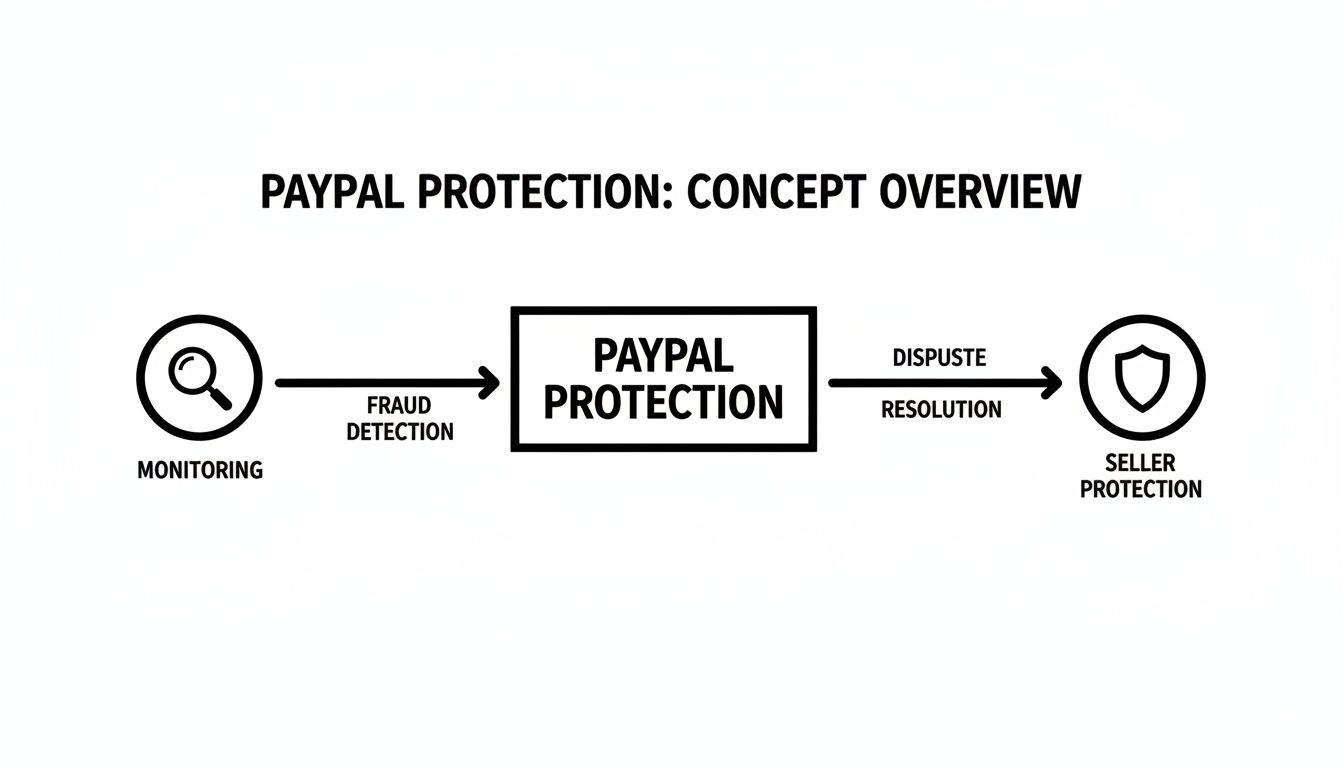
As you can see, the proactive monitoring and the reactive Seller Protection are designed to give you a more complete defense strategy.
Your Role in Seller Protection
The second layer is PayPal Seller Protection. This isn't an automatic guarantee for every sale. Instead, it’s a conditional policy that protects you from losses on two very specific types of disputes:
- Unauthorized Transactions: When a purchase is made with a stolen account or card.
- Item Not Received Claims: When a customer claims they never got the product you sent.
To qualify for this protection, you absolutely have to play by their rules. Think of it as a partnership—your actions directly decide whether or not you're covered if something goes wrong.
For example, shipping an item to the verified address listed on the PayPal transaction details page is completely non-negotiable. If you ship to a different address the customer sends you in an email, you’ll instantly be disqualified from any coverage for that sale. Taking the time to explore the details of PayPal payment security can give you a major leg up in protecting your revenue.
If you're an online seller, you've probably heard the term "PayPal Seller Protection" and breathed a sigh of relief. It sounds like an ironclad guarantee for every sale, right?
Unfortunately, that's a common and costly misconception. Think of PayPal's Seller Protection less like a blanket warranty and more like a very specific insurance policy. It only kicks in under certain conditions, and knowing the difference is crucial to protecting your business.
Let's pull back the curtain and look at what this protection really means for you, so you aren't caught off guard when a dispute inevitably lands in your account.
The Two Pillars of Coverage
At its heart, Seller Protection is built to shield you from two of the most common headaches in e-commerce. If a customer dispute falls squarely into one of these categories and you've followed all of PayPal's rules to a T, they'll cover the loss and even waive the chargeback fee.
Here's what the policy is designed to handle:
- Unauthorized Transaction Claims: This is classic fraud. A scammer gets their hands on a stolen PayPal account, credit card, or bank details and makes a purchase from your store. When the real account holder spots the charge, they report it as unauthorized.
- Item Not Received (INR) Claims: This is another old trick. A customer pays for an item but then claims it never showed up at their doorstep. While this is a go-to move for scammers, it can also happen legitimately when a package gets lost in transit.
These two claim types make up a huge portion of the fraud merchants deal with every single day. Without this protection, you'd be out the product and the payment every time.
Where Seller Protection Falls Short
Now for the part that trips up most sellers: the exclusions. This is where assuming you're covered can really hurt your bottom line.
The single biggest blind spot in Seller Protection is for "Significantly Not as Described" (SNAD) claims. If a customer argues the item they received is different from your product description—maybe the wrong color, damaged in a way you didn't disclose, or even a suspected counterfeit—Seller Protection offers no help. You are entirely on your own to fight that dispute.
On top of that, the protection has major limitations depending on what you sell and how you get it to your customer. As PayPal's own help documents make clear, the rules are incredibly strict.
As you can see, having valid proof of shipment or delivery isn't just a suggestion; it's a non-negotiable requirement. This immediately creates a huge problem for entire categories of products.
Critical Exclusions You Need to Know
Because proof of shipment is mandatory, certain business models are almost completely left out in the cold. If your store sells any of the following, you're likely ineligible for Seller Protection:
- Digital Goods: E-books, software, gift cards, and any other intangible items can't be physically shipped, so they don't qualify.
- Services: If you provide a service, like business coaching, web design, or consulting, you're not covered.
- Items Picked Up in Person: When a local customer collects an item directly from you, there’s no tracking information to provide to PayPal.
For a quick reference, here's a simple breakdown of what's generally covered and what's not.
PayPal Seller Protection Coverage at a Glance
This table makes it clear: while Seller Protection is a valuable tool, it's far from a complete defense system. It’s just one layer of security. You absolutely cannot rely on it to shield you from every scam or chargeback that comes your way.
Understanding these distinctions is everything. For merchants who frequently deal with SNAD claims or sell digital products, it's time to build a more robust defense strategy. To learn more, check out our complete guide to PayPal chargeback protection and discover what steps you can take when a dispute falls outside of Seller Protection's narrow scope.
Common Scams That Slip Past PayPal's Defenses
Even with powerful automated systems scanning every single transaction, clever fraudsters are always finding new ways to game the system. Think of PayPal’s defenses as a strong castle wall; it stops most direct attacks, but resourceful scammers are constantly digging tunnels underneath. Knowing their tactics is the first step to building a much stronger defense for your business.
This is especially true as scams targeting consumers directly are on the rise. In a recent year, consumers lost over $12.5 billion to fraud, a massive 25% jump from the year before. PayPal's immense popularity also makes it a prime target. In fact, it ranks as the third-most impersonated company by scammers, which tells you just how active fraudsters are on the platform.
Friendly Fraud: The Inside Job
One of the most infuriating schemes for merchants is "friendly fraud." This isn't some shadowy hacker using a stolen card. It's a legitimate customer who makes a purchase and then turns around and dishonestly claims it was unauthorized or that the item never arrived.
Because the transaction looks completely normal—with a matching billing and shipping address and a valid payment method—PayPal's automated systems won't raise any red flags. The customer is basically weaponizing the dispute process, and it falls on you to prove they aren't being truthful. This is where having meticulous records becomes your absolute best friend.
Triangulation Fraud: The Three-Point Attack
Triangulation fraud is a more complex con that ropes in three parties: the fraudster, an unsuspecting customer, and you (the merchant). It’s a sneaky trick that can leave you holding the bag for a chargeback long after you’ve shipped the product.
Here’s the play-by-play:
- The Bait: The fraudster sets up a fake online storefront, maybe on a marketplace like eBay, selling popular items at a too-good-to-be-true discount.
- The Switch: An innocent buyer purchases an item from the fraudster’s fake store, providing their real name and shipping address.
- The Attack: The fraudster then takes a stolen credit card, buys that same item from your legitimate store, and has it shipped directly to the innocent buyer.
The original buyer gets their product and is none the wiser. But you eventually get hit with an "unauthorized transaction" chargeback from the actual owner of the stolen credit card. Since you shipped the item to an address that doesn't match the stolen card's billing address, you automatically lose your Seller Protection.
Phishing and Account Takeover Scams
Phishing is still one of the oldest and most effective tricks in the book. Fraudsters send out deceptive emails that look like they’re from PayPal, trying to trick you or your customers into coughing up login credentials. Once they're in, they can drain funds, change shipping addresses, or make purchases on your dime.
The core of this scam isn't a technical hack—it's social engineering. They're exploiting human trust, not a software bug. A convincing fake email is often all it takes to get the keys to an account.
Given that phishing is one of the top tools in a fraudster's kit, understanding how to protect against phishing attacks is non-negotiable for securing your PayPal account and your customers’ data.
Address Manipulation and Empty Box Claims
Scammers have also perfected ways to manipulate the shipping process because they know PayPal's proof-of-delivery requirements inside and out. These tactics are designed specifically to strip you of your Seller Protection eligibility.
- Address Manipulation: A buyer places an order using a valid, confirmed address. But after you ship it, they hop onto the carrier’s online portal (like FedEx Delivery Manager or UPS My Choice) and reroute the package to a completely different address. They then file an "Item Not Received" claim. Since your proof of delivery shows it went somewhere other than the address on the transaction details, you lose the dispute.
- The Empty Box Claim: This one is as bold as it is effective. The customer receives your product but files a "Significantly Not as Described" (SNAD) claim, alleging you sent them an empty box. SNAD claims aren't covered by Seller Protection, so the burden of proof is entirely on you to somehow prove you shipped the actual item.
These scams make it crystal clear why relying solely on PayPal fraud protection isn't enough. To truly secure your revenue, you need to understand the different types of PayPal chargeback scams and learn how to spot their red flags early on.
How to Optimize Your PayPal Account for Better Security
Using PayPal with its default settings is like having a top-notch security system but leaving the front door unlocked. Sure, its automated tools catch a lot, but you can dramatically boost your PayPal fraud protection by actively tweaking the security features already built into your account.
Taking a few minutes to tighten these settings is one of the most powerful things you can do to shield your business from preventable losses. This isn't about becoming a fraud expert overnight; it's about making PayPal's tools work for your specific business and risk level to build a much stronger, more customized defense.
Adjusting Your Payment Receiving Preferences
One of the simplest yet most effective moves you can make is controlling which types of payments you accept in the first place. You can tell PayPal to automatically block payments that carry common red flags, saving you the headache of dealing with a risky order after it’s already come through.
A key setting here is the ability to block payments from buyers with unconfirmed addresses. This single adjustment is crucial for staying eligible for Seller Protection. If a buyer doesn’t have a confirmed address tied to their account, it could be a sign of a new, potentially fraudulent account created just for that transaction.
Here are the key preferences to review and set up:
- Block payments from users who have a non-U.S. PayPal account. This is a lifesaver if you only ship domestically and want to sidestep the headaches of international fraud.
- Block payments in currencies you do not hold. This little trick stops issues with currency conversion and can halt fraudsters trying to use foreign accounts.
- Block payments for duplicate invoice IDs. A simple but brilliant way to prevent accidental double payments or intentional duplicate orders.
By dialing in these preferences, you create a first line of defense that filters out suspicious transactions before they ever land on your radar.
Activating Fraud Management Filters
For merchants with a PayPal Business account, the real power is in the Fraud Management Filters. Think of these as a set of custom rules you create to tell PayPal what a suspicious transaction looks like for your business. Instead of just relying on PayPal's general risk models, you can flag or even automatically block transactions based on your own criteria.
This is huge, especially when you consider that for every dollar lost to fraud, businesses often end up paying up to four times that amount after factoring in chargeback fees and operational costs. These filters are your direct weapon against that problem.
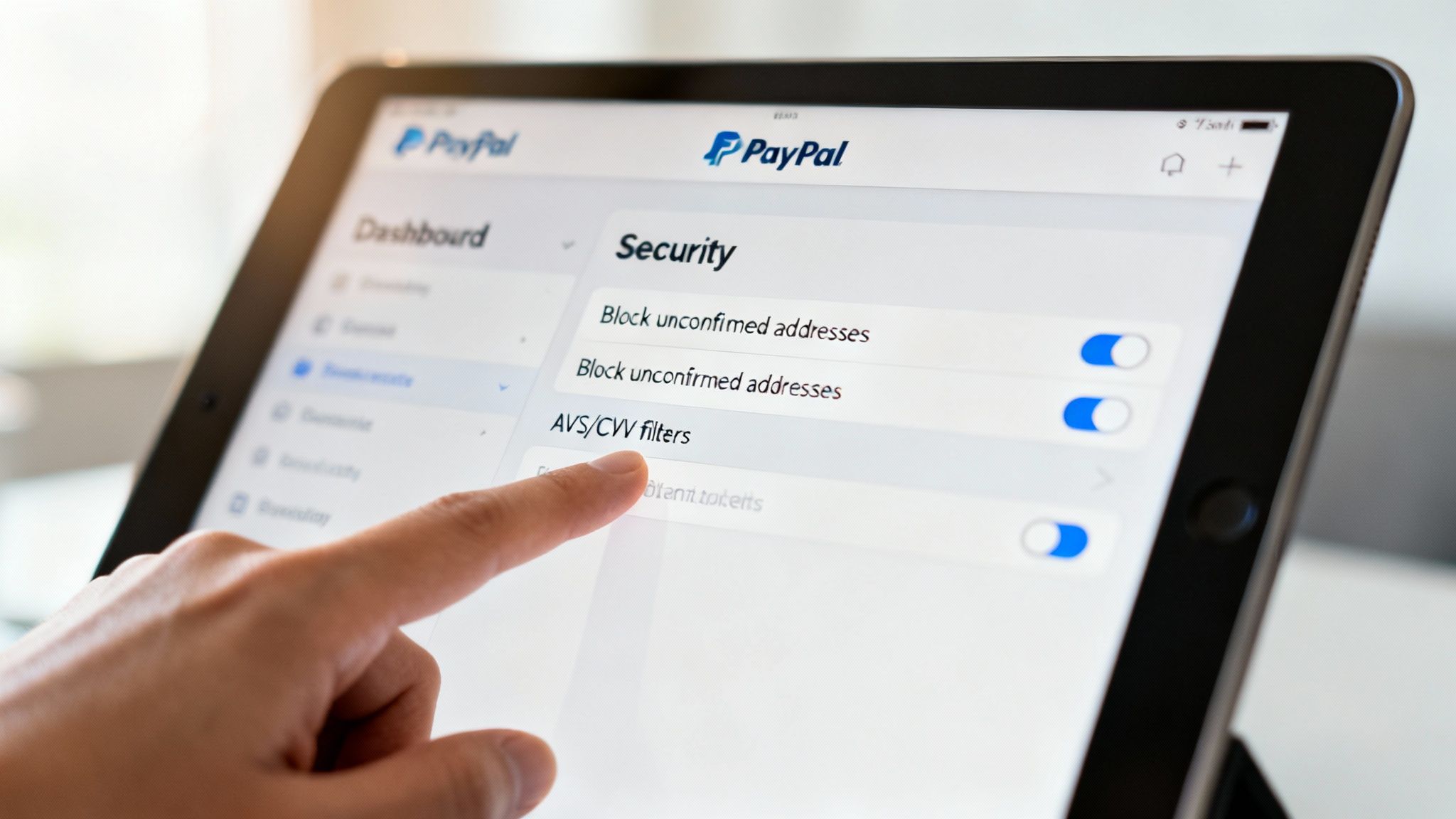
Here's a peek at the dashboard where you can build these custom rules.
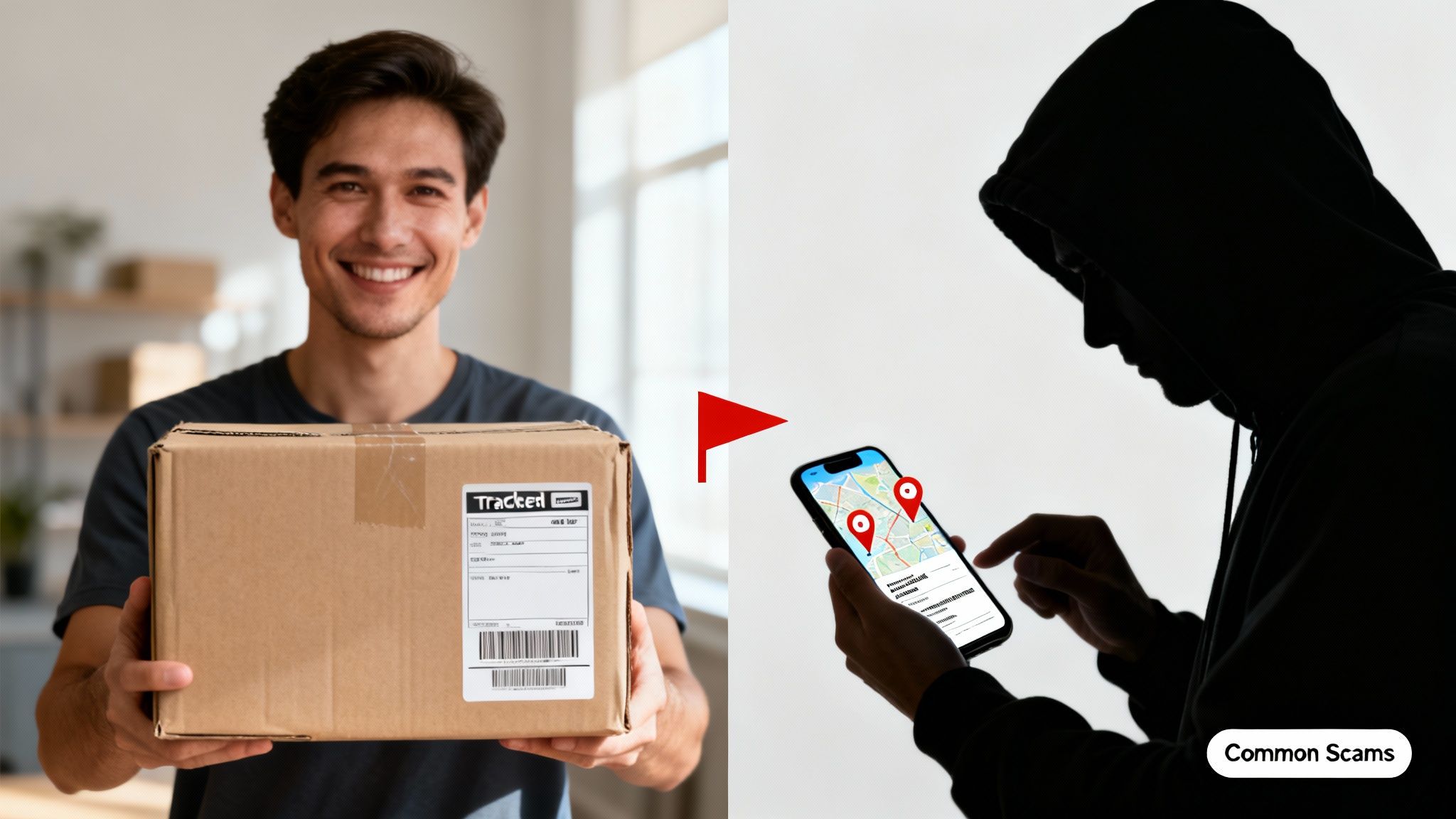
This interface gives you granular control to create highly specific rules that either flag transactions for a manual look-over or reject them outright.
Some of the most valuable filters you can set up include:
- Transaction Risk Score: PayPal gives every transaction a risk score from 0 to 100. You can create a rule to automatically block any payment that scores above a certain number, like 70.
- AVS and CVV Mismatches: You can set rules to block payments where the Address Verification System (AVS) or the card's security code (CVV) fails. A "full mismatch" on AVS, for example, is a massive red flag that you can stop in its tracks.
- Maximum Transaction Amount: If you rarely sell anything over $500, you can set a rule to flag any transaction above that for a manual review. This is a great way to catch fraudsters attempting large, damaging purchases.
Key Takeaway: Using these filters flips your role from reactive to proactive. You’re no longer just responding to fraud alerts; you’re defining the very rules that identify them, creating a defense system that truly understands your business’s unique vulnerabilities.
Knowing When to Automate Your Chargeback Defense
PayPal’s built-in fraud tools are a fantastic first line of defense for any business. But as you scale and your sales volume climbs, a new problem creeps in—one these tools can’t solve on their own.
Suddenly, you're not just running a business; you're also managing a constant stream of disputes. The time you spend fighting chargebacks manually begins to snowball. What started as a minor weekly task can quickly become a massive drain on your resources.
If you find yourself spending hours every week digging through order histories, screenshotting conversations, and uploading evidence to PayPal’s Resolution Center, you’ve hit the wall. This isn't just tedious work; it's a real operational cost that pulls you and your team away from growth-focused activities.
This isn’t just a feeling—it’s a measurable problem. According to data cited by PayPal, the average merchant faces around 679 chargebacks per month. Even more staggering, each dispute can take up to 31 hours of manual work to investigate and handle properly. That’s an unbelievable amount of time that should be spent on marketing, product development, or just about anything else.
Recognizing the Tipping Point
So, how do you know when it’s time to stop fighting by hand and bring in automation? The answer is usually hiding in plain sight, reflected in the friction you're feeling every day.
Ask yourself a few honest questions:
- Are you losing winnable chargebacks? It’s heartbreaking, but it happens. A missed deadline or a forgotten piece of evidence can sink a case you absolutely should have won.
- Is your chargeback volume growing right alongside your sales? A manual process that worked for 10 disputes a month will completely buckle under the pressure of 50 or 100.
- Do you know the true cost of each dispute? Once you factor in your time (or your staff's), the real cost of a chargeback is far more than just the transaction amount.
If you answered "yes" to any of these, it's a clear sign you’ve reached that tipping point. Your business has simply outgrown the manual approach, and it’s time to find a smarter way forward.
How Automation Supercharges PayPal Protection
This is where dedicated chargeback management tools come into play. These platforms aren’t built to replace your PayPal fraud protection; they’re designed to enhance it, filling in the gaps where manual processes fall short. They plug directly into your PayPal account and take over the entire dispute response process for you.
Think of it like hiring a team of expert paralegals who work 24/7. Instead of you needing to log in, gather evidence, and write a response, these systems do it all in seconds.
These tools use AI to analyze the reason code for every chargeback and instantly assemble a customized, evidence-backed response. They automatically pull order details, shipping information, customer communications, and anything else needed to build the strongest possible case. The result? You get your time back, your win rate goes up, and you start recovering revenue you might have otherwise written off.
If you're ready to get out of the weeds of manual dispute handling, our deep dive into automated chargeback management using AI can show you exactly how these solutions work. Ultimately, automation lets you scale your business confidently, knowing you have an intelligent defense system protecting your bottom line around the clock.
Your Action Plan for Reducing PayPal Fraud
Knowing how PayPal fraud protection works is one thing. Actually putting that knowledge to work to protect your business is another. Let's turn everything we've talked about into a straightforward action plan you can start using today. Think of this as your roadmap to building a much tougher defense against fraudsters and disputes.
It all boils down to reinforcing the basic habits that keep you eligible for Seller Protection in the first place. These aren't just tips; they're the absolute, non-negotiable rules of the game if you expect PayPal to have your back.
Master the Core Protection Habits
A solid defense is built on consistency. You need to make these three habits a core part of your fulfillment process for every single physical order—no exceptions.
- Always Ship to the Verified Address: This is a big one. Only ship to the address you see on PayPal's transaction details page. If a customer emails or messages you asking to change the destination, don't do it. That one little change instantly voids your Seller Protection.
- Use Trackable Shipping: Every single package needs a valid tracking number that proves you sent it and that it was delivered. For anything high-value, spring for signature confirmation. It’s an extra layer of security that’s well worth it.
- Keep Meticulous Records: You need to become a record-keeping machine. Save all customer emails, order confirmations, and shipping receipts. When a dispute comes knocking, this documentation is your best and only weapon.
By mastering these basics, you're building a foundation of security that makes it much harder for common scams to hit their mark. It’s the simplest and most effective way to stay on the right side of PayPal's rules.
Regularly Audit Your Account Settings
Your next move is to shift from being reactive to proactive. Don’t just sit around waiting for a problem to pop up.
Get in the habit of scheduling time—maybe once a quarter—to dive into your PayPal account and fine-tune your security settings. Go through your Payment Receiving Preferences and turn on the Fraud Management Filters. As your business grows, so do your risks. Regularly auditing these settings makes sure your defenses are evolving right along with you, helping you catch suspicious transactions before they turn into expensive chargebacks.
For a deeper dive on this, our guide on how to prevent chargebacks on PayPal has more strategies you can use.
Decide When to Automate Your Defense
Finally, you have to be honest with yourself about what your time is worth. Fighting disputes manually is fine when you're starting out, but it simply doesn't scale. You need a clear trigger for when it’s time to bring in an automated solution.
Try this simple calculation: figure out how many hours you spend on disputes each month. Now, multiply that by a conservative hourly rate for your time. If that dollar amount is higher than what an automation tool would cost, you have your answer. The moment managing chargebacks starts to feel like it's holding back your growth, it’s the perfect time to let technology take over.
Your Burning Questions About PayPal Protection, Answered
When you're dealing with the nitty-gritty of PayPal fraud protection, a lot of questions come up. It's one thing to know the rules exist, but another thing entirely to know how they apply to your business—especially when you’re staring down a dispute. Let's clear up some of the most common points of confusion merchants run into.
Does PayPal Seller Protection Cover Digital Products or Services?
In short, probably not. PayPal Seller Protection was built for physical goods—things you can box up, ship, and track.
The whole system hinges on being able to provide "proof of delivery," and that’s a tough bar to clear for intangible items like software, e-books, digital downloads, or consulting services. For PayPal, a tracking number showing a package arrived at the buyer's doorstep is concrete proof; an email receipt for a download isn't.
If you sell digital products, you have to accept that you're essentially on your own for "Item Not Received" disputes. Your best bet is to focus on fraud prevention before the sale, because you’re unlikely to win that kind of fight after the fact.
What Is the Difference Between Unauthorized and Friendly Fraud?
This is a big one, and the distinction matters.
An "Unauthorized Transaction" is the classic fraud scenario. Think stolen credit card numbers or a hacked PayPal account. A criminal makes a purchase, and the real account holder reports it. If you’ve followed all of PayPal’s Seller Protection rules to the letter—like shipping to the confirmed address on file—you’re generally covered for these.
"Friendly fraud," however, is a much bigger headache. This is when a legitimate customer buys something from you, receives it, and then files a claim saying they never got it or didn't authorize it, just to get their money back. It's called "friendly" because it comes from a real customer, but it’s anything but. Because the transaction looks perfectly normal at first, it's incredibly difficult to fight. Winning requires you to have perfect documentation proving that the actual customer placed the order and received it.
How Can I Win a Significantly Not as Described Dispute?
Winning a "Significantly Not as Described" (SNAD) claim is tough, mostly because Seller Protection doesn't cover these disputes at all. Your defense has to be built on rock-solid prevention and overwhelming evidence.
Your best strategy starts before you even list the product. Use crystal-clear photos from every angle and write painfully detailed product descriptions. Be brutally honest about any scuffs, scratches, or quirks. A transparent, fair, and easy-to-find return policy is also your best friend—it can encourage customers to work with you directly instead of escalating to a formal dispute.
If a SNAD dispute does land in your lap, you have to act fast. Gather every piece of evidence you have that shows your item was exactly as you described it. This includes screenshots of the original product listing and copies of every message you exchanged with the buyer. You need to prove there were no surprises.
Fighting every single PayPal dispute manually is a massive time sink, and it only gets worse as your business grows. ChargePay uses AI to automate the entire chargeback response process for you. It builds evidence-based rebuttals designed to recover your revenue from friendly fraud and other complex claims. Stop letting manual processes drain your resources and let automation protect your bottom line. Learn how ChargePay can boost your win rate.


.svg)



.svg)


.svg)
.svg)
.svg)