

A customer buys from your Shopify store, sees the charge hit their card, and then waits. If your order confirmation email is late, vague, or missing key details, that quiet gap turns into anxiety fast. Anxiety turns into support tickets. Sometimes it turns into a chargeback.
Most merchants treat the order confirmation email like a basic receipt. That's a mistake. It's one of the few post-purchase messages customers actively look for, save, and revisit. If you build it properly, it reduces confusion, documents the sale, and gives you a clean record when a buyer later claims they didn't recognize the transaction, didn't receive the item, or didn't understand what they bought.
Why Your Order Confirmation Email is Your First Defense Against Chargebacks
Right after checkout, your customer has one question: “Did that go through?”
If your answer is slow or sloppy, you create the kind of doubt that starts arguments later. A missing order number, a wrong shipping address, or a fuzzy delivery estimate doesn't just annoy people. It gives them a reason to panic, contact support, or go straight to their bank.
This email gets more attention than almost anything else you send. Litmus reported that subscribers spent an average of 14.8 seconds on order confirmation emails and described that as 185% higher engagement than typical marketing emails. Practical Ecommerce, as cited in the Litmus article, reported an open rate of 114.30% versus a general email open rate of 13% to 14% in its discussion of confirmation emails (Litmus on optimizing order confirmation emails).
That tells you something simple. Customers care about this message because they need it.
What goes wrong when the email is weak
A bad order confirmation email usually fails in one of three ways:
- It arrives late: the customer assumes payment failed, or worse, that your store is sketchy.
- It lacks details: they can't verify what they bought, where it's going, or when it should arrive.
- It doesn't look trustworthy: the sender name, branding, and wording don't match the store they just purchased from.
Those gaps create the exact conditions that lead to “where is my order?” messages and preventable disputes. If you want a quick refresher on how these disputes usually start, review the common reasons for a chargeback.
Practical rule: Your first post-purchase email should reduce uncertainty, not create another task for the customer.
Why this matters more than most merchants realize
An order confirmation email isn't just confirmation. It's your first piece of evidence.
When a customer later says the transaction was unfamiliar, your clean confirmation record helps show they completed a purchase and received the order details right away. When they claim the shipment never came, this email helps establish what was ordered, where it was supposed to go, and what expectation you set at the time of purchase.
Merchants spend too much energy fighting disputes after the fact and not enough preventing them at the moment trust is most fragile. This is one of the easiest fixes in your store.
The Anatomy of a Chargeback-Proof Confirmation Email
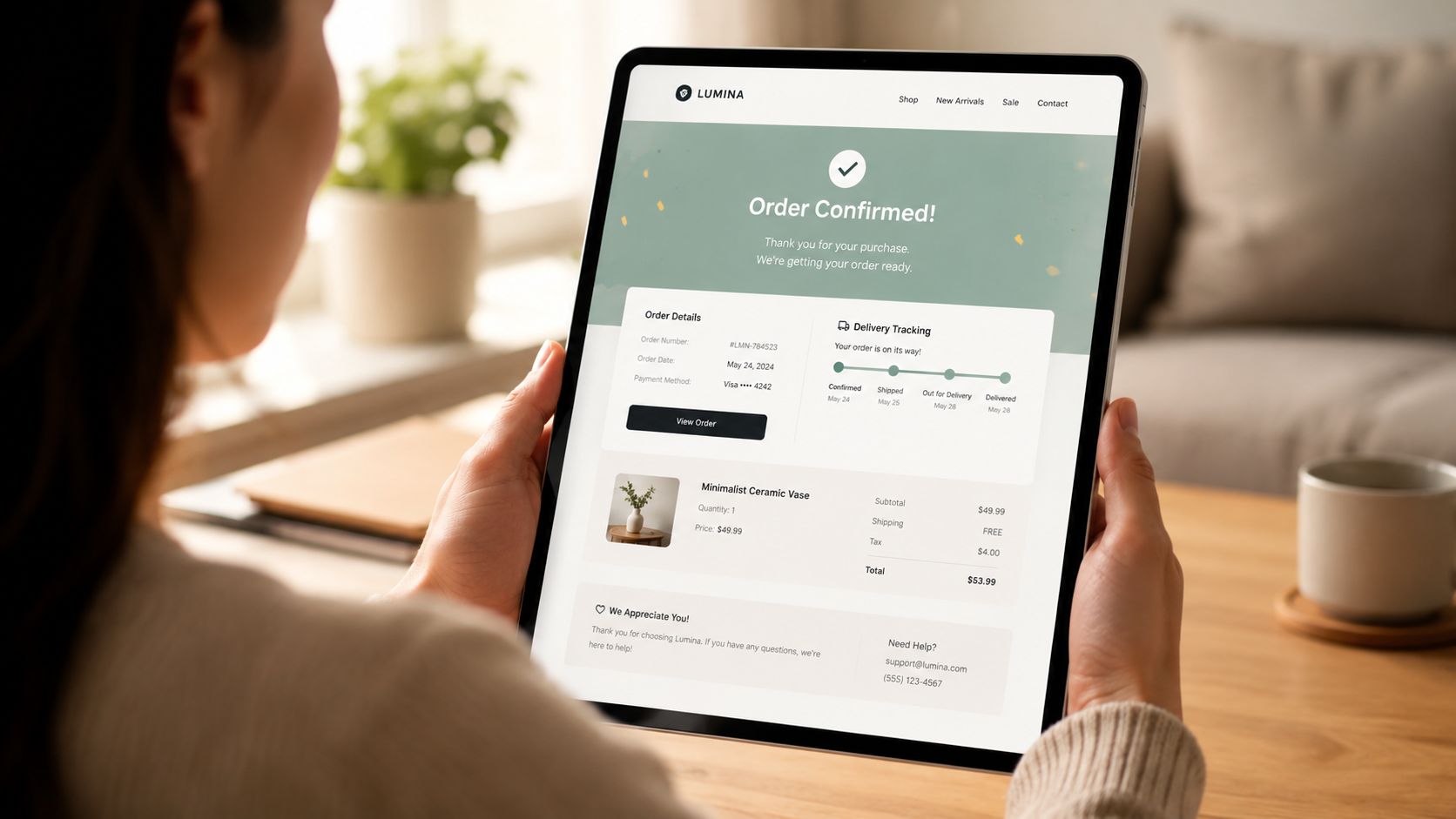
Most platforms agree on what belongs in a proper confirmation email. Braze notes that major email and commerce platforms have converged on standard requirements including an order number, item list, billing summary, shipping address, and estimated delivery date, framing that structure as established best practice for a transactional record that protects both merchant and customer (Braze order confirmation email guidance).
That's the baseline. If you're on Shopify, you should treat each element as a piece of chargeback prevention.
The seven elements that actually matter
Order number
Put it near the top. Make it easy to scan. Customers use it when they contact support, and it helps tie the email to the transaction if a dispute shows up later.Itemized purchase summary
Include product names, variants, quantities, and prices. If you sell apparel, show size and color. If you sell supplements, show the exact product title. Ambiguity invites “not as described” arguments.Billing summary
Show subtotal, shipping, taxes, discounts, and final total charged. This protects you from customers who say the amount looked wrong or unexpected after checkout.Shipping address
Display the full destination clearly. If the buyer entered the wrong apartment number or typo'd the street, this is their best chance to catch it before fulfillment.Estimated delivery date or next-step timeline
Customers don't need perfection. They need a clear expectation. If you don't give one, they'll make up their own and blame you when reality doesn't match it.Tracking or fulfillment next steps
If tracking isn't ready yet, say exactly when they'll receive it. Silence after payment is what makes people nervous.Support contact details
Put your help email, chat option, or support portal in plain view. If buyers don't know where to go with a problem, some will go to their bank instead.
Match each detail to a dispute risk
| Email element | What it prevents |
|---|---|
| Order number | Unrecognized transaction confusion |
| Item list | Product mismatch or “not what I ordered” complaints |
| Billing summary | Price-related disputes |
| Shipping address | Delivery-to-wrong-address claims |
| Delivery estimate | “Item not received” frustration |
| Tracking next step | WISMO panic and premature disputes |
| Support contact | Bank-first behavior instead of merchant-first contact |
The confirmation email should read like a receipt, a shipping promise, and a support shortcut all at once.
If you want a practical implementation reference, this order confirmation guide for Shopify merchants is worth bookmarking while you update your template.
Writing and Designing Emails That Build Customer Trust
Good confirmation emails don't sound clever. They sound clear.
The customer just paid you. This isn't the moment for vague copy, weird humor, or a subject line that hides what the email is. You want instant recognition in the inbox and instant confidence when they open it.
Subject lines that do the job
Bad subject lines:
- Your Order
- Thanks for shopping
- We're on it
These create friction. They don't help the customer find the email later, and they don't reinforce trust if the card statement looks unfamiliar.
Better subject lines:
- Your [Brand Name] order #[Order Number] is confirmed
- Order #[Order Number] confirmed by [Brand Name]
- [Brand Name] received your order #[Order Number]
If you already have shipping details available, you can include status information too. Keep it literal.
Body copy that calms people down
Here's a simple opening that works:
Hi [First Name], thanks for your order. We've received your payment and started processing your order. You'll get another email as soon as your shipment is on the way.
That copy works because it answers the key customer questions immediately:
- Did payment go through?
- Did the store receive the order?
- What happens next?
- When will I hear from you again?
Now compare that to this:
Thanks for joining the family. Great things are coming.
That might fit your brand voice, but it doesn't help the customer verify anything.
Design for scanning, not decorating
A trustworthy order confirmation email should be easy to scan on a phone in a few seconds.
Use this checklist:
- Brand recognition first: show your logo and store name at the top.
- Hierarchy matters: order number, total paid, shipping address, and item list should be obvious.
- Keep the layout clean: white space is useful. Dense blocks of text are not.
- Use one primary action: “View order” or “Track order” is enough.
- Make support visible: don't bury your contact path in the footer.
If your customer service team handles a lot of post-purchase confusion, tightening this email is one of the fastest ways to reduce it. These customer service best practices for ecommerce line up well with how a confirmation email should guide customers before they ever open a support ticket.
A quick visual walkthrough helps if you're redesigning the template:
The easiest trust win
Show consistency between your checkout, your sender name, and your email design.
If the store says “North River Goods” but the email comes from a random parent company name, customers hesitate. If your Shopify checkout looks polished but your confirmation email looks generic, customers hesitate. Small trust leaks stack up. Then a customer sees the charge on their statement a week later and decides they don't recognize it.
That's how “friendly fraud” often starts. Not from malice. From confusion.
Automating Your Confirmations on Shopify for Instant Reassurance
If your confirmation process relies on someone checking a box, you've already lost.
Shopify merchants should automate this fully and make sure the email fires immediately after a successful order. Customers expect a confirmation within seconds. Anything slower feels wrong, especially for first-time buyers.
Where to check it in Shopify
In Shopify, start here:
- Go to Settings
- Open Notifications
- Review your order confirmation template
- Check the sender name and sender email
- Place a test order and confirm delivery timing and formatting
Don't just read the template in the editor. Send test purchases to real inboxes like Gmail and Apple Mail. Open the email on mobile. Tap the links. Verify the addresses, totals, and product details populate correctly.
What the automation needs to do
Your setup should guarantee three things every time an order is placed:
- Send immediately: not after manual review, not after internal approval, unless you have a very specific fraud workflow.
- Pull exact order data: product titles, shipping info, charges, and taxes must match the Shopify order record.
- Set the next expectation: tell the customer when they should expect tracking or the next update.
If your team is tightening operations more broadly, this plain-English guide to order processing meaning is helpful because it explains the operational steps customers assume are already happening once they hit buy.
Send the confirmation at the payment moment, not when the warehouse touches the order.
Common Shopify mistakes that create avoidable disputes
A few patterns show up again and again:
- Manual edits after checkout: support changes an address or item, but the original confirmation still creates a mismatched record.
- No next-step language: the email confirms payment but doesn't explain fulfillment timing.
- Broken support path: the customer replies and the mailbox isn't monitored.
- Template clutter: too many banners, promos, and links bury the useful details.
A solid automation flow prevents friendly fraud because it creates a timestamped record of purchase and a clear communication trail. That's one piece of a bigger prevention system. If you're tightening your store's overall process, this guide to chargeback prevention for ecommerce is a good next read.
A simple operating standard
Treat the order confirmation email like a system alert, not a campaign.
Campaigns can be late, tested in batches, or rewritten around promotions. A confirmation email has one job. Confirm the order with enough clarity that the customer doesn't need to ask what happened next.
Do that well, and you remove a lot of unnecessary support work before it starts.
Optimizing and Testing Your Confirmation Emails
A lot of brands ruin a good order confirmation email by stuffing it with marketing.
I get the temptation. These emails get attention, so the instinct is to add cross-sells, coupon blocks, review asks, loyalty promos, social pushes, and referral banners all at once. That's sloppy. It weakens the message and can create compliance and deliverability headaches.
Drip specifically warns that adding cross-sells or review prompts can shift a transactional email into a marketing one, which may trigger stricter consent and disclosure rules under regulations like GDPR. Their practical advice is to keep the email's primary function as a clear, compliant receipt so you maintain deliverability and customer trust (Drip on order confirmation email compliance).
Keep the receipt first and the promo second
If you want to include promotional content, use this rule: the receipt must still feel like the obvious purpose of the email.
A safe structure looks like this:
- Top half: confirmation details, charges, address, item list, delivery expectation, support path
- Bottom section: one modest secondary block, such as a loyalty invitation or related-product suggestion
Don't place the promo above the order summary. Don't make the call to action louder than “view order” or “track order.” And don't make the customer hunt for the actual receipt details.
If a bank or payment processor reads the email during a dispute, the transaction record should be unmistakable.
What to test without breaking trust
You can still improve performance. Just test the right things.
Try testing:
- Subject line clarity: brand name plus order number versus brand name plus status
- Placement of delivery estimate: near the top versus below item details
- Support visibility: inline support link versus footer-only support
- Secondary block style: a simple text link versus a visual promo card
If you're looking for an accessible explanation of email split testing mechanics, even outside ecommerce receipts, this article on how to boost rental bookings with Mailchimp gives a useful framework for thinking about variables and clean test setups.
The right kind of optimization
Use your order confirmation email to reduce uncertainty, not chase extra clicks.
The best optimization moves are usually operational:
- cleaner wording
- stronger sender identity
- better placement of key details
- clearer delivery expectations
- easier support contact
Those changes protect revenue because they reduce confusion before it turns into a complaint, cancellation, or dispute. A tiny upsell isn't worth much if the customer opens a chargeback two weeks later because your confirmation never clearly told them what to expect.
Turn Confirmations into Revenue Protection with ChargePay
Your order confirmation email does preventive work. It reassures the customer, confirms the transaction, and creates a record that can support your side of the story later.
But prevention isn't perfect. Some buyers still file disputes. Some banks still side with the cardholder unless your evidence is organized and submitted correctly. That's where most Shopify merchants lose time and money. They have fragments of proof scattered across Shopify, inboxes, tracking portals, and support threads.
ChargePay closes that gap.
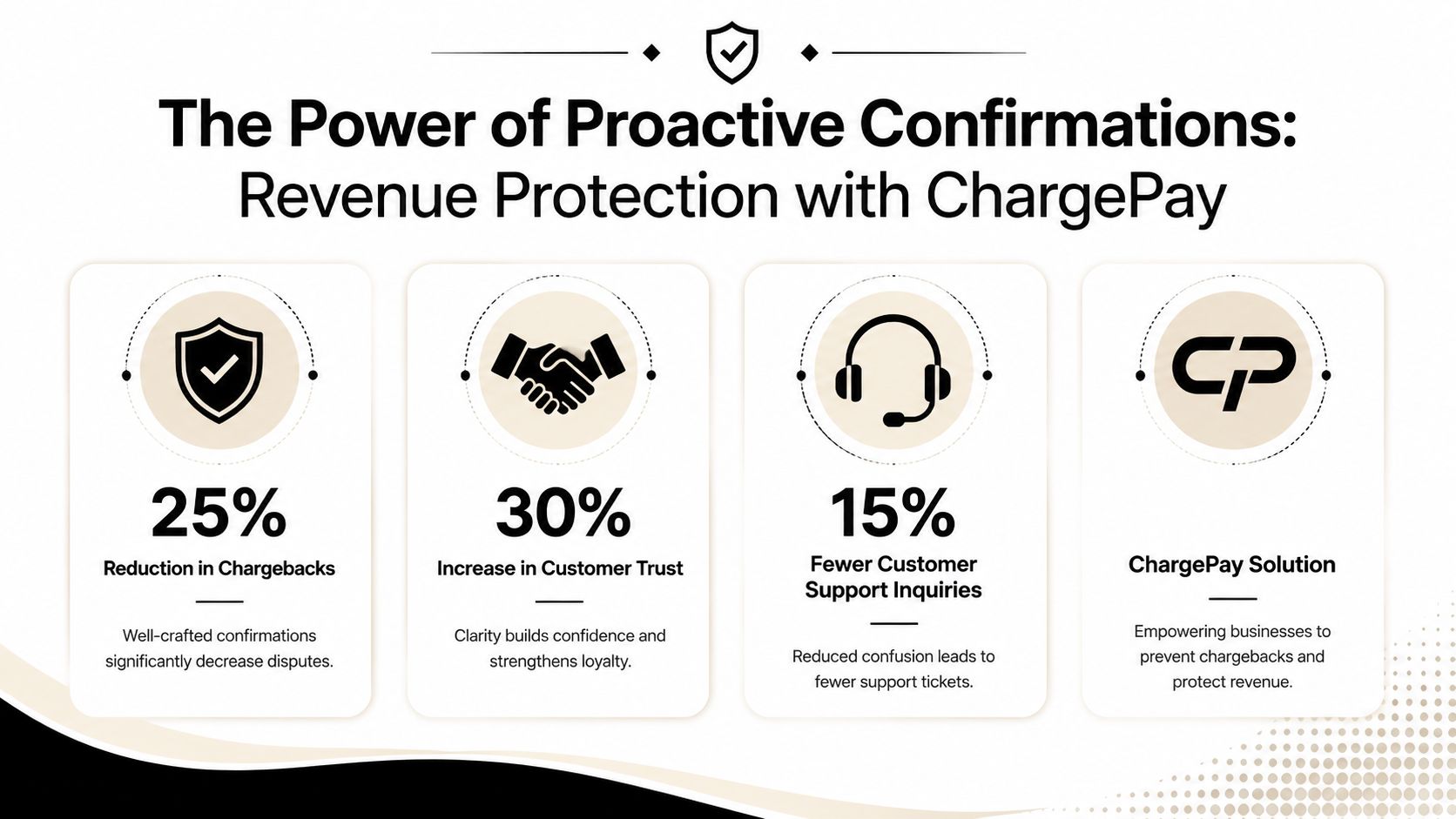
According to ChargePay's publisher data, the platform has a 92.4% win rate, has handled 200K+ cases, and recovered $10.8M+ for merchants. It automates the chargeback workflow by generating representment responses, assembling evidence, detecting friendly fraud patterns, and submitting on time. It also carries a 4.9-star rating on the Shopify App Store and a Built for Shopify badge.
Why this pairing works
A strong order confirmation email helps you avoid disputes in the first place. ChargePay helps you fight the ones that still land.
That combination matters because evidence wins chargebacks, not good intentions. If your order confirmation email includes the right transaction details, support path, and fulfillment expectations, it becomes useful evidence. If your dispute workflow is automated, that evidence gets packaged and submitted before deadlines.
What Shopify merchants should do next
Use this article as a working checklist:
- tighten your confirmation template
- test it on mobile
- remove clutter
- make support obvious
- confirm it sends instantly
- preserve the email as part of your dispute record
Then look at your full dispute stack. If you're still handling representment manually, you're spending staff time on repetitive work and missing recoverable revenue. You can review how the platform works on the ChargePay product page.
Your confirmation email should prevent the argument. Your dispute system should win the ones that happen anyway.
Chargebacks don't start only with fraud. A lot of them start with confusion, slow communication, and weak documentation. Fix the first email, and you cut off many problems early. Add the right recovery system behind it, and you're not left scrambling when a bank notice arrives.
If chargebacks are draining revenue from your Shopify store, install ChargePay. It automatically fights disputes, recovers lost sales on a pay-per-win model, and gives you a practical backstop for the cases your order confirmation email can't prevent.


.svg)



.svg)


.svg)
.svg)
.svg)