

Credit card number validation is your first line of defense in payment processing. It’s the process of checking if a card number could be real by verifying its format, length, and whether it passes a basic algorithm check.
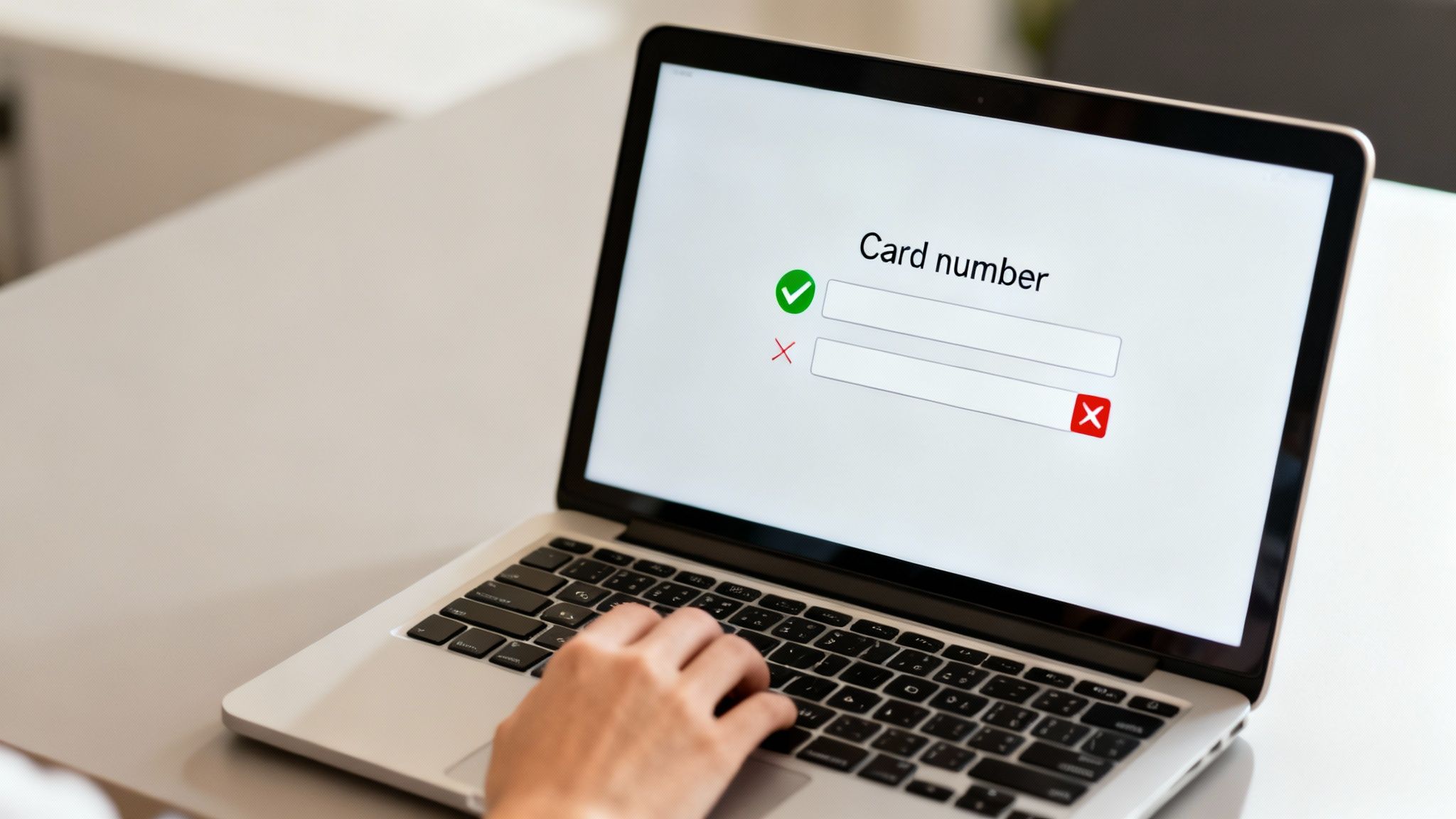
Before you write a single line of code, it’s a good idea to understand why this step is so important. This isn't just about catching typos; it's a key part of building a smooth checkout experience and shielding your systems from junk data.
Think of it as a friendly gatekeeper. This simple, real-time check happens right in the user's browser, instantly preventing the kind of friction that leads to cart abandonment. When a customer makes a small mistake typing their number, immediate feedback helps them fix it on the spot.
Why This Initial Check Matters
This initial validation saves you from sending obviously bad data to your payment gateway. Every failed transaction attempt can cost you money in processing fees and bog down your systems. By filtering out these simple errors upfront, you keep your entire payment process cleaner and way more efficient.
A simple front-end check brings a few key benefits:
- Reduces Customer Frustration: It instantly flags common typos, like a mistyped digit or an incorrect number of digits, preventing a confusing "transaction failed" error down the line.
- Lowers Gateway Fees: You avoid unnecessary processing fees from your payment gateway for transactions that are guaranteed to fail due to a bad card number format.
- Improves Data Quality: It ensures that only numbers with a valid structure ever reach your backend systems, which simplifies all your later processing and security checks.
To give you a better idea of how these different checks stack up, let's break them down.
Key Validation Checks at a Glance
Here's a quick summary of the different validation layers and what each one is designed to do in your checkout flow.
As you can see, each step builds on the last, moving from a simple format check to a full-blown transaction authorization.
A seamless checkout is non-negotiable. According to recent studies, nearly 70% of online shopping carts are abandoned. A clunky, unforgiving payment form is a major cause of this problem.
Ultimately, credit card number validation is your first step in a much larger strategy. It works hand-in-hand with other security measures as part of broader general verification processes that protect your business.
While this initial check is essential for user experience, it’s just one piece of a complete security puzzle. To learn more about the bigger picture, explore our complete guide to eCommerce fraud prevention for deeper insights. This foundational step is all about protecting your business and keeping your customers happy.
How the Luhn Algorithm Actually Works
At the heart of nearly every credit card number check is the Luhn algorithm. It might sound intimidating, but it's really just a simple checksum formula. Think of it as a quick, mathematical sanity check designed to catch common typos.
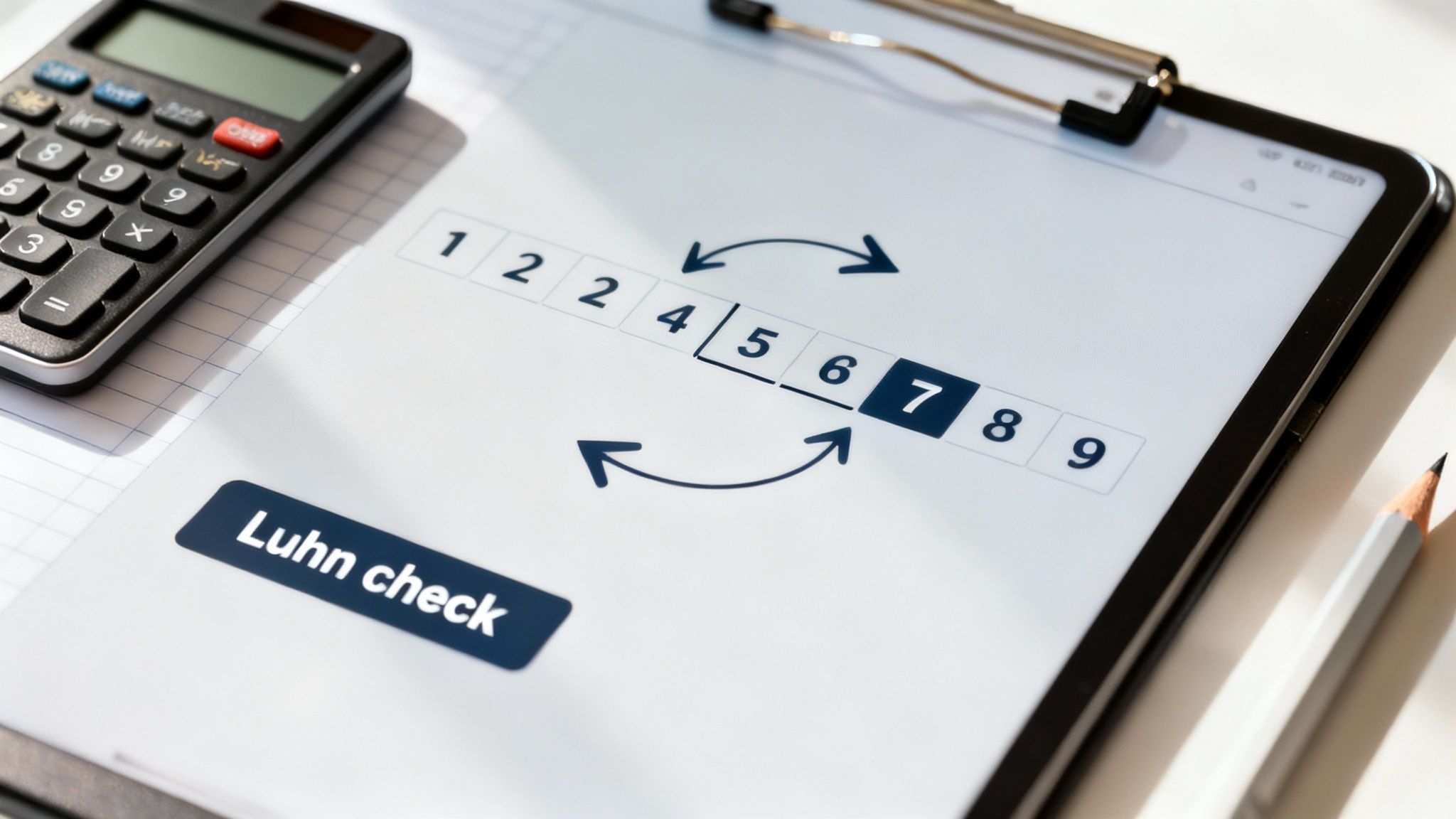
Invented way back in 1954, its whole purpose is to flag numbers that are almost certainly wrong because of a simple data entry mistake—like swapping two digits or mistyping one. It’s not trying to confirm if a card is real or has funds. It’s just the first line of defense against fat-finger errors.
Even though it's decades old, the algorithm is still the go-to because it's so effective at this one job. It catches about 90% of single-digit errors and most cases where adjacent digits are swapped. That's why you'll find it running behind the scenes on practically every e-commerce checkout and point-of-sale system.
For a deeper dive into the history and components of credit cards, the details on Wikipedia offer a comprehensive overview.
Breaking Down the Luhn Check
So, how does it all work under the hood? Let's walk through it with a practical example. Say a customer types in the number 4992-7398-716-4.
First, drop the last digit. We set aside the final digit (4). This is our "check digit," and we'll come back to it at the very end. This leaves us with
49927398716.Double every other digit, starting from the right. Working from right to left on our new number, we double every second digit.
- The
6becomes12. - The
1is skipped. - The
8becomes16. - And so on. This gives us the sequence:
4, 18, 9, 4, 7, 6, 9, 16, 7, 2, 6.
Next, sum up all the individual digits. Here's the key part: if any of the doubled numbers have two digits (like 18), you add those digits together individually (so, 1 + 8 = 9).
- Our sequence
4, (1+8), 9, 4, 7, 6, 9, (1+6), 7, 2, 6becomes4 + 9 + 9 + 4 + 7 + 6 + 9 + 7 + 7 + 2 + 6. - The total sum is 70.
Finally, perform the final check. Take that sum (70) and add back the original check digit we set aside earlier (4). That gives us 74. A valid number, according to the Luhn algorithm, must have a final sum that's perfectly divisible by 10. Since 74 isn't, this card number fails the check.
This whole process happens in a blink of an eye on a checkout page, giving instant feedback without ever needing to ping a bank.
Practical Implementation Example
Seeing the logic in action with some code makes it even clearer. Here is a basic JavaScript function that runs a Luhn check, showing exactly how the steps above translate into a tool you could use on a checkout form.
function isLuhnValid(cardNumber) {let sum = 0;let shouldDouble = false;// Iterate over the card number digits from right to leftfor (let i = cardNumber.length - 1; i >= 0; i--) {let digit = parseInt(cardNumber.charAt(i));if (shouldDouble) {digit *= 2;if (digit > 9) {digit -= 9;}}sum += digit;shouldDouble = !shouldDouble;}return (sum % 10) === 0;}Remember, the Luhn check is a mathematical guardrail, not a security feature. It's designed to improve data quality and user experience, especially in card-not-present scenarios where typos are common.
This simple algorithm is your first step in a multi-layered validation strategy. It catches the most frequent mistakes, creating a smoother path for legitimate customers and filtering out obvious junk data before it ever goes further. If you're looking to understand more about the risks in online transactions, you can check out our guide on card-not-present fraud.
Validating Beyond the Luhn Check
So, your number passed the Luhn check. That's a great first step, but it's really just the beginning.
Think of the Luhn algorithm like a spell checker. It can tell you if a word is spelled correctly, but it has no idea if that word actually makes sense in the context of the sentence. Passing the Luhn check simply means the number is mathematically plausible—not that it belongs to a real, active credit card. To get closer to that certainty, we need to add a few more layers to our validation process.
The next logical step is to check the card's length and its starting digits, or prefix. Card networks don't just use random numbers; they follow specific patterns. A Visa card, for instance, will always start with a 4 and is almost always 16 digits long. An American Express card, on the other hand, kicks off with a 34 or 37 and has only 15 digits.
Using Regex for Format and Length Checks
This is the perfect job for Regular Expressions, or regex. If you haven't used it much, regex is a powerful way to define a search pattern. Instead of writing a bunch of messy if/else statements to check for prefixes and lengths, you can use a single, compact regex pattern to see if a number fits the known structure for a particular card brand. It’s clean and incredibly efficient.
Here are a few patterns you can put to work immediately:
^4[0-9]{12}(?:[0-9]{3})?$
^(?:5[1-5][0-9]{2}|222[1-9]|22[3-9][0-9]|2[3-6][0-9]{2}|27[01][0-9]|2720)[0-9]{12}$
^3[47][0-9]{13}$
Using these patterns allows for some great real-time UX improvements. As the user types their card number, you can instantly detect the brand and display the corresponding logo (Visa, Amex, etc.). It’s a small touch, but it gives users immediate, positive feedback and builds confidence that they’re entering their details correctly.
Identifying the Issuer with IIN and BIN Lookups
Now we're getting serious. Beyond just checking the format, we can actually identify the bank that issued the card. This is done by looking at the first six to eight digits of the card number. This sequence is known as the Issuer Identification Number (IIN) or, more commonly, the Bank Identification Number (BIN).
These numbers are far from random. They're a code that tells you a ton about the card, including:
- The issuing bank (e.g., Chase, Bank of America)
- The card brand (Visa, Mastercard)
- The card type (debit, credit, or prepaid)
- The country where the bank is located
This information is incredibly valuable. Knowing the card is a debit card from a specific country, for instance, can be a crucial data point in your fraud detection model.
By performing a quick BIN lookup, you can confirm that the card number belongs to a legitimate financial institution. This moves you beyond simple pattern matching and into validating the number against real-world data.
There are plenty of services and databases out there that provide up-to-date BIN list verification to help you build out more robust checks. These lookups are often a key component of broader security strategies, which you can explore further by reading up on effective transaction monitoring solutions.
Client-Side vs. Server-Side Validation
Now that we know what to check, the next big question is where to check it. The best approach to credit card validation isn’t an either/or choice; it’s a “both” strategy. You need two distinct lines of defense: one in the user's browser (client-side) and another on your server (server-side).
Think of client-side validation as the friendly bouncer at the front door of your checkout page. Its job is to provide instant feedback and turn away obvious mistakes.
When a customer accidentally types one too few digits or makes a simple typo, these client-side checks catch it immediately. You can highlight the field in red or display a helpful little message like, "That card number looks a bit short."
This immediate response is fantastic for the user experience. It guides customers toward a successful purchase by catching simple errors on the spot, which can seriously cut down on cart abandonment. Without it, users submit the form, wait for the page to reload, and only then see a generic error message, leaving them frustrated and far more likely to just give up.
The Power of Instant Feedback
Client-side validation is your chance to make the checkout process feel smooth and intuitive. By running the Luhn algorithm, length, and prefix checks directly in the browser with JavaScript, you create a seamless flow for your customers.
This is more than just good UX. It also prevents obviously incorrect data from ever being sent to your server, which reduces unnecessary server load and can even save you money on failed transaction fees from your payment gateway.
This flowchart breaks down how these initial checks work together.
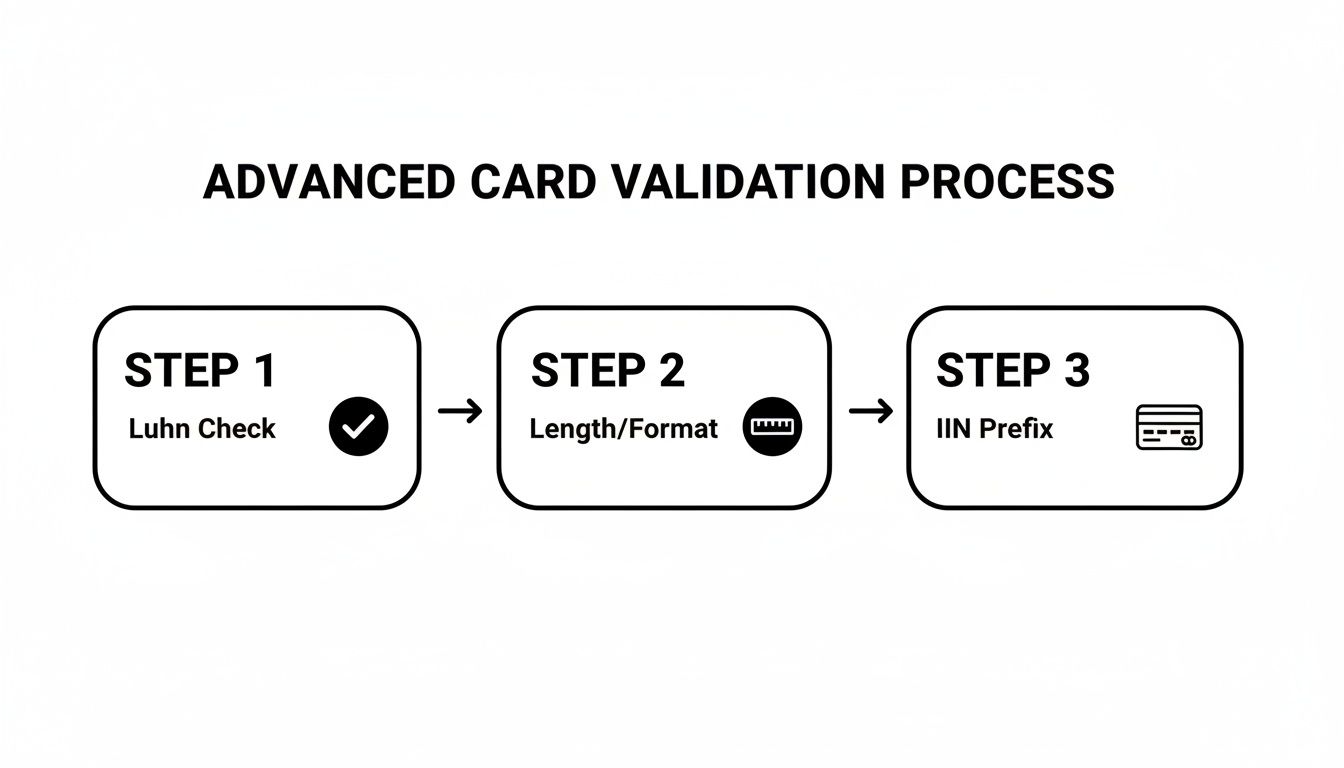
Each step builds on the last, creating a more complete picture of the number’s potential validity before it even leaves the user's computer.
Why Server-Side Validation Is Non-Negotiable
Client-side checks are great for the user, but you can never, ever fully trust them.
A tech-savvy user or a malicious actor can easily bypass any JavaScript validation in their browser. They can disable it, modify it, or just send a request directly to your server with whatever junk data they want. This is where server-side validation becomes your non-negotiable security guard.
Crucial Takeaway: Always assume that any data coming from the client could be manipulated. Server-side validation is your ultimate source of truth and your final line of defense before processing a payment.
Your server must perform all the same validation checks again—Luhn, length, prefix, and any BIN lookups. This is the only way to ensure data integrity and protect your system from bad data, potential fraud, and other security threats. It’s your last chance to be certain the information is correct before it hits your payment processor.
Ultimately, a robust strategy uses both. Client-side validation perfects the user journey, while server-side validation protects your business. To see how these principles create a powerful payment form, you can learn more about building an optimized and secure checkout process.
Keeping Card Data Secure and Compliant
Handling credit card information comes with serious responsibility. When you accept payments, you're not just processing a transaction—you're becoming a custodian of highly sensitive data. This is where security and compliance become absolutely critical.
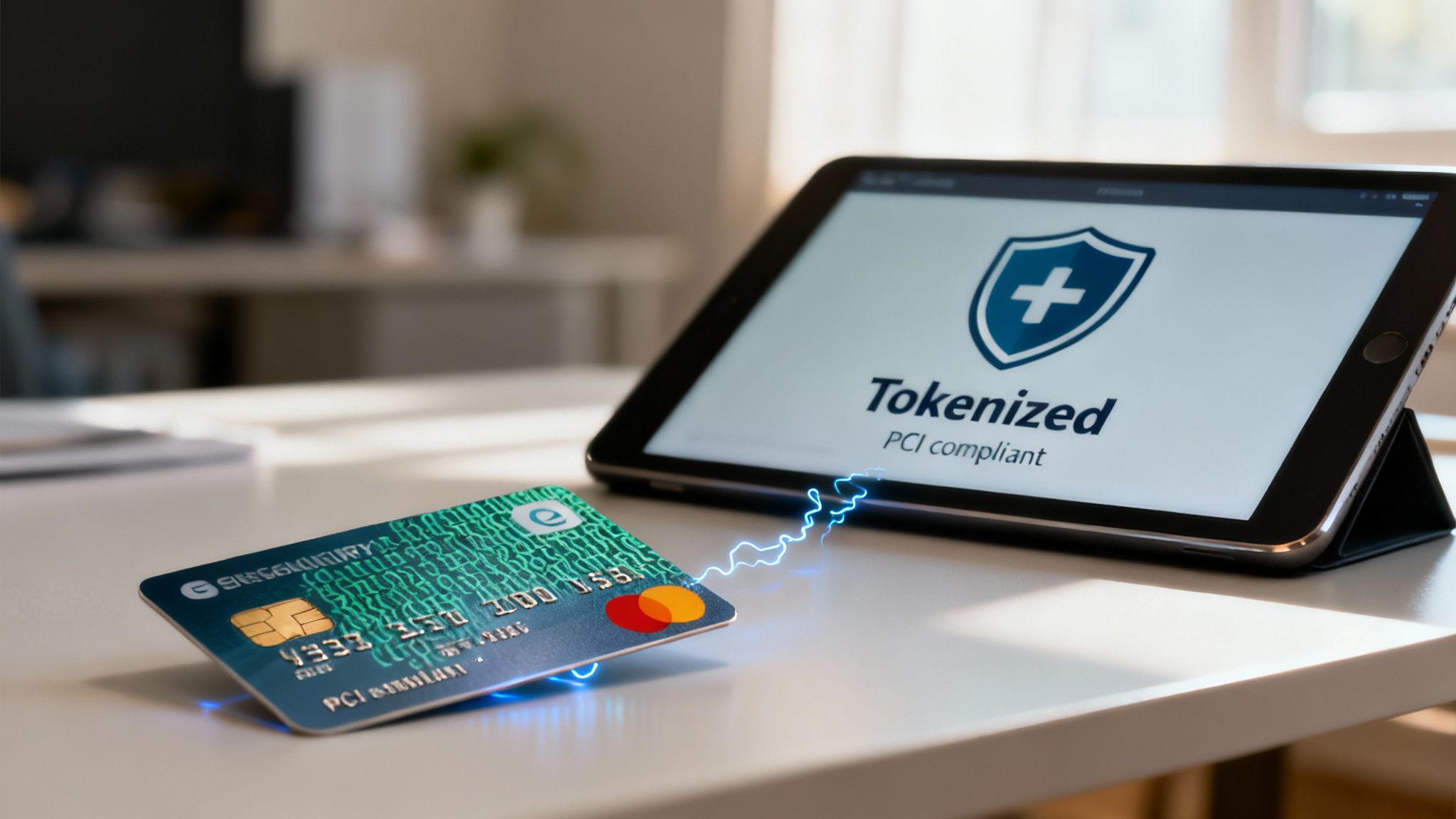
The rulebook for this is the Payment Card Industry Data Security Standard (PCI DSS). Think of it as a set of mandatory security standards for any business that accepts, processes, stores, or transmits credit card information. The penalties for getting this wrong are severe, ranging from hefty fines all the way to losing your ability to process card payments entirely.
One of the most common—and dangerous—mistakes is letting a full, unencrypted Primary Account Number (PAN) touch your server. The moment that raw card number hits your system, your PCI compliance scope explodes. Suddenly, you're on the hook for protecting that data across your entire infrastructure, which is a massive and expensive headache.
The Modern Approach to Security
Thankfully, there’s a much smarter, safer way to handle payments. Modern payment gateways like Stripe and Braintree have built tools that are designed to keep sensitive data far, far away from your servers.
This is where the magic of tokenization comes into play. Instead of the card details traveling from the customer's browser to your server and then to the gateway, these tools intercept the data directly from the client. The card number gets instantly swapped for a secure, non-sensitive placeholder called a token.
This process ensures the raw card number never even passes through your system. It's a game-changer that dramatically shrinks your PCI compliance burden. You can take a deeper dive into the mechanics in our guide on what tokenization is in payments.
Validation Is Not Fraud Prevention
It's vital to get one thing straight: all the validation methods we’ve discussed—Luhn checks, prefix matching, length validation—are about data accuracy, not fraud prevention.
A perfectly valid number can still be a stolen one.
These front-end checks are just the first line of defense, designed to catch typos and obvious errors. They aren't built to stop a determined fraudster. As e-commerce grew, payment networks added more robust controls like CVV codes, EMV chips, and 3-D Secure specifically to fight the rise in card-not-present fraud.
Key Takeaway: Validation confirms a number could be real. It doesn't confirm the person using it is the legitimate cardholder. True security is always a multi-layered strategy.
Ultimately, a strong security posture isn't about one single tool. It's about combining several key elements:
- Front-End Validation: For instant user feedback and a cleaner checkout experience.
- Tokenization: To keep toxic, sensitive data completely off your servers.
- Fraud Detection Tools: To analyze transaction patterns and flag suspicious activity.
By adopting this layered approach, you can build a checkout process that's not only smooth for your customers but also secure and compliant—protecting both your business and their valuable information.
Got Questions About Card Validation? We Have Answers
Even with the best game plan, you're bound to run into a few head-scratchers when implementing credit card validation. It happens to everyone. Let's walk through some of the most common questions that pop up, so you can get unstuck and move forward.
Is Validation the Same as Authorization?
Not even close. Think of them as two completely different steps in the payment process.
Validation is just a quick, preliminary check. It happens right there in the browser or on your server, almost instantly. It's looking at the number's format—does it pass the Luhn algorithm? Does it have the right number of digits? Does the prefix match a known card network? All it's doing is confirming the number looks like a real credit card number.
Authorization, on the other hand, is the real moneymaker. That's when your payment gateway actually pings the customer's bank to ask, "Is this card legit, does it have enough funds, and has it been reported stolen?" A card can sail through validation with flying colors and still get shot down during authorization.
What if a Real Card Fails the Luhn Check?
This is incredibly rare, but it's not impossible. While nearly all major credit and debit cards stick to the Luhn algorithm, some outliers don't. You might see this with certain prepaid cards, gift cards, or cards issued by smaller, non-traditional networks.
A Tip from the Trenches: How you handle this really depends on your business. If you know you'll be dealing with a lot of non-standard payment types, you might want to adjust your logic. Instead of automatically blocking a card that fails the Luhn check, you could let it pass to your payment gateway and rely more heavily on the gateway's response to make the final call.
Can I Store Card Numbers After Validation?
In a word: don't. You should avoid storing full credit card numbers on your systems like the plague. The second that raw card data hits your server, your PCI DSS compliance burden skyrockets. It's a massive security risk and a huge operational headache you just don't need.
The gold standard here is tokenization. A good payment gateway will take the raw card number and swap it for a secure, non-sensitive token. That token is what you use for future transactions, keeping the actual card details far away from your infrastructure. It's safer for everyone.
Does Credit Card Validation Prevent Fraud?
On its own, absolutely not. Credit card number validation is a tool for data hygiene, not fraud prevention. A fraudster with a list of stolen card numbers will have no problem passing these initial checks. After all, they're real numbers—they're just stolen.
Think of validation as the first, most basic filter in a much larger security setup. It weeds out simple typos and completely fake numbers, but that's it. To actually fight fraud, you need to layer it with other tools.
- CVV Verification: Checking that three or four-digit code is a must.
- Address Verification Service (AVS): This matches the billing address entered by the customer with the one the bank has on file.
- 3-D Secure: Services like Verified by Visa or Mastercard SecureCode add an extra authentication step for the cardholder.
- Fraud Monitoring Systems: These tools are crucial for analyzing transaction patterns and flagging suspicious behavior.
When you combine all these layers, you build a much tougher defense against fraud. Validation is just the welcome mat.
Fighting fraud and managing chargebacks is an ongoing battle. ChargePay uses AI to automate the entire chargeback dispute process, helping you recover up to 80% of lost revenue without lifting a finger. See how our hands-free solution can protect your bottom line at https://www.chargepay.ai.


.svg)



.svg)


.svg)
.svg)
.svg)