

When a PayPal chargeback hits your account, the clock starts ticking immediately. For your customers, the window to open a dispute is a generous 180 days from the day they paid. But for you, the seller, the deadlines are much, much tighter.
Understanding PayPal's Critical Time Limits
Trying to keep track of PayPal's timelines can feel like solving a puzzle against a stopwatch. There's one big deadline for your customer, but several shorter, more urgent ones for you. If you miss one, you're looking at an automatic loss.
The most important thing to get a handle on is how fast everything moves once a buyer files that initial dispute.
From the moment of purchase, a PayPal buyer has a full 180 days—that's roughly six months—to file a dispute. This long window is a key part of PayPal's buyer protection, which is used in over 200 places worldwide.
But once that dispute is live, the pace picks up a lot. You, the seller, have just 10 days to respond. Miss that deadline, and the case automatically closes in the buyer's favor. No questions asked.
Think of the 180-day window as the buyer’s slow-moving cruise ship. In contrast, your 10-day response deadline is a speedboat racing toward a finish line you absolutely must cross.
This timeline gives you a quick visual of the core deadlines, from the initial purchase right through to your urgent response window.
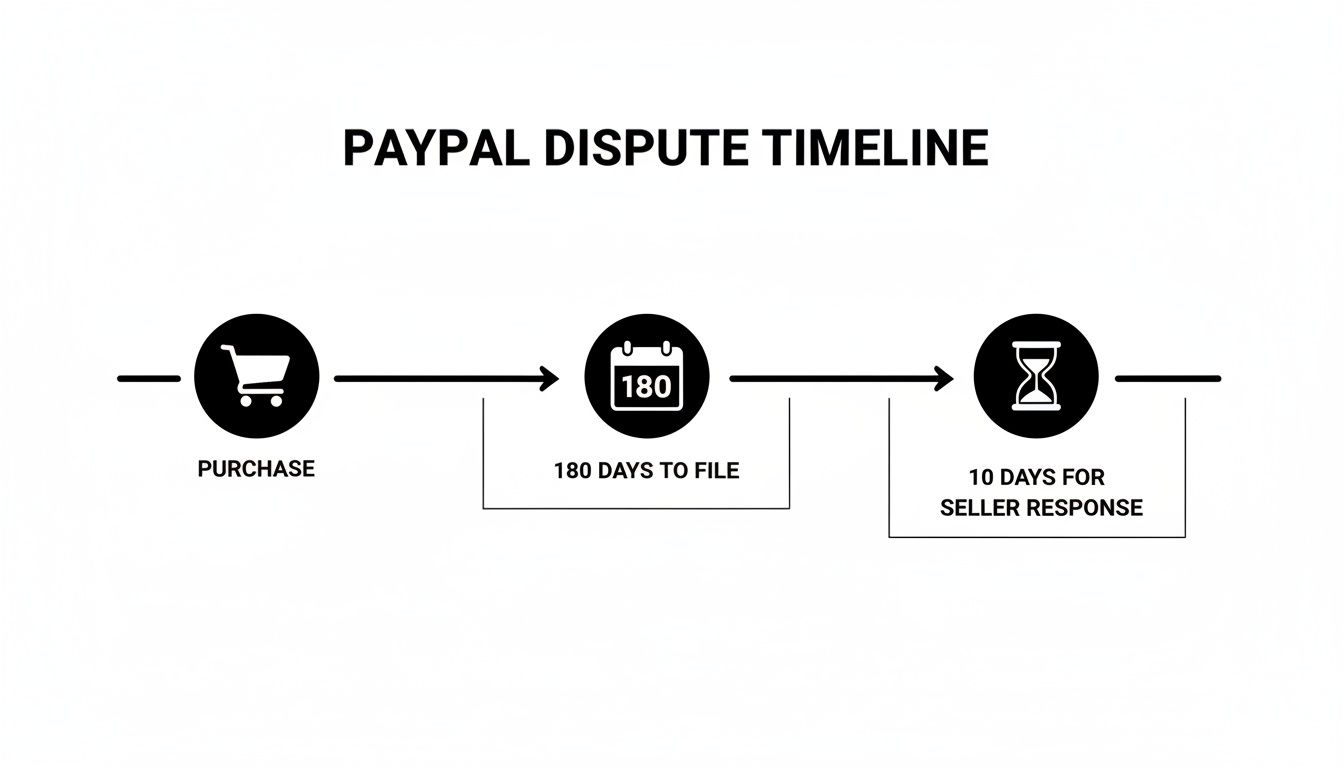
The real takeaway here is the huge difference between the buyer's relaxed timeline and your compressed one.
To help you keep these critical deadlines straight, here’s a quick summary table.
PayPal Dispute Timelines at a Glance
This table makes it clear just how little time you have to act once a case is opened. Every day matters.
The Countdown Begins Instantly
From the moment a buyer opens a case, you're on the clock. The process typically starts as a dispute, which is your chance to talk directly with the buyer through PayPal's Resolution Center to sort things out.
If you can't find a solution, the situation can escalate into a claim. This is when PayPal steps in to play judge and jury.
Finally, there's the chargeback. This happens outside of PayPal's direct control, started by the buyer through their credit card company. Even so, you still have to manage your response through PayPal. Each stage is different, but the constant pressure of a ticking clock is always there.
For a broader look at how these timelines compare to other payment networks, check out our guide on the general time limit on chargebacks.
Understanding these distinct phases—and their deadlines—is the first step toward building a solid defense strategy. It's how you protect your hard-earned revenue from being lost to a missed deadline.
Decoding Disputes, Claims, and Chargebacks
Ever feel like you need a translator for PayPal's terminology? You're not alone. The words ‘dispute,’ ‘claim,’ and ‘chargeback’ get thrown around a lot, but they mean very different things. Each is a separate stage in a payment disagreement, with its own rules, timelines, and strategies for you as a merchant.
Getting this right is the first step to mastering the PayPal chargeback time limit and protecting your revenue.
Think of it like a neighborhood disagreement. First, you try to sort it out with a friendly chat over the fence. If that doesn't work, you might bring in a neutral third party to mediate. And if things really go south, it could end up in a formal hearing. That’s pretty much how this works.
The Initial Chat: A PayPal Dispute
A dispute is that first, informal step—the friendly chat over the fence. This is a direct conversation between you and your buyer, happening entirely within PayPal's Resolution Center. A buyer kicks this off if they have a problem, like an item not showing up or not being what they expected.
This is your golden opportunity to fix the problem directly and make things right. You can offer a refund, provide tracking information to show the item is on its way, or just clear up a simple misunderstanding. A lot of issues can be resolved right here, which is the best-case scenario for everyone.
Calling in the Mediator: A PayPal Claim
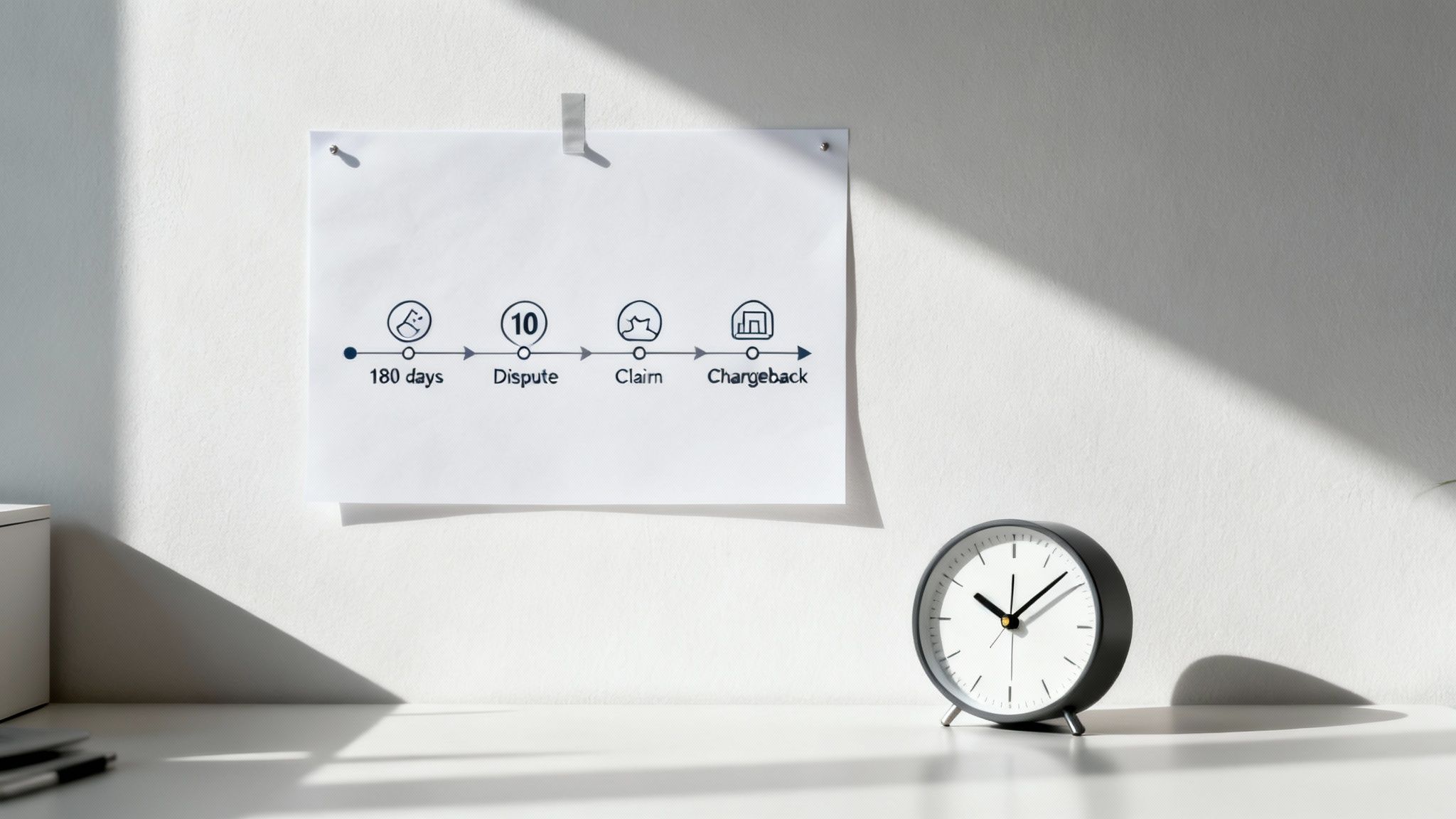
What happens if that friendly chat doesn't work? If you and the buyer can't sort out the dispute within 20 days, either one of you can escalate it to a claim. This is like asking a neutral neighbor to step in and mediate the situation.
Once a dispute becomes a claim, PayPal gets directly involved. They’ll review all the evidence from both sides and make a final call. This is where your documentation—proof of shipping, customer emails, product photos—becomes absolutely critical. PayPal is now the judge, and you have just 10 days to present your side of the story.
A claim moves the conflict from a simple conversation to a formal investigation. PayPal's decision at this stage is binding, making your evidence submission incredibly important.
The Final Showdown: A Bank Chargeback
A chargeback is the most serious escalation, like taking the whole disagreement to court. This happens when a buyer skips PayPal's internal system entirely and goes straight to their credit card company or bank to reverse the charge.
Even though the bank starts it, PayPal still manages the process on your behalf. They’ll alert you, freeze the funds, and give you a tight window—usually just 10 days—to submit compelling evidence to fight your case. But here’s the key difference: the final decision is made by the buyer's bank, not PayPal.
Understanding the core differences between disputes and chargebacks is fundamental to building a winning response. Knowing exactly which stage you're in tells you what evidence to gather and which deadline to meet—and that’s your best defense against losing money.
Mastering Your 10-Day Response Window
When a chargeback hits your PayPal account, a timer starts ticking. You have exactly 10 days to respond. This isn't a friendly suggestion; it's a hard deadline.
Miss this window, and you automatically lose the case. The money goes back to the buyer, you're out the product, and you still get hit with a fee. Think of these 10 days as your one and only shot to defend the sale. The tight timeframe is designed for speed, which means you need to act the moment that notification lands in your inbox.
Your Immediate Action Plan
As soon as you’re notified, the countdown is on. Don't wait until day nine to start scrambling for documents. Here’s how to make every single day count:
Stop and Analyze: First thing's first—log in to the PayPal Resolution Center and open the case. Read the customer's reason for the chargeback. Is it "Item Not Received" or "Significantly Not as Described"? Understanding the why tells you exactly what kind of evidence you need to pull together.
Gather Your Proof: Start collecting every piece of information related to the transaction. This is more than just digging up a tracking number; it's about painting a complete picture of the sale from start to finish. Your evidence needs to be organized, clear, and directly address the buyer’s claim.
Structure Your Response: Don't just dump a folder of files and hope for the best. Write a short, professional summary that walks the reviewer through your evidence. Explain what each document proves and how it counters the customer’s claim. For a deep dive into navigating this process, explore our complete guide to the PayPal Dispute Resolution Centre.
Building a Winning Case in Under 10 Days
Moving fast is critical, but so is being thorough. Sending in a weak or disorganized response is almost as bad as sending nothing at all. Your case needs to be airtight.
The 10-day response window is non-negotiable. Missing it means an automatic loss, the payment is reversed, and a non-refundable $20 USD dispute fee still hits your account.
To avoid the common mistakes people make under pressure, lean on a checklist. It ensures you don't miss a critical piece of the puzzle.
- Proof of Shipment and Delivery: For any "Item Not Received" claim, this is your silver bullet. You need a valid tracking number that clearly shows the item was delivered to the address listed on the transaction details page.
- Customer Communications: Screenshots are your friend here. Grab any emails, support tickets, or direct messages between you and the customer. This can prove you tried to resolve the issue or that there was a simple misunderstanding.
- Product Page Details: If the claim is "Not as Described," pull up screenshots of the original product listing. Make sure you highlight the description, photos, and any specs that prove the item was accurately represented.
Acting swiftly and methodically within this 10-day window is your absolute best defense. It turns a stressful, high-pressure situation into a manageable process, giving you the best possible chance to win the chargeback and keep your revenue right where it belongs.
Your Evidence Checklist for Winning Chargebacks
Winning a chargeback isn’t about just firing back a response; it’s about responding with the right evidence. Think of it this way: submitting weak or irrelevant proof is almost as useless as not responding at all. Your entire goal is to build an undeniable case that directly shuts down the customer’s claim.
You need to become a detective building a case file. Every piece of proof has to be clear, organized, and compelling enough to tell the complete story of the transaction from your perspective. Every document must have a purpose.
Proof For "Item Not Received" Claims
This is the most common dispute you'll likely face. The good news? It's often the most straightforward to fight if you've got your ducks in a row. A simple tracking number isn't always enough—you have to prove the item was delivered to the correct address.
Your essential evidence includes:
- Proof of Delivery: This is your knockout punch. You need shipping confirmation showing the item was delivered to the exact address on the PayPal transaction details page. For high-value items (PayPal often requires it for sales over $750), a signature confirmation is even better.
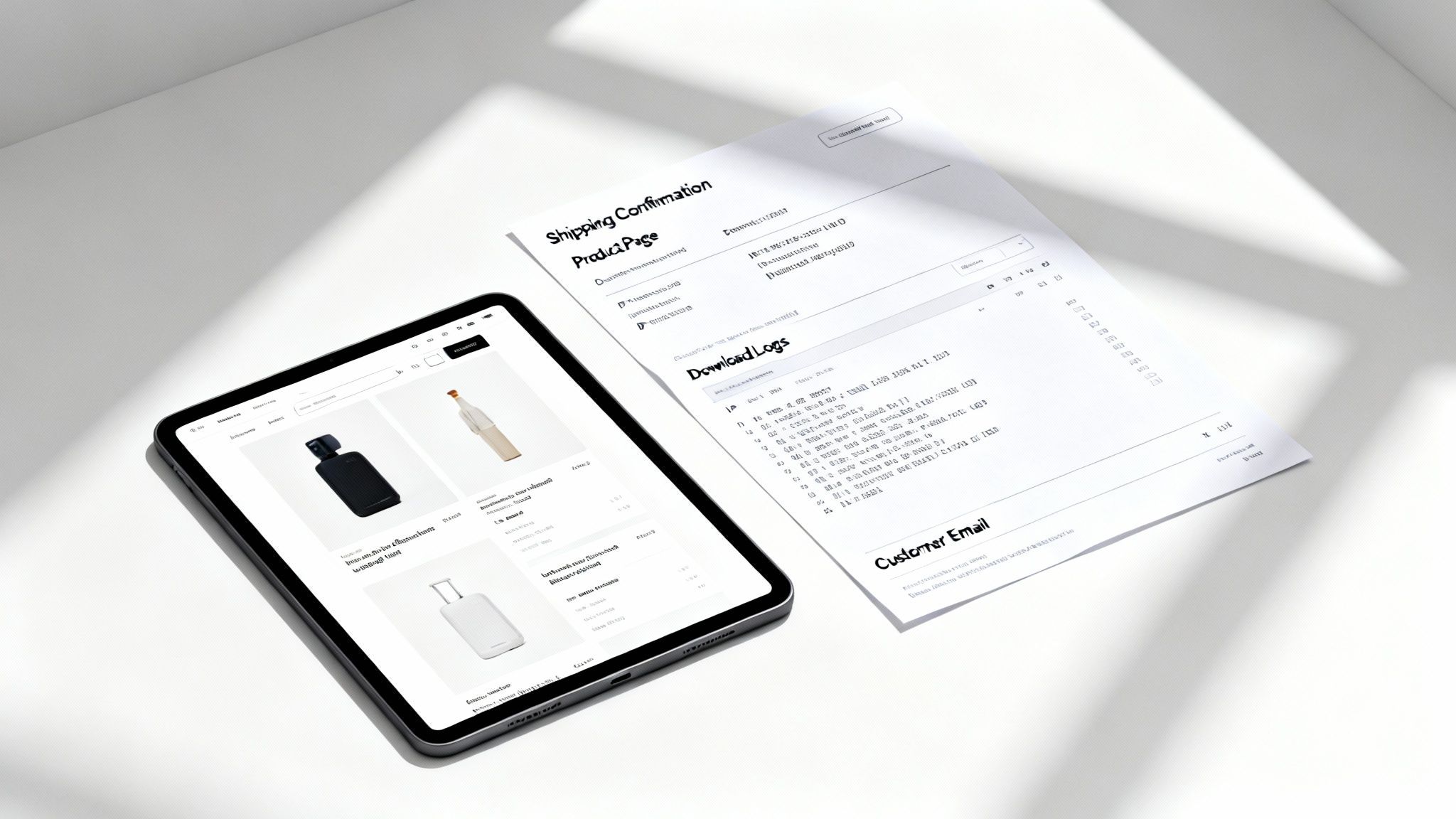
- Shipping Address Verification: Take a screenshot of the order details from your e-commerce platform. It needs to clearly show the shipping address the customer provided matches the one you shipped to.
- Customer Communication: Dig up any emails or messages where the customer confirmed their address or discussed shipping timelines before they filed the dispute. This adds another layer of proof.
Proof For "Not As Described" Claims
These chargebacks get a little trickier because they can be so subjective. The buyer is essentially saying, "What I got is not what you advertised." Your job is to prove, without a doubt, that your listing was accurate and transparent from the very beginning.
For a "Not as Described" claim, your product page is your star witness. The evidence must show that what you described is exactly what you sent.
To build a solid case, you'll need to gather:
- Product Listing Screenshots: Get high-quality screenshots of the product page exactly as it looked when the customer made their purchase. Make sure it includes every photo, the full description, dimensions, and any mention of materials or condition.
- Photos of the Shipped Item: If you have a process for taking photos of items before they go out the door, include them. This helps prove the item was in perfect condition when it left your hands.
- Customer Correspondence: Any messages where the buyer acknowledged product details or asked questions that you answered accurately can be incredibly powerful.
Proof For Digital Goods and Services
Proving you "delivered" something intangible requires a different strategy. You can't show a shipping label, so you need to provide digital proof that the customer received and, more importantly, accessed what they paid for.
Your checklist should include:
- Download or Activity Logs: Pull system logs that show the date, time, and IP address used to download the digital file or access the service. This is the digital equivalent of a delivery confirmation.
- Login Records: Show proof that the customer logged into their account to use the service or access their purchase.
- Welcome Emails: Include copies of any automated emails that provided access links or license keys.
Essential Evidence by Chargeback Reason
Knowing what evidence is most effective for each claim is critical. Submitting the right proof for the right reason code significantly boosts your odds of winning.
As you can see, the type of proof you need varies quite a bit. Having a system to quickly gather the right documents is key to meeting tight deadlines and building a strong case.
Putting all this information together can feel like a mad dash, especially with the tight PayPal chargeback time limit. It really helps to have a system in place. A well-written rebuttal letter that organizes this proof is absolutely essential, and you can find a solid example of a rebuttal letter to help structure your response. In the world of chargebacks, being prepared is half the battle.
Proactive Strategies to Reduce Chargebacks
Constantly reacting to chargebacks is exhausting and costs you real money. The real win is stopping them before they even start. Shifting from a defensive, fire-fighting stance to a proactive one is the key to protecting your revenue and your sanity.
It’s about building a fireproof business, not just getting good at putting out fires. This means focusing on crystal-clear communication, top-notch service, and using the right tools to build your defenses.
Your First Line of Defense
The absolute best way to sidestep a dispute is to eliminate customer confusion or frustration from the get-go. Think of your store policies as your first and most effective line of defense.
- Crystal-Clear Policies: Make your shipping, return, and refund policies incredibly easy to find and even easier to understand. Ditch the legal jargon and explain in plain English how you handle returns and what customers can expect.
- Accurate Product Descriptions: This is a big one. Write detailed, honest descriptions for your products. Use high-quality photos from every conceivable angle to ensure what customers see online is exactly what they get in the mail.
- Proactive Communication: Send order confirmations immediately. Follow up with shipping notifications that include tracking numbers. Send delivery updates. Keeping customers in the loop builds a ton of trust and drastically cuts down on those pesky "Item Not Received" claims.
Think of clear policies and communication as a vaccine against chargebacks. They prevent the vast majority of preventable disputes, saving you from having to deal with the symptoms later.
Part of this proactive approach involves improving your broader customer service by implementing robust strategies for resolving customer complaints effectively.
Using Automation as Your Safety Net
Even with the best practices in the world, some chargebacks are simply going to happen. This is where having a solid safety net becomes critical. While programs like PayPal's Seller Protection offer a shield, modern automation tools give you an even stronger advantage.
Simple automation tools can completely change the game. Instead of you or your team manually scrambling to meet the tight PayPal chargeback time limit, these systems can do the heavy lifting:
- Automatically pull together and organize all the necessary evidence for a case.
- Generate a compelling, well-structured response on your behalf.
- Submit the entire case file well before the deadline ever looms.
This shift turns a frantic, manual process into a calm, automated workflow. By adopting these strategies, you can significantly reduce errors, save countless hours, and seriously improve your win rate. You can find more detailed tips in our guide on how to prevent PayPal chargebacks.
The True Cost of a Missed Deadline
Losing a chargeback hurts. We all know that. But the damage goes way beyond the dollar amount of that one sale. If you miss a deadline on a PayPal chargeback, you’re basically guaranteeing an automatic loss, and that triggers a whole cascade of hidden costs you might not see coming.
Of course, the first hit is obvious: the refunded transaction. The money you thought you earned gets pulled right back out of your account. But that’s just the opening act.
Right on top of that loss, PayPal tacks on its own non-refundable dispute fee. It's a harsh but unavoidable part of the chargeback world.
The Unavoidable Dispute Fee
For every chargeback case in the US, PayPal charges a flat $20 dispute fee. And here’s the kicker—you get charged this fee even if you win. This is where the costs really start to stack up against you.
Buyers have a massive 180-day window to file a claim, and the whole resolution process can drag on for up to 75 days. You can get a better sense of the sheer scale of these fees by digging into PayPal's chargeback statistics on Chargeback.io.
Because of this fee, even a successful defense costs you money. When you miss a deadline, you lose the sale and you pay the fee. It’s a double whammy.
A missed deadline isn't just a forfeited sale; it's an automatic penalty. You’re paying for the privilege of losing, with no chance to defend your revenue.
Long-Term Account Health at Risk
The pain doesn't stop with a single transaction. Every single chargeback you lose adds to your overall chargeback rate, a metric PayPal watches like a hawk.
If this rate starts creeping up, you’re stepping into a danger zone. PayPal might flag your business as high-risk, which can lead to some seriously painful outcomes:
- Higher Processing Fees: Your standard transaction fees could jump, eating into the profitability of every single sale you make.
- Rolling Reserves: PayPal could start holding a percentage of your money in reserve to cover potential future chargebacks. This can be a killer for your cash flow.
- Account Suspension: In a worst-case scenario, they could limit or even permanently shut down your account, cutting off a vital revenue stream overnight.
Treating every paypal chargeback time limit with respect isn't just about winning one case. It's about protecting the long-term financial health and stability of your entire business.
Frequently Asked Questions
When you're up against the clock with a PayPal chargeback, a lot of "what if" scenarios can start running through your head. Let's tackle some of the most common questions merchants have when the pressure is on.
Can I Get an Extension on the 10-Day Response Time?
Unfortunately, the answer is a hard no. That 10-day response window for a PayPal chargeback is set in stone by their system. There’s simply no process to ask for more time.
If you don't get your evidence submitted within that ten-day period, the case automatically snaps shut in the buyer's favor. This is exactly why it’s so critical to jump on these notifications the moment they arrive.
What if a Buyer Files a Dispute After 180 Days?
If a customer tries to open a dispute directly in PayPal's Resolution Center after the 180-day mark, the system should stop them right there. That window is firm.
But, there's a loophole you need to know about. A buyer can sidestep PayPal and go straight to their credit card issuer to file a chargeback. Some card companies have much longer filing windows than PayPal. If they do, that chargeback will still come through PayPal's system, and you'll be on the hook to respond within the usual 10 days.
Does Seller Protection Cover Me if I Miss a Deadline?
It won't, and this is a big one to remember. PayPal Seller Protection has a few key requirements, and one of the most important is responding to their requests for information in a timely manner.
If you miss that 10-day deadline, you automatically give up any protection you might have had for that transaction. It’s a non-negotiable part of the deal.
Stop losing revenue to missed deadlines and manual errors. ChargePay uses AI to automate the entire chargeback process, from gathering evidence to submitting winning responses, helping you recover up to 80% of lost funds. Protect your business today at https://www.chargepay.ai.


.svg)



.svg)


.svg)
.svg)
.svg)