


So, can you use Stripe with Shopify? The short answer is yes—in fact, if you're selling on Shopify, you already are. This is the biggest point of confusion for new merchants. The default payment system, Shopify Payments, is actually powered by Stripe.
For most store owners losing money to chargebacks, the question isn't if you can use Stripe, but understanding that Shopify Payments is Stripe, just with a different name. This distinction is critical to protecting your revenue.
The Real Link Between Stripe and Shopify
Let's clear this up right from the start. When you launch a new Shopify store and turn on Shopify Payments to take credit cards, you're activating a payment processing system built entirely on Stripe's technology.

Think of it like this: Shopify is the car you drive every day. It's your storefront, your product pages, and all your marketing tools. Stripe is the powerful engine under the hood that actually makes the car go. You don't mess with the engine directly; you just turn the key and drive.
This setup is completely by design. Shopify wanted a simple, out-of-the-box experience so merchants could start selling immediately without the headache of setting up a separate merchant account.
A Powerful but Hidden Partnership
This deep integration is incredibly popular. It's estimated that by 2026, over 840,000 Shopify merchants will be using Stripe's technology to process their payments. That number alone shows you just how central this partnership is to the entire e-commerce world.
While this all-in-one approach is convenient, it also means your payment processing is completely tied to your Shopify account. It’s great for simplifying your day-to-day, but it also means all your risk is in one basket. When a customer files a chargeback, you're dealing with it entirely inside the Shopify ecosystem.
This unified system is a double-edged sword. While it streamlines your operations, it also means any dispute, especially from "friendly fraud," happens within Shopify’s framework. That’s where many merchants find themselves losing money, fighting complex disputes without the right tools.
This is a critical point that so many Shopify store owners miss. You aren't just using Shopify; you're using a system where Stripe's powerful processing is governed by Shopify's rules and interface. Getting this is the first step to truly protecting your revenue.
To make this clearer, let's break down the two main ways you can use Stripe's technology on your Shopify store. The first is the default method most merchants use, and the second is an alternative for those with specific needs.
Shopify Payments vs. External Stripe Account
As you can see, sticking with Shopify Payments is the most direct and cost-effective path for the vast majority of sellers. The alternative only makes sense in very specific situations, as it comes with extra costs and complexity.
Why This Distinction Matters for Chargebacks
The tight link between Shopify Payments and Stripe has a direct impact on how you handle payment disputes. Since everything is managed through your Shopify admin, you might not even realize Stripe is doing the heavy lifting in the background. When a chargeback hits, you don't log into a Stripe dashboard to fight it; you use Shopify's built-in dispute resolution tools.
At ChargePay, we see the financial fallout from this every single day. We’ve helped merchants navigate over 100,000 disputes, successfully recovering more than $2.8 million in lost revenue. Our 92.4% win rate is proof that winning these battles is entirely possible, but it takes a specialized approach that goes far beyond Shopify's basic toolset.
You can explore our detailed comparison to understand all the key differences between Shopify Payments vs. an external Stripe account and what they mean for your bottom line.
Why Shopify Pushes You to Use Its Payment System
Shopify has a very clear, very powerful reason for wanting you to stick with its built-in payment system. The second you decide to use an outside payment gateway—even if it's your own separate Stripe account—Shopify adds an extra transaction fee on top of every sale you make.
And it’s not just a small penalty. Depending on which Shopify plan you’re on, this fee can be anywhere from 0.5% to 2.0%. Think of it as a direct tax on your revenue, one you have to pay in addition to whatever processing fees your external provider charges. It’s a clever way to make Shopify Payments feel like the only sensible, cost-effective option.
The True Cost of External Gateways
Let's break down what this actually looks like in dollars and cents. Say your store is pulling in $50,000 in sales every month. If you're on the Advanced Shopify plan and opt for an external gateway, you're immediately hit with that extra 0.5% fee. That's $250 disappearing from your profits each and every month.
Now, if you're on the Basic Shopify plan, that fee skyrockets to 2.0%. Suddenly, you’re losing $1,000 a month just for the privilege of using your own processor. Over a year, that’s a staggering $12,000 that could have been reinvested into your business. You can get a much deeper look into these costs in our complete guide to Shopify payment processing fees.
This fee structure is designed to keep most merchants locked into the Shopify Payments ecosystem. It’s a brilliant business move for Shopify, but it also concentrates all your risk in one place.
While this streamlined setup simplifies your checkout experience, it also means every payment dispute is handled exclusively within Shopify's framework. When a chargeback hits, you're forced to play by their rules, making a robust chargeback strategy absolutely critical to protecting your revenue.
This is exactly where many store owners find themselves in a bind. The convenience of an all-in-one system quickly turns into a major headache when you're stuck fighting disputes one by one, all by hand.
At ChargePay, we see merchants bleeding revenue from this exact issue every day. We’ve managed over 100,000 disputes and successfully recovered more than $2.8 million for our clients by automating the entire fight. Our 92.4% win rate proves that even when you’re inside Shopify’s system, you can still win—you just need the right tools for the job. Install ChargePay from the Shopify App Store and put our "Built for Shopify" app, which holds a 4.9-star rating, to work for you.
How to Integrate a Separate Stripe Account
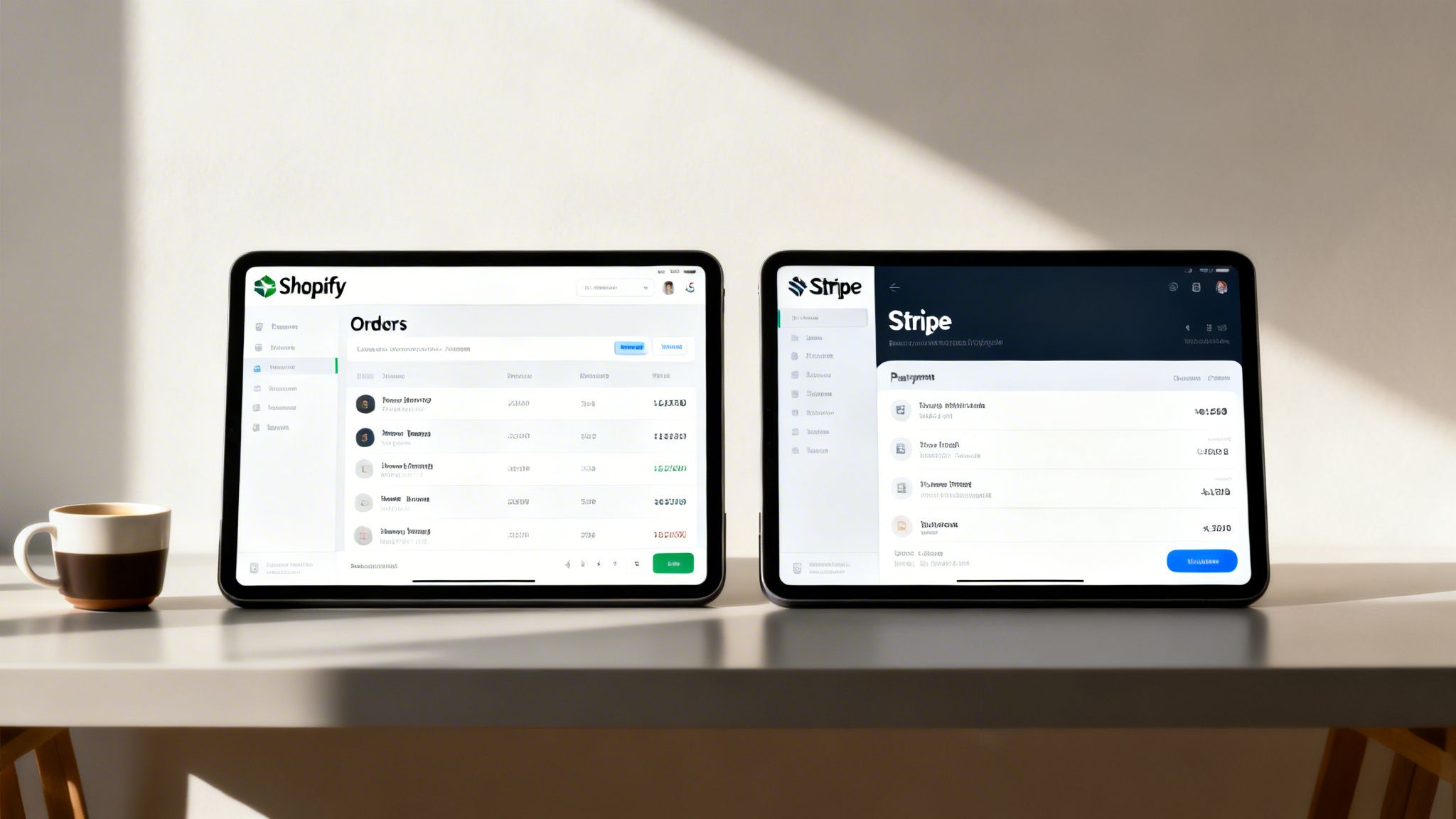
While Shopify Payments is the go-to for most stores—it’s built-in and the most affordable option—some merchants find themselves needing to connect their own, separate Stripe account. This usually happens when you want to offer a specific payment method that Stripe supports but isn't available through Shopify Payments in your country just yet.
But before you dive in, you need to be aware of some serious downsides. Taking this route means you’ll get hit with Shopify’s extra transaction fees on every single sale, which eats into your margins. More importantly, it creates a huge administrative headache when it’s time to handle disputes.
The Double-Dashboard Problem with Disputes
When you use an external Stripe account, you’re essentially splitting your payment workflow in two. Instead of managing everything from one convenient place, you’ll be constantly jumping between your Shopify admin and your Stripe dashboard. This might seem like a small inconvenience at first, but it turns into a major problem the moment a chargeback lands on your desk.
With a unified system, all your information is in one spot. With this setup, you have two different sources of truth. Your order data is in Shopify, but the nitty-gritty transaction details and crucial fraud signals are tucked away in Stripe. Trying to gather all the necessary evidence to fight a dispute becomes a frustrating, time-consuming puzzle. For busy store owners, this extra legwork often leads to missed deadlines and, ultimately, lost revenue.
At ChargePay, we’ve seen this exact scenario play out time and time again—it’s why we’ve recovered over $2.8 million for merchants by automating this fragmented process. Winning a chargeback requires a complete, well-organized evidence package submitted fast, which is next to impossible when you’re manually pulling data from two different systems.
Steps to Connect an External Stripe Account
If you’ve weighed the costs and decided this is the right move for your business, here’s the general process for adding Stripe as a third-party payment gateway on Shopify:
- Deactivate Shopify Payments: First things first, you’ll need to go into your Shopify admin and deactivate the existing Shopify Payments setup.
- Choose a Third-Party Provider: Head over to your payment settings and select the option to add an alternative payment method.
- Select Stripe: From the list of available third-party providers, find Stripe and select it.
- Authorize the Connection: Shopify will redirect you to Stripe, where you’ll need to log in and give permission for the two platforms to connect.
This integration method really underscores the deep relationship between Shopify and Stripe. For example, Shopify Balance is actually powered by Stripe Treasury. This partnership onboarded over 100,000 U.S. small businesses in its first four months alone by offering them fee-free access to their funds. It’s a powerful reminder of how intertwined their technologies are, far beyond standard payment processing. You can read more about how Shopify and Stripe are reshaping merchant finances to see what this partnership could mean for your business.
Why Stripe Radar Fails to Stop Friendly Fraud
Stripe Radar, the fraud prevention tool built right into Shopify Payments, is fantastic at one very specific job: catching obvious, criminal fraud. Think of it as a bouncer who’s an expert at spotting fake IDs. It uses machine learning to find stolen credit cards, mismatched billing details, and shady IP addresses.
But Stripe Radar has a massive—and costly—blind spot: friendly fraud. And for honest merchants, this is where the real damage happens.
The Big Gap in Your Defenses
Friendly fraud is when a legitimate customer uses their own valid credit card to make a purchase. They get the product, and then they turn around and tell their bank to reverse the charge, often claiming the item never arrived or wasn't what they expected.
Because the customer, their card, and all the transaction details look perfectly legitimate, Stripe Radar sees no red flags. It lets the transaction sail right through.
It's not a system failure; it's a limitation of its design. Radar is looking for criminals with stolen data, not your actual customers who are abusing the chargeback system. This is precisely how Shopify merchants lose millions of dollars.
Imagine you sell a high-end electronic device. The payment is approved, you ship it out, and everything seems fine. Then, a week later, a chargeback notification hits your inbox. The customer used their real card, so Radar couldn’t stop it. Now you’re out both the product and the money. We break down exactly how this happens in our guide to understanding and preventing friendly fraud.
The Scale of the Problem
This isn't some minor issue; it’s a huge financial drain. During the Black Friday and Cyber Monday 2023 shopping rush, Stripe successfully processed over $18.6 billion in transactions, keeping platforms like Shopify running with near-perfect uptime. Its Radar system even blocked an impressive 16.7 million fraudulent attempts.
Despite those impressive numbers, friendly fraud keeps slipping through the cracks. The system simply isn’t designed to question the intent of a seemingly valid customer, which leaves you completely vulnerable.
This is the exact gap where ChargePay steps in. We've handled over 100,000 disputes and recovered more than $2.8 million for merchants just like you. Our AI is specifically built to identify and fight the post-transaction abuse that Stripe Radar can't even see.
With a 92.4% win rate, we turn this constant revenue leak into a solved problem. If you're tired of losing money to disputes your fraud tools can't stop, it’s time to add a real layer of defense. Install ChargePay from the Shopify App Store and let our AI handle the fight for you.
How to Win Chargeback Disputes on Shopify
When that chargeback notification pops up in your Shopify dashboard, you know the routine. The clock starts ticking, and you're suddenly on a mad dash to prove a transaction was legitimate. This means dropping everything to manually hunt down order histories, shipping confirmations, and bits and pieces of customer communication.
Next, you have to piece all this evidence together into a coherent story and rush it through Shopify’s portal before the bank's deadline hits. It's a frustrating, time-sucking process—a battle that most busy entrepreneurs just don't have the time or resources to win consistently.
The Manual Dispute Nightmare
Every single minute you spend fighting a chargeback is a minute you're not spending on marketing, product development, or actually growing your business. For just one dispute, you could easily burn an hour or more digging for documents, only to have the bank side with the customer anyway. This manual approach isn't just inefficient; it's a guaranteed way to lose revenue.
At ChargePay, we see the financial drain this causes every single day. We talk to merchants who are losing thousands of dollars a month trying to fight these battles by hand. They're caught in a reactive loop, losing both their products and their hard-earned money.
This flow shows how even with Stripe's built-in security, a completely normal-looking purchase can quickly become a costly dispute.
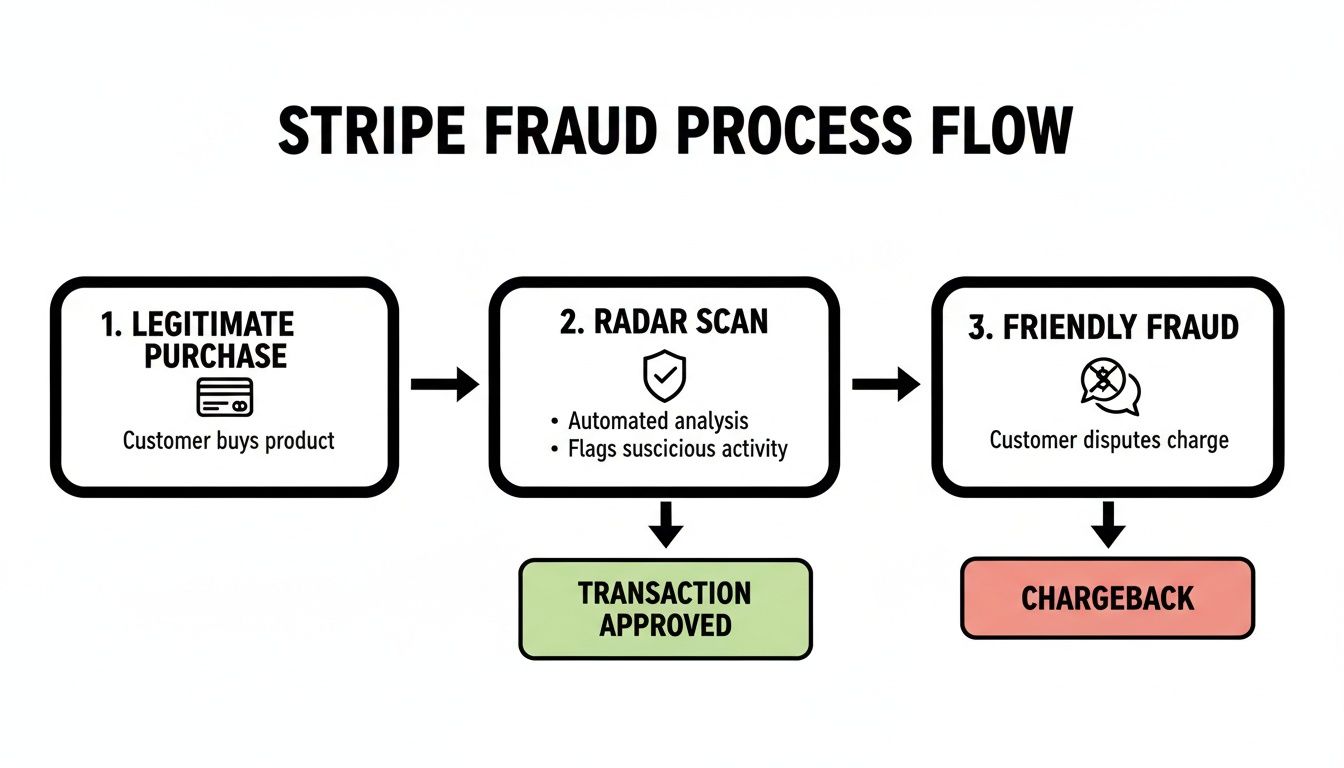
The real takeaway here is that your risk doesn't end once a transaction is approved. Friendly fraud happens after the sale is complete, neatly sidestepping all those initial security checks and leaving you to clean up the financial mess.
A Better Way to Fight Back
But what if you could just sidestep this entire manual headache? There is a much better way. ChargePay completely automates the dispute process for you, transforming a losing game into a reliable source of recovered revenue.
Our AI platform does all the heavy lifting. The moment a chargeback is filed, our system springs into action. It automatically gathers all the necessary evidence and constructs a custom, data-packed rebuttal that’s built to win.
We’ve successfully handled over 100,000 disputes for Shopify merchants, recovering more than $2.8 million in revenue that would have otherwise vanished. With a 92.4% win rate, our results speak for themselves. We turn a major revenue leak into a solved problem.
The best part? It’s completely risk-free to try. ChargePay runs on a pay-per-win model. That means you only pay a small fee when we successfully get your money back. If we don't win the dispute for you, you don't pay a single cent. It’s why thousands of Shopify merchants trust us, earning us a 4.9-star rating and the prestigious Built for Shopify badge.
Instead of fighting losing battles, you can get back to focusing on what you do best—running your store. To learn more about fortifying your business, check out our guide on complete Shopify chargeback protection.
Stop letting chargebacks chip away at your profits. Install ChargePay from the Shopify App Store today and let our AI start winning back your revenue on autopilot.
You’ve seen how Stripe with Shopify works, and you now get why there's this dangerous gap where revenue constantly leaks out. The fix isn't to tear down your whole payment system. It’s about adding a smart, automated layer of protection right where you need it most.
It's time to stop wasting hours fighting losing battles against friendly fraud. Let ChargePay's AI handle the disputes, get your money back automatically, and protect your bottom line.
Your Automated Revenue Recovery Engine
In the world of e-commerce, the partnership between Stripe and Shopify is the engine for an incredible 840,000 stores. And while Stripe Radar does a great job blocking millions in fraud attempts, it can't do anything when a legitimate-looking customer files a chargeback. For high-volume stores, this siphons off revenue every single day. You can find more insights about Stripe's impact on e-commerce right here.
ChargePay flips this broken dynamic on its head. Our AI platform doesn't just shuffle dispute paperwork; it actually wins them.
We’ve successfully fought over 100,000 disputes, recovering more than $2.8 million for Shopify merchants. With a 92.4% win rate, we turn what used to be a constant financial drain into a solved problem.
There's no need to switch your payment processor or mess with your existing workflow. Our "Built for Shopify" certified app plugs directly into your store, becoming your dedicated dispute team. It automatically pulls together and submits winning evidence packages, saving you precious time and recovering money you probably thought was gone for good.
Thousands of merchants trust our technology—that’s why we’re so proud of our 4.9-star rating on the Shopify App Store. The best part? You only pay us when we win for you. There is absolutely zero risk.
Don't let another dollar slip through the cracks. Install ChargePay from the Shopify App Store and stop the revenue leak for good.
Frequently Asked Questions
Still have some questions about how Stripe and Shopify really work together? Let's clear up a few of the most common things that trip up merchants. Getting these details right is the first step toward protecting your revenue.
Can I Use a Regular Stripe Account Instead of Shopify Payments?
Technically, yes. In certain countries, you can connect your own external Stripe account as a third-party payment gateway. But from a purely financial standpoint, it's usually not a good idea.
Why? Because Shopify will hit you with an additional transaction fee, anywhere from 0.5% to 2.0%, on every single sale. This fee gets tacked on top of whatever Stripe is already charging you for processing. For almost every store out there, sticking with Shopify Payments is the far more cost-effective route.
Are Stripe and Shopify Payments Fees the Same?
Nope, they aren't the same. This is a very common point of confusion. Even though Stripe provides the underlying technology that makes Shopify Payments tick, Shopify is the one calling the shots on the final fee structure.
Your specific rate for using Shopify Payments is tied directly to your Shopify subscription plan (like Basic, Shopify, or Advanced). It has nothing to do with Stripe's public pricing. Think of it this way: your financial relationship is with Shopify, and they're the ones who set the costs.
Does Stripe Help Me Fight Chargebacks on Shopify?
No, and this is a critical misunderstanding that costs merchants a lot of money. Even though a Stripe account is running in the background processing the payment, your chargeback dispute is managed 100% inside your Shopify admin dashboard.
You won't be logging into any Stripe account to handle the dispute. You are entirely responsible for gathering all the evidence and submitting it through Shopify's portal. This is precisely why an automated solution like ChargePay is so powerful—it works directly within your Shopify environment to manage and win these disputes for you.
Stop losing money and time to disputes you can't win on your own. ChargePay has recovered over $2.8 million for merchants by automating the entire chargeback process, hitting a 92.4% win rate. Install ChargePay from the Shopify App Store and turn your chargeback problem into a solved one.


.svg)




.svg)


.svg)
.svg)
.svg)