


You refunded the order. You answered the angry email. You thought the issue was closed.
Then the chargeback hits anyway.
That’s the part most credit card refund guides ignore. They explain what a refund is for the customer. They don’t explain what happens to the merchant who eats the returned revenue, loses the product, pays dispute fees, and then scrambles to prove they already fixed the problem. If you run a Shopify store, that gap matters more than the refund itself.
I’ve seen this over and over. A normal refund request turns into an accounting mess, a support headache, or a full dispute. The fix isn’t to stop refunding people. The fix is to treat every credit card refund like a controlled operation with documentation, timing, and defense built in from the start.
The Anatomy of a Credit Card Refund
A credit card refund is money moving backward through the same payment path the original order used. From your side, that usually starts when you click Refund inside Shopify. From there, the payment processor passes the credit back through the card networks and the customer’s issuing bank posts it to the card account.

Imagine a return package going back through every checkpoint it passed on the way out. You can approve the return instantly in your dashboard, but the package still has to move through the system before it lands back on the customer’s account. That’s why customers often assume you haven’t done anything, even when you already processed it correctly.
What you control and what you don’t
You control the decision to refund, the amount, and whether you process it against the original transaction. You also control the notes, timestamps, and customer communication tied to that refund.
You don’t control how fast the issuing bank posts the credit. That delay is where a lot of trouble starts. Customers see no immediate change on their statement, panic, and call the bank.
Practical rule: The moment you issue a refund, send the customer a confirmation that includes the order number, refund amount, and the fact that the credit is being returned to the original payment method.
If you want a good companion read on edge cases, especially old cards and account changes, this guide on understanding the cancelled card refund process is useful. It helps explain why a refunded payment can still find its way back through the card system even when the original card is no longer active.
What a merchant actually sees in Shopify
Inside Shopify, the refund action feels simple. Operationally, it isn’t. A solid process usually includes:
- Confirm the order details. Match the refund to the exact transaction and payment method.
- Decide on full or partial refund. Don’t guess. Tie the amount to a clear reason.
- Add internal notes. Write what happened, who approved it, and what the customer said.
- Update inventory correctly. Restock only when the item is physically back or you’ve decided not to require return.
- Send a written confirmation. The customer needs proof, and you need a paper trail.
If your team confuses refunds, reversals, voids, and chargebacks, fix that first. This explainer on what a payment reversal means for merchants helps put the terms in the right bucket.
The balance problem most merchants forget
One detail almost nobody explains is what happens when the refund creates a negative card balance. A commonly cited example is a $1000 refund on a $300 balance creating a -$700 balance, where the issuer owes the customer money but the process for getting cash back can vary, and merchants can create reconciliation issues if they don’t track that credit properly, especially with BNPL-linked transactions (Business Insider’s explanation of how credit card refunds work).
That matters for two reasons. First, customers may still contact you because they don’t understand where the money “went.” Second, your finance team can misread the transaction if your refund logs are sloppy.
Use one payment trail. Document everything. Never assume a processed refund is self-explanatory.
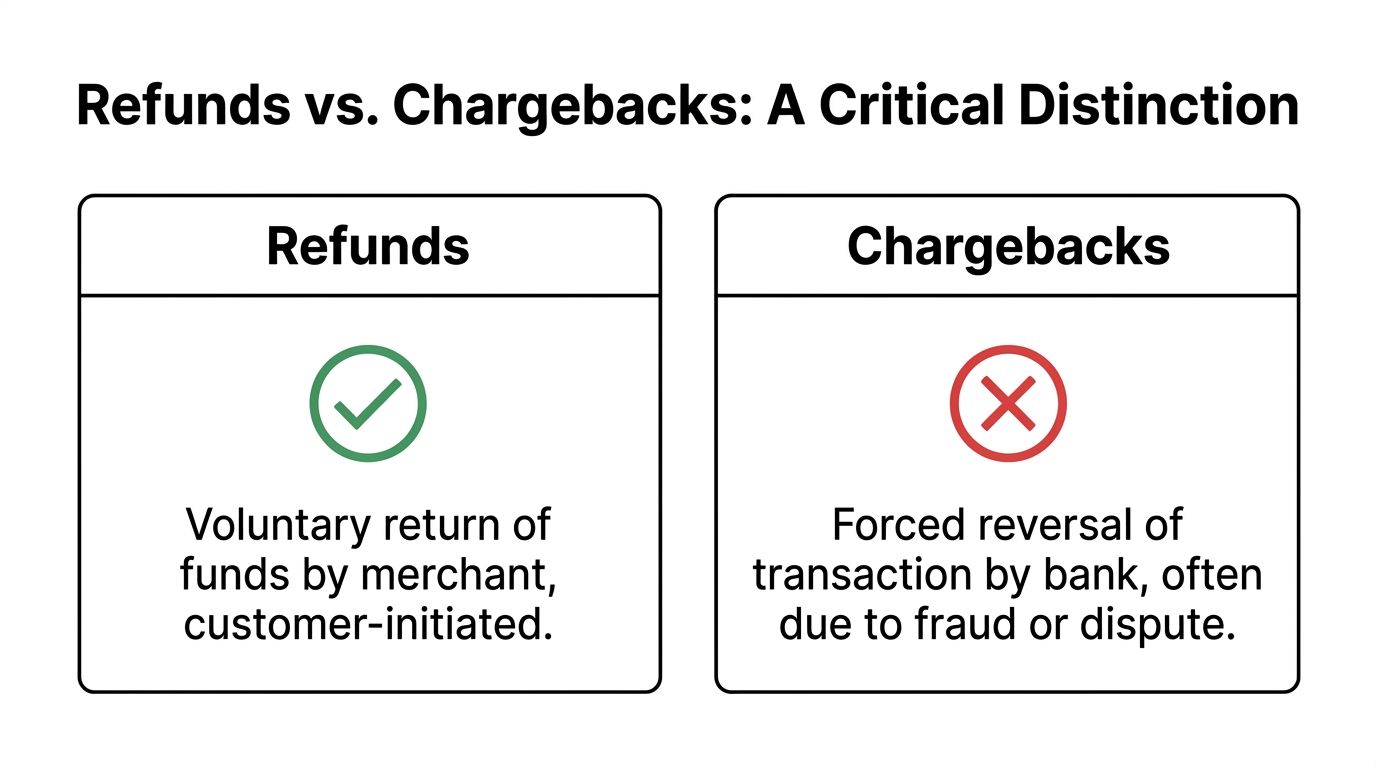
Refunds vs Chargebacks A Critical Distinction
A refund and a chargeback both move money away from you. That’s where the similarity ends.
A refund is voluntary. You decide to send money back to the customer. A chargeback is forced. The bank pulls the money from your account because the cardholder disputed the charge. If a refund is a direct conversation, a chargeback is a formal complaint filed through the payments system.
The side by side difference
| Issue | Refund | Chargeback |
|---|---|---|
| Who starts it | Merchant and customer | Cardholder through issuing bank |
| Who controls it | Merchant | Bank and card network process |
| Tone | Resolution | Dispute |
| Record type | Customer service action | Formal payments case |
| Extra cost risk | Operational and margin loss | Can include dispute fees and account health damage |
The cost difference is where merchants get burned. In refund-related fraud cases, chargebacks can add fees often ranging from $15 to $100 per dispute and can be filed within a 120 to 540 day window depending on network rules, which is why they’re far more dangerous than a normal refund flow (merchant double-dipping fraud breakdown).
Why large payment programs treat these separately
This distinction isn’t just e-commerce common sense. It shows up in big institutional payment systems too. The GSA SmartPay program reported $39.4 billion in FY 2025 spend and distinguishes between proactive sales refunds and error-related corrective refunds, which mirrors the merchant difference between a voluntary credit and a forced correction (GSA SmartPay statistics).
That’s a useful mental model. A voluntary refund is you fixing the issue. A corrective action is the system stepping in because it believes something went wrong.
Why merchants should care immediately
A refund can preserve the customer relationship. A chargeback can damage your payment setup.
It also changes the work required from your team. With a refund, support handles the case. With a chargeback, you need evidence. That usually means order records, shipment proof, refund proof, customer communication, terms, timestamps, and a tight response before the deadline expires.
A refund closes a customer complaint. A chargeback opens a case you have to defend.
If your team still lumps these together, that confusion will cost you money. This guide on disputes and chargebacks for merchants is worth reading because it shows the operational difference in plain language.
The practical decision
If a customer contacts you first and the issue is legitimate, resolve it with a refund through the original transaction path. That keeps you in control.
If the customer has already gone to the bank, you’re no longer “handling a refund.” You’re in a dispute environment. Different rules, different stakes, different playbook.
The mistake I see most often is assuming one automatically cancels out the other. It doesn’t. That misunderstanding is where a lot of profit disappears.
The Hidden Costs and Risks of Refunds
Most merchants treat refunds like a reversed sale. That’s too simplistic.
A refund has layers of cost. You may lose shipping, labor, packaging, and the chance to resell the product at full value. Your support team spends time on the issue. Your ops team fixes inventory. Finance has to reconcile the transaction. None of that shows up neatly when someone says, “Just refund it.”
The ugliest version is double-dipping fraud
The most dangerous refund failure is double-dipping fraud. It happens when you issue a manual refund outside the original payment flow, then the customer files a chargeback anyway. The processor still has to honor the chargeback, so your account gets debited again.
Here’s the short version of the damage:
- You lose the product because the original order was fulfilled.
- You lose the manual refund because you already sent money back.
- You lose the chargeback amount and fees because the processor pulls funds when the bank dispute arrives.
The core rule is simple. If you issue a refund, process it through the original gateway. That creates the traceable credit record you’ll need later if the customer disputes the same transaction.
A very real merchant mistake
A customer emails support and says the package never arrived. Your agent wants to calm them down fast, so they issue a store-level manual refund, bank transfer, or check. Days or weeks later, the customer disputes the original card transaction with their issuer.
The processor doesn’t care that you already “made it right” off-platform. It sees a chargeback tied to the original card payment and debits you.
Process every refund against the original payment record. Anything else is an invitation to get paid twice by the customer and once by the bank.
The operational cost nobody budgets for
Refund problems also create hidden admin drag:
- Support strain because agents have to re-open “resolved” cases
- Messy reconciliation when finance can’t match credits cleanly
- Bad internal habits when staff use side-channel refunds to move faster
- Weaker dispute defense because your evidence is fragmented across inboxes, spreadsheets, and payment tools
A credit card refund should reduce risk. A sloppy one multiplies it. The stores that keep losses down don’t just refund faster. They refund in a way that leaves a clean, defensible trail.
A Merchant's Guide to Processing Refunds on Shopify
Refunds are now part of the cost of doing business online. The scale alone makes that obvious. U.S. merchandise returns are projected to reach $849.9 billion in 2025, with 19.3% of online sales expected to be returned, while 82% of shoppers say free returns influence their buying decisions and 9% of returns are fraudulent (NRF retail returns data). If you run a Shopify store, your refund process can’t be casual.

The refund workflow that protects your margin
Inside Shopify, don’t treat the Refund button as the whole job. Treat it as one step in a controlled workflow.
1. Verify the request before touching the payment
Check the order timeline, tracking status, item condition, and customer message history. If the customer says the item never arrived, compare that claim against the fulfillment record before you issue anything.
If the product is being returned, wait until your rules say the item qualifies. Fast refunds are good. Blind refunds are expensive.
2. Refund through the original transaction
It is mandatory to use the payment tied to the order in Shopify. Don’t send money by bank transfer, check, or another platform just because a customer is impatient.
That original-path refund creates the cleanest record for support, accounting, and any later dispute.
3. Write notes like you’ll need them in a dispute
Teams often write terrible notes. They write “customer unhappy” or “refunded per request.” That’s useless later.
Write notes that answer real questions:
- What triggered the refund
- Who approved it
- Whether the item was returned
- What shipping or delivery records existed
- What you told the customer and when
The quality of your notes decides whether a later dispute is defensible or dead on arrival.
Communication that prevents escalation
Customers often dispute charges because they don’t understand the timeline. Say it clearly. Keep it short.
A basic confirmation message should include:
- Order reference so they know exactly which purchase is being refunded
- Refund amount with no vague wording
- Payment method used so they know where to look
- Expected posting delay in plain English
- Support contact if they still don’t see the credit
If your store policy is vague, fix that too. This resource on building a Shopify refund policy that reduces disputes is worth reviewing before your next busy season.
Partial refunds need more discipline
Partial refunds create more confusion than full refunds. A customer sees one order, one payment, and one expectation. You see a damaged item, a shipping issue, or a pricing adjustment. If you don’t explain the split clearly, they may think you shorted them.
Use a short breakdown in writing. State what portion was refunded and why. Keep the wording factual, not defensive.
A useful visual walk-through can help your team keep the process consistent:
The standard operating rules I’d put in every store
- Never refund from outside Shopify unless your payment team has a documented exception process.
- Never promise instant card posting because you don’t control the issuing bank.
- Never close the ticket without confirmation notes stored on the order.
- Never let support improvise the policy in live chat.
- Always assume a refund record may later become dispute evidence.
If your team follows those five rules, your credit card refund process stops being a leak in the business and starts acting like a control system.
When a Simple Refund Request Turns into Friendly Fraud
The biggest blind spot in this whole topic is friendly fraud.
This is the customer who placed a real order with a real card and then exploits the dispute process anyway. Sometimes they claim the package never arrived. Sometimes they say the item wasn’t as described. Sometimes they ask you for help first, get a refund or replacement, and still go to the bank after that.
According to ClearSale’s merchant-focused breakdown, merchants are under pressure from faster dispute timelines, and without automation, chargeback win rates often sit around 20% to 30%, while automated systems can recover much more by building evidence packages quickly (ClearSale on common chargeback causes and merchant blind spots).
Why this keeps happening
Consumers are trained to think the bank is the fastest route to money back. Their card issuer frames disputes as protection. So even when you’ve already tried to resolve the issue, they may still file because they think it’s easier, safer, or faster.
Some are confused. Some are impatient. Some know exactly what they’re doing.
Common refund-to-dispute scenarios
Delivered but denied
Tracking shows delivery, but the customer says nothing arrived and pushes for a refund.Refund pending but disputed
You process the refund correctly, but the customer doesn’t see the credit immediately and files with the bank.Buyer’s remorse turned bank claim
The customer doesn’t want to follow your return rules, so they skip support and dispute the charge.Refund plus chargeback
They receive a credit and still dispute the original payment.
If your store assumes a refund request is a customer service issue only, you’ll miss the fraud signal sitting right in front of you.
What merchants should do differently
Start treating refund behavior as part of your fraud picture, not just your support queue. Repeat claims from the same customer, timeline inconsistencies, and pressure to refund outside normal channels should get flagged internally.
Many Shopify stores need a better system for recognizing and responding to friendly fraud. The problem isn’t rare. The problem is that teams keep labeling it as “customer friction” instead of revenue abuse.
A clean refund process still matters. But by itself, it won’t save you when the cardholder decides to weaponize the bank dispute process after the fact.
How to Automatically Fight Disputes and Recover Your Money
Once a refund-related issue becomes a chargeback, speed matters. Evidence matters more. Manual work usually falls apart because the team has to pull order data, refund records, tracking, customer messages, policy terms, and transaction details under a hard deadline.
Modern AI systems are built for exactly this problem. According to Stripe’s merchant guidance, AI fraud detection can analyze over 100 behavioral signals, and for Shopify merchants these systems can drive 92.4% chargeback win rates by automatically building evidence packages and submitting them before 7 to 45 day deadlines, while manual reviews often win only 20% to 30% of the time (Stripe on refund fraud and AI-based dispute handling).

What automation should actually do
A tool is only useful if it removes the manual bottlenecks that cause merchants to lose cases. At minimum, your dispute workflow should:
- Pull order and refund data automatically from Shopify
- Match shipment and delivery proof to the disputed transaction
- Surface customer communication that shows prior resolution attempts
- Build a representment package in the format banks expect
- Submit before deadline without your team babysitting the process
That’s the difference between “we have dispute data somewhere” and “we sent a case the issuer can review.”
One practical option for Shopify stores
For Shopify merchants, ChargePay’s guide to automated chargeback and dispute management using AI gives a clear picture of what this workflow looks like in practice. ChargePay itself is built for Shopify, has a Built for Shopify badge, a 4.9-star rating, and handles the dispute lifecycle with a 92.4% win rate across 200K+ cases, recovering $10.8M+ for merchants, using a pay-per-win model.
Those numbers matter because most merchants don’t lose disputes for lack of effort. They lose because the work shows up late, incomplete, or disconnected from the transaction trail.
The strongest use case
Automation is especially valuable when the chargeback started as a refund issue. That’s where the timeline gets messy. You need to show that the customer contacted support, that you acted, that the refund was tied to the original transaction, and that the cardholder still filed or misrepresented what happened.
The stores that recover money consistently don’t “argue better.” They submit cleaner evidence faster.
If you’re still handling disputes with screenshots, inbox searches, and last-minute PDFs, you’re making an expensive problem worse. Refunds will always be part of e-commerce. Chargeback losses don’t have to be.
Stop Losing Revenue to Refunds and Chargebacks
A credit card refund should solve a customer problem. It shouldn’t create a second financial hit.
The stores that protect margin do three things well. They process refunds through the original payment path, they document every decision like it may become evidence later, and they stop treating chargebacks as random events. They’re not random. They’re usually the result of weak process, weak visibility, or weak follow-through.
If you’re tightening operations more broadly, it also helps to review practical cash control advice like this guide on how to improve financial stability for jewelers. The niche is different, but the lesson is the same. Small losses stack up fast when you don’t manage them deliberately.
Refunds are normal. Preventable refund-related chargeback losses are not. Fix the workflow, build the paper trail, and stop giving away revenue because your systems are too loose to defend it.
If you’re tired of losing money after you already did the right thing for a customer, install ChargePay from the Shopify App Store. It helps Shopify merchants automatically fight disputes, recover revenue, and stop refund issues from turning into profit-killing chargebacks.


.svg)




.svg)


.svg)
.svg)
.svg)