


A chargeback notice rarely shows up when you have spare time. It lands in the middle of fulfillment issues, ad spend reviews, and customer support tickets. Then you open the evidence request and hit one field that stops everything: Merchant ID.
If you've had that moment, you're not confused because you're inexperienced. You're confused because payment systems hide critical identifiers inside processor dashboards, statements, terminals, and bank records. Merchant ID lookup feels harder than it should be, especially when the deadline clock is already running.
That Sinking Feeling When You Need a Merchant ID Now
The common version goes like this. A customer files a dispute. The bank asks for evidence. You can pull the order record, tracking, customer emails, and device data. Then you see the request for the merchant identifier and you pause because you're not sure whether that means your Shopify store number, your Stripe account reference, or something from your bank statement.
It isn't any of those by default. That's why merchants lose time.
What makes this worse is that the request feels small. It's just one field. But if that field helps tie the disputed transaction back to the exact processing account that accepted the card, it becomes more than paperwork. It becomes part of the chain that shows the transaction came through your verified payment setup and not some unrelated account.
I've seen this trip up merchants with clean operations. The order is valid. The fulfillment record is solid. The customer interaction history is there. But the evidence package still feels incomplete because the merchant ID wasn't found quickly, or the wrong identifier got dropped into the response.
When a dispute reviewer has to guess which account processed the charge, you're already making the case harder than it needs to be.
The good news is that merchant ID lookup usually isn't a mystery once you know where payment providers store it. The bad news is that it still isn't public information, so random searching won't help. You need the right internal record, the right processor view, and the right transaction match.
That matters because chargebacks aren't just compliance work. They're revenue recovery work. Every clean detail you provide reduces ambiguity. The merchant ID is one of those details that looks administrative on the surface and turns into useful evidence when the dispute gets serious.
What a Merchant ID Is and Why It Matters for Chargebacks
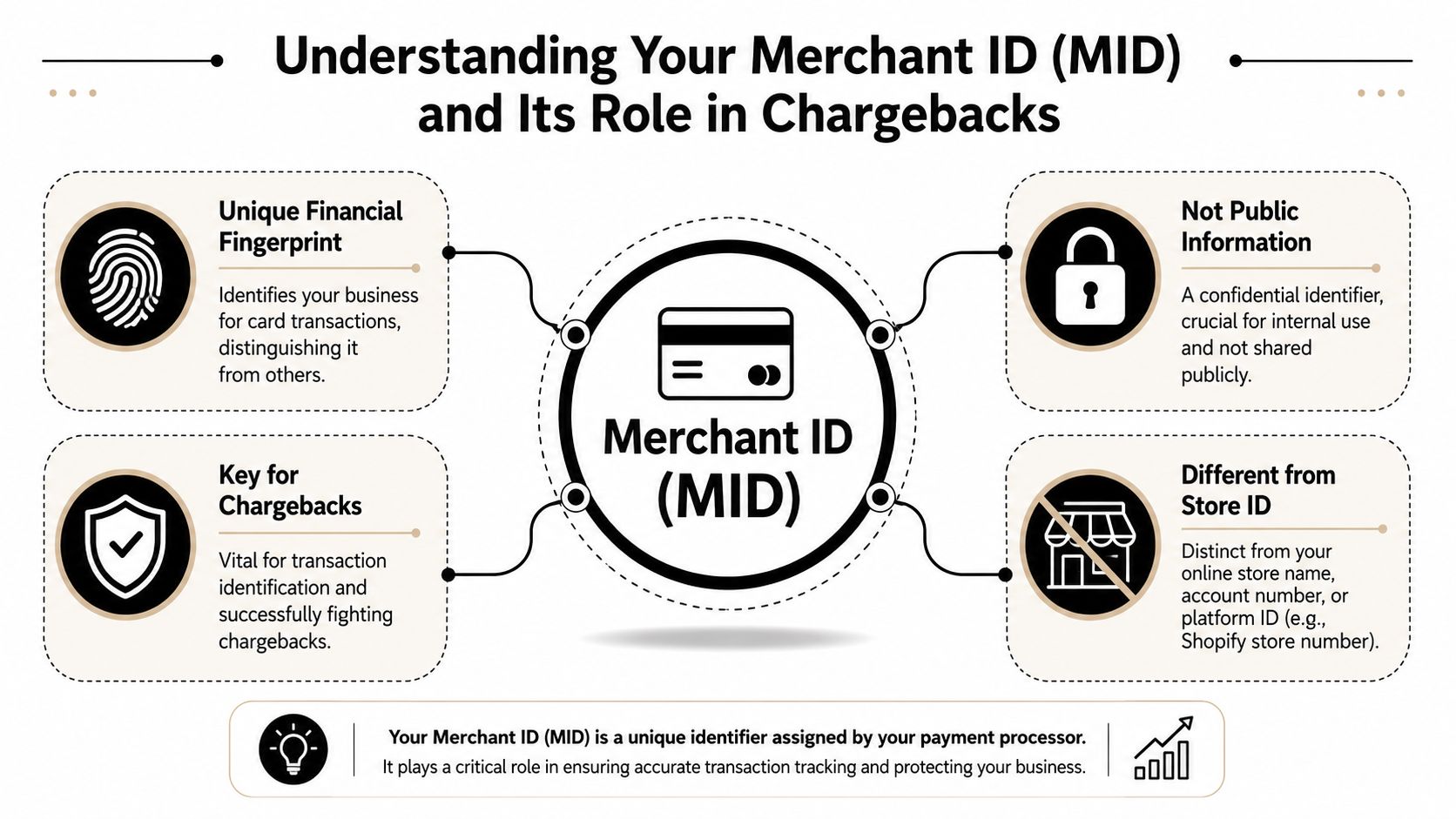
A merchant ID, often shortened to MID, is the identifier attached to the business account that processes card payments. Major providers describe it as typically 15 digits long, and it is created by the acquirer or payment processor after the business is approved to accept card payments, as explained in Stripe's overview of merchant IDs.
What it is not
A merchant ID is not your Shopify store name. It isn't your domain. It isn't your order number. It also isn't the same thing as a general platform account label.
That distinction matters because merchants often grab the nearest visible ID under pressure. In a dispute, the bank wants the identifier connected to card processing, not the identifier you use to log in to your storefront software.
Why banks care about it
The MID exists because payment systems need to route and record card transactions to the right merchant account. That alone makes it operationally important. In a chargeback, it becomes evidentiary because it helps connect the disputed transaction to your approved payment relationship.
If your bank statement, processor dashboard, and transaction records all line up to the same merchant account, the reviewer has a cleaner path to verify origin. That doesn't win a case by itself, but it removes one source of doubt.
Practical rule: Treat the MID like an account-level proof point, not just a form field.
This also explains why merchant ID lookup isn't something you can solve through search engines. Stripe and Checkout.com both say there is no public database for merchant IDs. They are sensitive operational data tied to payment routing. So if you're trying to find yours, think access, not search.
For merchants who also sell through Google channels, account identity issues can stack up fast. If your store is dealing with policy confusion upstream, this guide on resolving GMC misrepresentation issues is worth reviewing because identity mismatches often spread across payments, listings, and dispute records.
If you need the clean separation between processing infrastructure and storefront tooling, this breakdown of merchant account vs payment gateway helps clarify where the MID lives.
How to Find Your Merchant ID on Major Platforms
Merchant ID lookup works best when you stop thinking like a shopper and start thinking like an operator. The MID is usually found in merchant statements, processor portals, payment terminals, or bank statement deposit descriptions, and Checkout.com notes that it is not publicly searchable and is usually a 15-digit alphanumeric identifier in those internal records, as described in Checkout.com's merchant ID guide.
Quick Merchant ID Lookup Guide
| Platform | Where to Look |
|---|---|
| Shopify Payments | Payment settings, payout details, linked processor records |
| Stripe | Dashboard account records, reports, support-visible account details |
| PayPal | Merchant account settings, statements, support-confirmed processing details |
| Bank portal | Deposit descriptions and merchant services area |
| Physical POS | Terminal menus, printed settlement records, device labels |
Shopify Payments
If you use Shopify Payments, your MID may not be labeled in the bluntest possible way inside Shopify itself. Start with the payment settings tied to Shopify Payments, then check payout records and any linked processor documentation available through your merchant services setup.
If the MID isn't obvious there, move one layer down. Check the merchant statement tied to the account receiving card settlements. In many setups, that's where the identifier is easier to confirm than in the storefront admin.
A practical workflow:
- Open your payment settings and confirm which processor is handling card transactions.
- Review payout or settlement records for processor-specific references.
- Check your merchant statement from the acquiring side, not just order data inside Shopify.
- Match the transaction date from the dispute to the settlement batch before you use the ID in evidence.
If you're handling disputes tied to Shopify Payments, this guide to Stripe chargebacks is useful because a large share of Shopify card-processing disputes eventually trace back to Stripe-backed workflows.
Stripe
Stripe is often the source of truth for merchants using Shopify Payments or a direct Stripe setup. The key is to look for account-level records rather than customer-level payments first.
Use this order of operations:
- Start with statements or reports. That's often where the MID is easiest to locate.
- Check account settings and support-visible details. Some merchants don't see the same labels in every dashboard view.
- Tie the disputed transaction to the settlement account. Don't assume the visible payment reference is the MID.
Stripe's structure can make merchants think the charge ID or payout ID is enough. It usually isn't if the bank is specifically asking for the merchant identifier.
PayPal
PayPal can be trickier because many merchants use it alongside card processors, not instead of them. If the disputed payment was processed through PayPal's own rails, use the PayPal business account records tied to that transaction. If the customer paid with a card through another processor and PayPal was only part of the checkout experience, your MID may live somewhere else entirely.
That is where merchants make avoidable mistakes. They pull the PayPal merchant email or transaction ID and submit it as if it were the merchant ID. A reviewer may accept the rest of the package, but the specific field still remains unresolved.
Other places that work when dashboards don't
When the processor UI isn't clear, these are often faster:
- Bank deposit descriptions that correspond to settlements
- Monthly merchant statements
- Virtual terminal records
- Physical POS device menus
- Processor support if you need confirmation in writing
If your first instinct is to search Google for the MID, stop. If your second instinct is to search your own statements, you're on the right path.
The fastest merchant ID lookup process is usually the least glamorous one. Follow the money trail from dispute date to settlement date, then confirm the processing account that accepted the card.
What If You Have Multiple Merchant IDs
A lot of merchants don't have one MID. They have several. That happens when different store locations, channels, devices, or payment profiles each process under their own merchant account setup.
Bank of America notes that a business may have multiple merchant locations, each with a unique MID, and some systems show only the last four digits in location names to help with reconciliation, which can make the same brand appear differently across channels, as described in Bank of America's merchant identification guidance.

Why this causes dispute mistakes
The chargeback might reference one store location. Your statement might show a shortened location label. Your POS might show only the last four digits. Your processor portal might use a different naming convention again.
That's how merchants end up attaching the wrong MID to the right order.
A cleaner way to reconcile multiple MIDs is to work backward from the disputed charge:
- Match the descriptor first. Use the exact billing descriptor or recognizable fragment from the customer's card statement.
- Check location naming. If one outlet includes the last four digits in the device or location name, use that as a clue.
- Compare settlement timing. The correct MID usually appears in the settlement path tied to that transaction.
- Keep an internal map. Maintain a simple reference sheet that ties each storefront, POS, profile, and MID together.
If your business runs multiple processors or channels, the complexity isn't just technical. It affects evidence quality. That's one reason teams evaluating payment orchestration platforms spend so much time on reconciliation and transaction visibility.
A brand can look unified to customers and fragmented to payment systems at the same time. Chargebacks expose that gap fast.
Correctly Using Your Merchant ID in Chargeback Evidence
Finding the MID is only useful if the reviewer can connect it to the dispute without hunting for it. Card networks have lookup systems that use merchant identification data to return a cleansed merchant name, address, and other attributes to improve statement clarity and help confirm transaction origins, as described in Visa's merchant search documentation.
That means presentation matters.
Do this
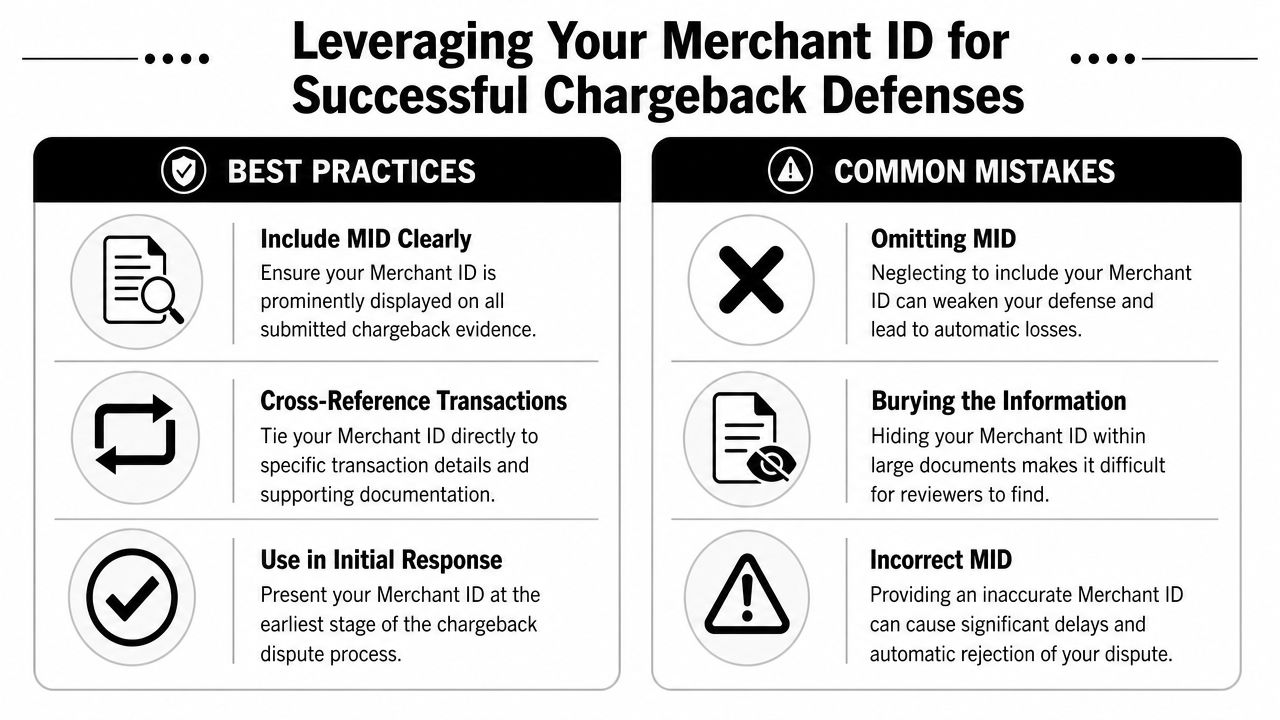
Put the MID near the top of your evidence package, not buried in a dense appendix. Label it plainly.
A simple format works well:
- Merchant Name
- Merchant ID
- Transaction Date
- Transaction Amount
- Order Number
- Billing Descriptor
- Supporting documents attached
Then repeat the MID on any supporting statement or processor screenshot where it appears, using a highlight or note if the submission format allows it.
Not that
Don't drop a fifty-page export into the portal and expect the reviewer to locate the right number. Don't use an internal store code as a substitute. Don't submit a different MID from another location because it shares the same brand name.
Those errors create friction for the issuer and weaken your argument that the transaction can be traced cleanly to your account.
The strongest way to frame it
Use the MID as part of a transaction identity chain. It should support, not replace, your other evidence.
A strong sequence looks like this:
- The customer placed this order
- This card transaction was processed through this merchant account
- This descriptor matches what the cardholder saw
- This shipment, communication, or usage record ties back to the same purchase
Keep the reviewer from asking, "Whose transaction was this?" before they even get to "Was it valid?"
If your team is tightening response quality, this guide to chargeback representment is useful because the MID works best when it's part of a disciplined evidence narrative, not a loose attachment.
Stop Looking and Start Winning
Manual merchant ID lookup is manageable once or twice. It gets expensive when your team is doing it over and over across active disputes, multiple processors, and tight deadlines.
ChargePay is built for Shopify merchants that don't want chargeback recovery to depend on who happens to be available that day. It handles the dispute workflow from evidence gathering through submission, including the account-level details that often slow merchants down. ChargePay has a 92.4% win rate across 200K+ cases and has recovered $10.8M+ for merchants, based on ChargePay's platform information.
That matters because the actual cost of a chargeback isn't just the disputed order. It's the hours spent locating records, matching the right identifiers, drafting responses, and still wondering whether the package was complete.
For merchants who want a closer look at how that workflow operates inside Shopify, this walkthrough shows the product in action:
ChargePay also carries a 4.9-star rating on the Shopify App Store and a Built for Shopify badge. The pricing model is simple. You only pay when it wins money back.
If you're tired of scrambling for processor details every time a dispute hits, install ChargePay from the Shopify App Store. It automates chargeback responses, pulls together the evidence that matters, and helps turn disputes into recovered revenue instead of lost time.


.svg)



.svg)


.svg)
.svg)
.svg)