

A lot of advice on how to accept credit card payments for a small business stops too early. It tells you how to turn checkout on. It rarely tells you how to keep the money once disputes, friendly fraud, and chargebacks start hitting your Shopify store.
That gap is expensive. For online sellers, payment setup isn't just about letting a customer click Buy. It's about choosing tools, settings, and workflows that leave a clean trail when a bank asks you to prove the order was legitimate.
Why Accepting Cards Is More Than Just Getting Paid
A 2024 Federal Reserve study found that 62% of all payments in the United States were made by debit and credit cards combined. If your business doesn't accept cards, you're excluding the payment method used in most everyday transactions, as summarized by the U.S. Chamber of Commerce guide to credit card payments.
For a new Shopify store, that makes card acceptance basic infrastructure. It's how you participate in normal ecommerce, subscriptions, invoice payments, phone orders, and in-person selling at pop-ups. Customers expect to pay by card. If they can't, many won't work around it.
Card acceptance is a revenue decision
Accepting cards opens access to how people already pay. That's the obvious part.
The less obvious part is that every approval can become a later dispute if your store setup is sloppy. A weak descriptor, missing order notes, no proof of delivery, and poor fraud checks can turn a legitimate sale into money lost weeks later.
Practical rule: The payment method that helps you convert customers can also become the channel where revenue leaks out.
That matters even more on Shopify because it's so easy to launch fast. You can have products live, checkout running, and ads spending before you've thought through refunds, billing descriptors, order evidence, or what happens when a customer claims they didn't authorize the purchase.
Taking the payment is only half the job
Most merchants asking how to accept credit card payments small business style are really asking a bigger question. They need a setup that works across checkout, fulfillment, customer support, and disputes.
Start with the customer experience, but don't stop there. Your payment stack should also support:
- Clear transaction records that tie the charge to the order
- Recognizable billing descriptors that reduce confusion later
- Consistent fulfillment evidence such as tracking and delivery status
- Backup payment options for buyers who don't want to use a standard card flow, including alternative forms of payment
If you build with disputes in mind from day one, you're not just making checkout work. You're making future chargeback responses easier to win.
Choosing Your Payment Processor and Pricing Model
A survey reported by WWF Credit Union found that 83% of small businesses that accepted credit cards saw an increase in sales. The same summary notes that the Federal Reserve identified fees as the most common payment-related challenge for these businesses, which is why processor choice matters so much to margin and cash flow. You can review that context in WWF Credit Union's piece on whether small businesses can afford not to accept credit cards.
For a Shopify merchant, the first big choice is simple. Do you want an all-in-one setup, or do you want more moving parts and more control?
All-in-one platforms versus traditional merchant accounts
If you want to start fast, a bundled option like Shopify Payments is usually the practical move. The onboarding is simpler, the payment gateway is already connected, and your orders, risk signals, and transaction records live in one admin.
A traditional merchant-account route can make sense when a business has unusual risk needs, multiple sales channels, or specific processor preferences. But it usually means more approvals, more integrations, and more places where data can break.
Here's the plain-language difference:
All-in-one setup
Faster launch, fewer vendors, simpler support. Good for most new Shopify stores.Traditional merchant account setup
More separate components. More flexibility in some cases, but also more setup work.
If you're still sorting out terms, this breakdown of what a payment processor is helps clarify who moves the money and who owns each part of the transaction flow.
Payment Processing Pricing Models Compared
| Model | Best For | Key Feature |
|---|---|---|
| Flat-rate | New or lower-complexity stores | Predictable pricing and easier forecasting |
| Interchange-plus | Merchants who want more fee transparency | Separates underlying card costs from processor markup |
| Tiered | Merchants willing to review statements closely | Groups transactions into pricing buckets that can be harder to audit |
What works and what doesn't
For most first-time Shopify operators, flat-rate pricing works because it's easier to understand. You know what to expect, and you can focus on fixing conversion, fulfillment, and returns before getting deep into payment optimization.
Interchange-plus can be appealing when a business wants more visibility into what it's paying. The trade-off is complexity. If you don't read statements carefully, you can spend a lot of time analyzing fees before you've fixed more basic issues.
What usually doesn't work is choosing a processor based only on headline rates. That's too narrow. You also need to look at payout timing, integration quality, support responsiveness, refund handling, and how dispute evidence is stored.
A cheap processor can become an expensive one if it leaves you with poor order data when chargebacks start.
Getting the Right Hardware and Software
The tools you need depend on how you sell. Online checkout, in-person sales, and phone orders each need a different setup. The mistake I see most often is merchants thinking the job ends with “payment accepted.”
It doesn't. The right tools should also preserve transaction details you may need later.
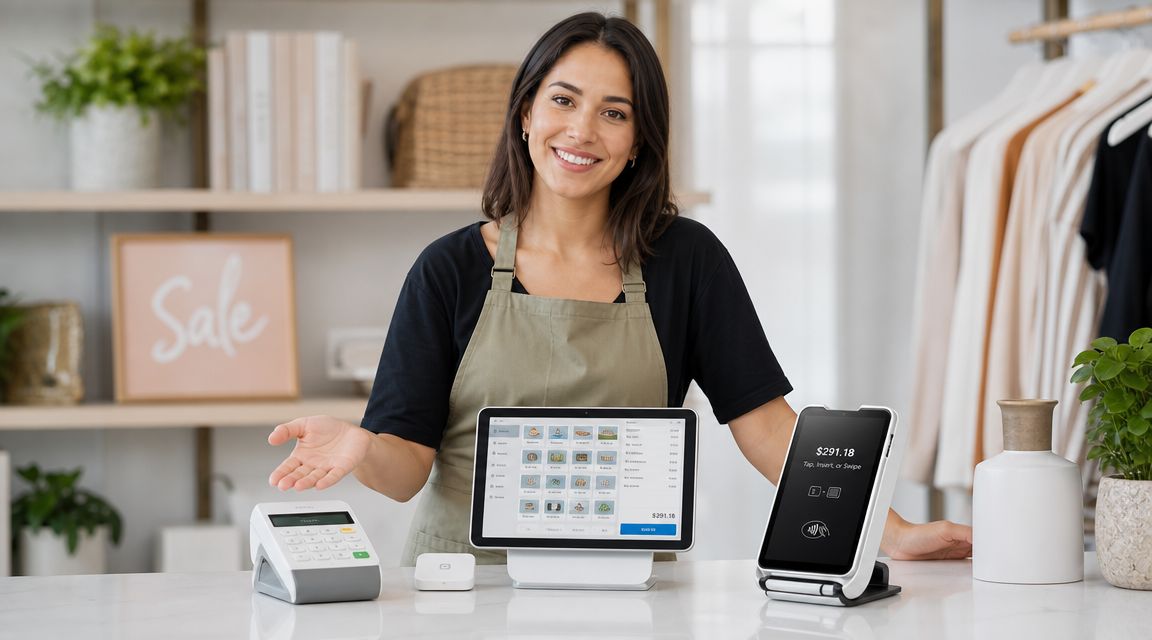
For online stores
On Shopify, your checkout stack is mostly software. You need a store, a connected payment provider, and a checkout flow that records the order cleanly from authorization through confirmation.
What matters in practice is that the order record shows the customer details, payment status, products purchased, timestamps, and fulfillment updates in one place. When an order gets disputed later, scattered data makes response work much harder.
For in-person selling
If you sell at retail counters, events, or pop-ups, use a card reader that supports chip and tap. That gives you a cleaner in-person authorization trail than manually keying cards whenever possible.
A good point-of-sale setup should also tie the payment back to the product sold, staff action, and receipt. If the charge is questioned later, that linkage matters.
For phone orders and manual entry
Phone sales need a virtual terminal or another secure keyed-entry workflow. Often, stores create unnecessary risk in these situations, because a rushed staff member may type the card number, skip billing checks, and move on.
Use a process that captures:
- Billing information that can be verified
- Order notes showing what the customer agreed to
- Contact records tied to the purchase
- Refund and cancellation terms communicated before payment
Manual entry isn't just another payment method. It's a higher-risk workflow that needs tighter documentation.
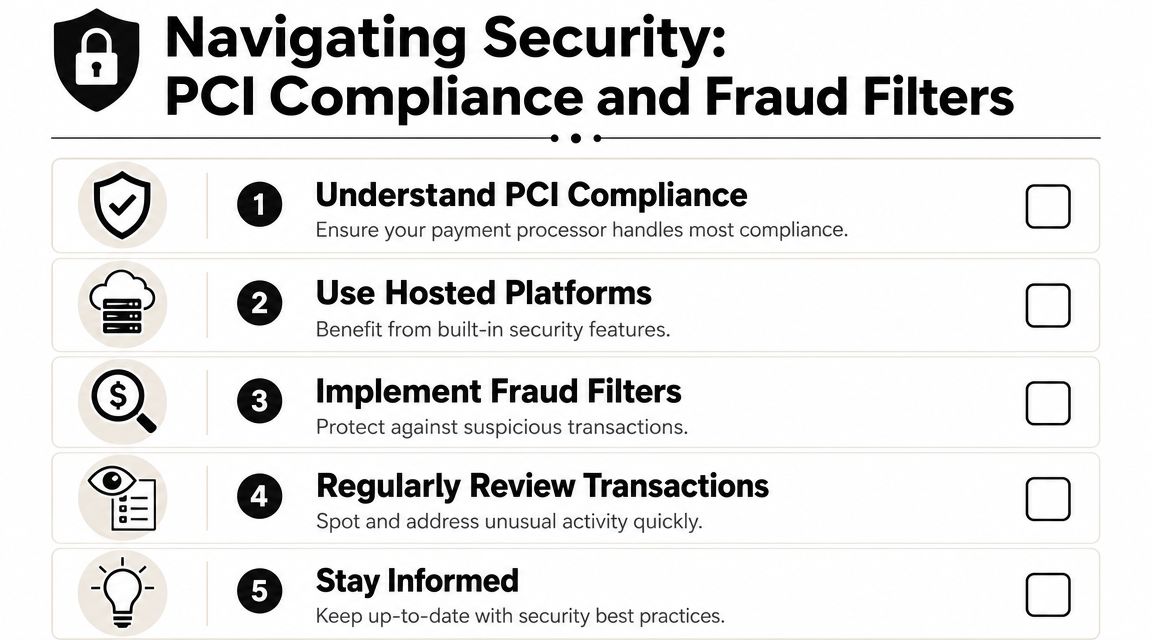
Navigating Security PCI Compliance and Fraud Filters
Security sounds technical, but for a Shopify merchant the practical question is simple. Are you handling card data safely, and are you blocking bad orders before they become chargebacks?
Hosted ecommerce platforms reduce a lot of the compliance burden because the checkout environment is managed for you. That's one reason many small stores should avoid custom payment flows unless they have a real reason to build one.
What to enable before launch
Industry guidance recommends AVS and CVV checks for card-not-present transactions, PCI-compliant checkout, and test transactions before going live. The same guidance also warns that the most common setup failures are weak checkout testing, missing billing validation for phone orders, and incomplete fraud controls. You can see those recommendations in Square's guide on accepting credit card payments.
For a Shopify store, that translates into a short list of must-haves:
- AVS checks to compare the billing address entered at checkout with issuer records
- CVV checks to confirm the customer has the physical card details
- Hosted checkout so you aren't storing sensitive card data yourself
- Review rules for orders that look inconsistent, rushed, or high risk
What these filters actually do
AVS and CVV won't eliminate fraud. They help you reject obviously weak transactions and create a better record of the checks performed before approval. That's useful operationally, and it can also help when reviewing patterns in later disputes.
If you're curious about how modern systems reduce direct card-data exposure, this explainer on tokenization in payments gives the clean version without the jargon.
What merchants often miss
Fraud filters are only useful if someone checks how they behave in real orders. I've seen stores turn on aggressive rules, then accidentally block valid customers. I've also seen stores run with almost no controls, then wonder why chargebacks pile up from first-time buyers shipping to mismatched addresses.
Use filters to slow down bad orders, not to create checkout chaos. Review declines, review manual captures, and make sure support staff knows when to hold, cancel, or verify an order before fulfillment.
The goal isn't more rules. It's fewer bad orders shipped.
Integrating and Testing Your Payment System
A payment setup isn't ready because the dashboard says “active.” It's ready when the full purchase flow works across checkout, authorization, confirmation, fulfillment, and reporting.
Industry guidance shows that the most frequent failure modes for new payment setups are weak checkout testing and incomplete fraud controls, which directly raise decline rates and chargeback exposure. The same guidance notes that a simple end-to-end test transaction can prevent these issues, based on Square's payment acceptance guidance already referenced above.

Run three real-world tests
Test the same ways your customers will pay. Don't stop after one successful order.
In-person test
Run a chip or tap payment through your reader if you sell offline. Check that the receipt, item record, and transaction status all match.Online checkout test
Place an order through your storefront from product page to confirmation email. Confirm taxes, shipping, and order status are recorded correctly.Phone or manual-entry test
If your team takes cards by phone, test a keyed transaction with billing verification and internal order notes.
Check more than approval
A clean payment test should answer several questions:
- Is the billing descriptor recognizable on the customer side?
- Does the order timeline make sense inside Shopify?
- Are fraud settings triggering as expected for normal versus suspicious inputs?
- Can staff find the transaction quickly if a customer contacts support?
- Would this record help in a dispute without hunting across five tools?
If your setup spans multiple systems, this overview of a payment orchestration platform helps explain why merchants often lose visibility when payment data gets split across providers.
If you can't trace a test order from checkout to payout to fulfillment, you won't be ready when the first chargeback arrives.
Managing Payments After the Sale to Protect Your Revenue
Most guides on accepting payments fail to cover what happens after the sale. That's a serious gap because card-not-present ecommerce merchants are highly exposed to dispute losses from friendly fraud and chargeback abuse, and your initial setup affects how well you can fight those disputes, as explained in Paysafe's article on how to accept credit card payments as a small business.
For Shopify merchants, this is the part that decides whether payment operations stay healthy. You need to reconcile payouts, monitor refunds, review disputes fast, and keep customer-facing policies clear enough to reduce confusion before it becomes a bank claim.

What to monitor after every sale
A solid post-sale routine usually includes:
- Settlement review so payouts line up with orders, refunds, and fees
- Descriptor review to catch charges customers may not recognize
- Fulfillment proof including tracking, delivery status, and customer communication
- Refund policy enforcement so support handles edge cases consistently
- Dispute monitoring so chargebacks don't sit untouched until the deadline passes
If checkout performance is weak before the sale, you'll also want to look at related conversion issues. Resources on shopping cart abandonment solutions can help diagnose where customers drop out before payment ever gets completed.
The real question is how you defend payments
Many stores underperform in one key area. They spend time on product pages, ad creative, and checkout design, then treat disputes like random bad luck.
They're not random. Some are true fraud. Some are merchant error. A large share come from confusion, poor communication, delayed support, or customers using the bank instead of your refund process.
For stores that want a more structured workflow, ChargePay fits into the post-sale side of the stack. It automates chargeback handling for Shopify merchants, builds dispute responses, and manages representment. ChargePay reports a 92.4% win rate across 200K+ cases, recovering $10.8M+ for merchants, and it has a 4.9-star Shopify App Store rating plus a Built for Shopify badge.
A store that knows how to accept payments but doesn't know how to defend them is only solving half the problem.
If your Shopify store is losing money after the sale, install ChargePay from the Shopify App Store. It helps automate dispute responses, recover revenue, and manage chargebacks without turning your team into a paperwork department.


.svg)



.svg)


.svg)
.svg)
.svg)