


A customer buys online, picks up in store, then disputes the charge a week later. Your Shopify order says fulfilled. Your store POS shows the return was started but not fully synced. The payment processor has one timestamp. Your staff notes live somewhere else.
That’s how merchants lose chargebacks they should have won.
Most advice about integration with POS systems stays stuck on inventory counts, sales reports, and faster checkout. Those matter. But they miss the expensive part. A weak POS integration creates fraud gaps, refund confusion, and missing evidence right where chargebacks are decided.
Your Omnichannel Store Is Leaking Money
If you sell on Shopify and also take in-person payments, your business depends on one thing more than most merchants realize. Your systems need to agree on what happened.
When they don’t, every dispute turns into a manual investigation. Was the item shipped or handed over in store? Did the customer get a refund on one channel while the original charge stayed open on another? Did your team process an exchange that never made it back to Shopify? Those aren’t small ops annoyances. They’re direct paths to lost revenue.
A lot of merchants already understand the inventory side of this. They invest in better syncs to avoid stockouts, reduce overselling, and keep product availability accurate across channels. That’s smart. But the same integration layer that keeps stock clean also determines whether you can prove what happened when a customer files a dispute.
Most POS content skips the chargeback risk
The blind spot is real. Existing POS content rarely deals with fraud or dispute exposure. The available data shows that 67% of early adopters report benefits to customer experience, yet there’s almost no discussion of how integration architecture affects chargeback win rates, according to the National Restaurant Association resource on POS payment systems.
That gap matters most for merchants running mixed fulfillment. Buy online, return in store. Reserve online, pay at pickup. In-store sale, online refund request. Every one of those flows depends on shared records.
Practical rule: If your refund, fulfillment, and payment records live in separate places, your evidence will break apart under dispute review.
A POS integration is part of chargeback prevention
Merchants usually think about chargeback prevention at the payment gateway or fraud tool level. That’s only part of it. Your POS integration decides whether order history, payment status, customer details, and return records show up in one usable trail.
That’s why this belongs next to your chargeback prevention strategy, not buried under operations cleanup.
The shift is simple. Stop viewing POS integration as a convenience project. Treat it as part of your revenue defense stack. If your systems can’t produce one reliable version of the transaction, the cardholder’s story often looks cleaner than yours.
What POS Integration Really Means For Your Store
An integrated POS is the central nervous system of your store. It sends the same signal to every part of the business when a sale, refund, return, or inventory change happens.
Without that connection, Shopify, your POS, your payment setup, and your back office act like separate bodies. Staff can still operate. Orders can still go out. But the moment something goes wrong, each system tells a slightly different story.

The practical definition
For a Shopify merchant, integration with POS systems means your in-store and online tools continuously pass the right records between them. That includes:
- Orders and payment events so a purchase looks the same in Shopify, the POS, and your processor
- Inventory changes so store sales reduce available stock online
- Customer history so support can see past purchases and returns across channels
- Refund and exchange activity so the final transaction record is complete
That sounds basic, but merchants often discover too late that they don’t have true integration. They have partial sync. Products sync, but refunds don’t. Orders sync, but wallet payments lose metadata. Inventory updates hourly, not in real time.
Why the economics are hard to ignore
This isn’t just a cleanup project for ops teams. There’s a business case for doing it right. Businesses using modern integrated POS systems see 566% first-year ROI through efficiency gains, and cloud-based POS systems deliver 22% better total cost of ownership than on-premises setups, according to Swell’s POS integration statistics.
Those numbers matter because they explain why so many merchants are moving away from disconnected systems. Fewer manual handoffs. Fewer duplicate entries. Fewer missing records.
Here’s the part merchants should add to that ROI logic. Every clean sync also improves the quality of the transaction data you’ll need for disputes, payment reviews, and reconciliation. That’s why POS integration should be evaluated alongside your payments orchestration platform choices, not treated as a separate store-floor decision.
An integrated POS doesn’t just tell you what sold. It tells you what happened, in what order, and through which payment path.
What good integration looks like
A healthy setup usually has three traits:
| What to check | What good looks like | What weak looks like |
|---|---|---|
| Data timing | Records update fast enough to support current decisions | Staff waits for delayed syncs or batch pushes |
| Data consistency | SKU, order, refund, and payment records match across systems | Same event appears with different details |
| Exception handling | Failed syncs are visible and fixable | Errors sit quietly until a customer disputes |
If your current setup can’t meet those basics, the problem isn’t only efficiency. It’s trust in your own records.
How Data Syncs Between Shopify and Your POS
The merchants who struggle most with disputes usually don’t have one big failure. They have small sync failures in four places that add up to one weak evidence package.
Orders and fulfillment records
Order sync is the first layer. When a Shopify order gets edited, fulfilled, split, or picked up in store, your POS and payment records need to reflect the same outcome.
If they don’t, you get ugly dispute scenarios. A customer files “item not received,” and your team has a pickup log in the POS but no matching order update in Shopify. Or the order was partially fulfilled, but the final record still looks open.
That’s why merchants should regularly compare order events, fulfillment status, and payment capture status across systems instead of assuming the connector handled it.
Inventory and pricing integrity
Inventory sync problems often show up as customer service problems before they become disputes. An item sells in store. Shopify still shows it available. Another customer places an online order. Then your team apologizes, cancels, or offers a substitute.
The same thing happens with pricing mismatches. A store discount, bundle rule, or manual override doesn’t match what the online system expects. The customer sees one amount at one touchpoint and another later. That makes “not as described” and billing complaints much more likely.
A quick review table helps here:
| Data flow | When it breaks | Likely customer outcome |
|---|---|---|
| Inventory sync | Stock isn’t reduced after a store sale | Oversell, cancellation, delayed shipment |
| Price sync | Promotion or discount logic differs by channel | Billing complaint or refund demand |
| Fulfillment sync | Pickup or delivery status doesn’t update | “Item not received” dispute |
Customer profiles and return history
Customer records matter more than most merchants think. If your staff can’t see that a buyer has a repeat pattern of refund requests, mismatched delivery claims, or cross-channel returns, your support team handles each case in isolation.
That hurts two ways. First, support makes slower decisions. Second, when a dispute arrives, the relevant trail is scattered.
A complete customer profile should connect order history, payment method, return behavior, and channel activity. If those records split between Shopify, POS, and a separate CRM, nobody has the full context when they need it.
Refunds and payment metadata
Refund sync is where many evidence packages fall apart. A merchant may issue a refund in store, void part of a transaction, or process an exchange that changes the original order value. If the updated payment trail doesn’t carry through, the final record looks incomplete.
The payment side gets even messier because POS systems often support cards, digital wallets, pay-by-links, private label cards, and stored balances. According to SkillNet’s write-up on POS implementation challenges, incomplete payment integration creates data gaps that undermine chargeback evidence. When systems fail to sync payment data correctly across methods, platforms can’t build complete evidence packages or detect friendly fraud patterns.
That’s the same reason merchants need solid payment reconciliation processes. If the refund record, payment identifier, and order event don’t line up, your dispute response ends up relying on screenshots and manual notes instead of structured proof.
If your team has to “piece together” a refund from three systems, the integration has already failed the dispute test.
Security Gaps That Secretly Increase Chargebacks
A lot of merchants think security problems only start with stolen cards or account takeover. In practice, weak integration creates its own kind of security issue. It makes transaction records unreliable.
That matters because disputes aren’t decided only by whether you shipped the item. They’re decided by whether your evidence is coherent.

The amplification problem
One broken POS connection rarely stays isolated. According to Silverware’s explanation of POS integration failure, a single failure can spread through tightly coupled systems and break communication with payment processors, loyalty tools, and inventory platforms at the same time. That creates blind spots where disputes can go undetected.
For a Shopify merchant, that can look like this:
- Payment data stalls and the dispute tool never receives the full transaction trail
- Inventory records drift so fulfillment events stop matching the original order
- Return activity breaks and customer service sees the wrong refund status
- Loyalty or customer records split so the buyer profile loses context
A merchant might only notice the first symptom. The card network sees the final result. Conflicting records.
Multi-vendor setups can hide compliance problems
This gets worse when one vendor handles the POS, another handles payments, and a third handles middleware. Sensitive card data has to be masked correctly across databases, reports, logs, and receipts, while still preserving the transaction details needed for representment.
If you’re reviewing your stack, this practical guide to PCI compliance for small businesses is useful because it explains the operational side of securing payment environments, not just the checklist version.
That trade-off shows up often. Teams lock down data aggressively, but in the process they strip out identifiers they later need to prove a transaction’s history. Or they keep too many manual exports floating around, which creates a different risk.
Field note: The safest setup isn’t the one with the least data visible to your team. It’s the one that masks sensitive details while preserving the evidence trail your dispute process depends on.
Delay creates opportunity for fraud
Batch syncs and delayed updates create a window that bad actors can exploit. A customer can claim a refund wasn’t issued yet. A support agent can miss that a return started in another channel. A dispute can arrive before all records have propagated.
This is why integration should sit inside your payment security thinking. It belongs in the same conversation as tokenization, processor logs, and encryption versus tokenization decisions.
The hard truth is simple. If your internal systems don’t agree fast enough, fraud monitoring becomes reactive. By the time the data catches up, the dispute deadline may already be closer than your team thinks.
A Practical Checklist For POS Integration
Most POS buying decisions get pushed toward features the staff can see fast. Register speed. Hardware design. Basic reports. Those matter, but they don’t tell you whether the setup will protect you when disputes hit.
Start with the boring questions. They save more money.
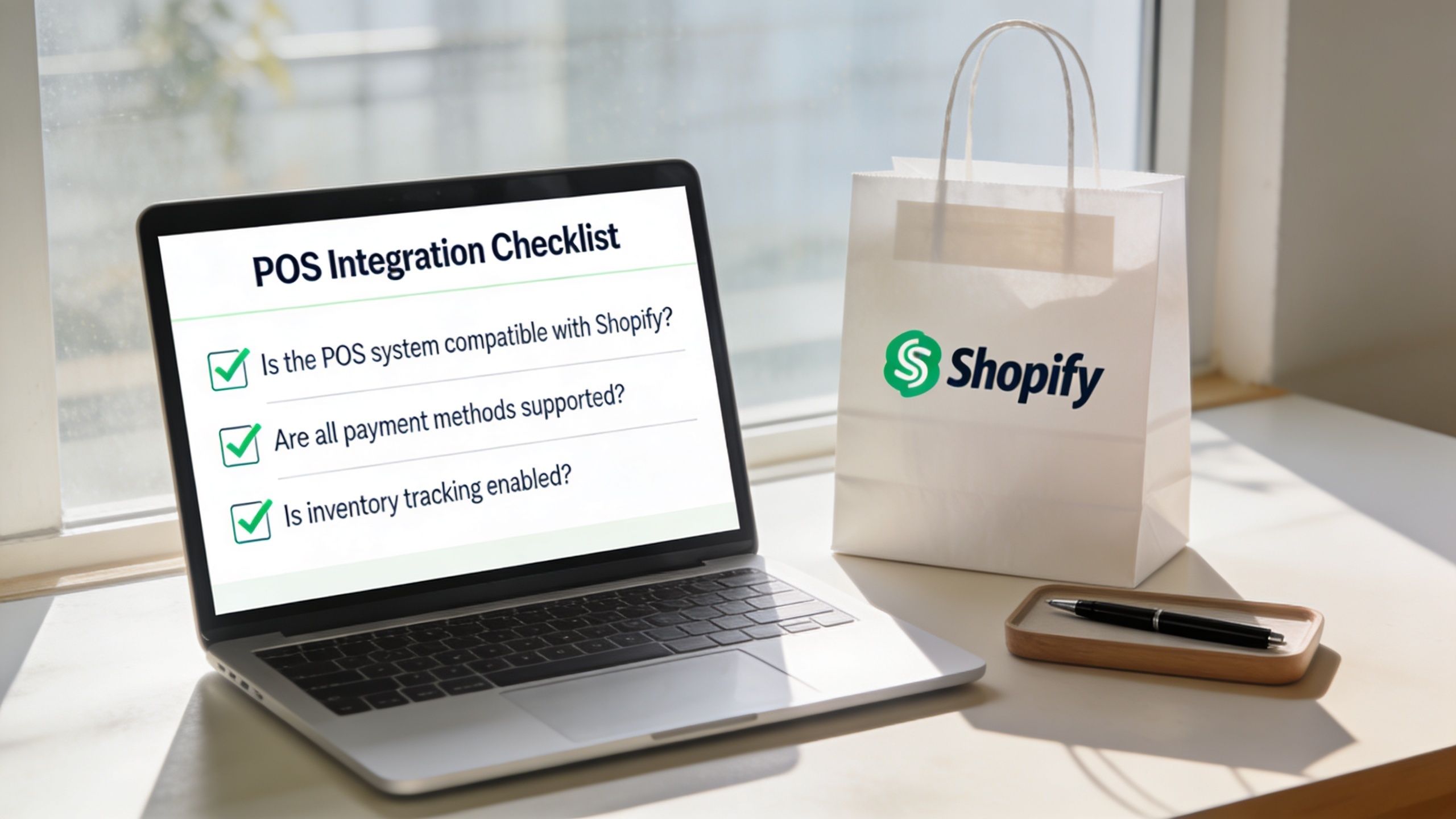
Questions to ask before you commit
How fast does inventory sync? If stock updates in batches instead of close to real time, you’re increasing the chance of oversells, cancellations, and “item not received” complaints.
What happens to returns across channels? A good setup should let your team process an online return in store without losing the original payment trail or order linkage.
Does every payment method preserve usable metadata? Cards, wallets, and alternative methods need enough transaction detail to support support tickets, reconciliation, and dispute evidence later.
How are failed syncs surfaced? Quiet failures are the worst kind. You want visible alerts, retry logic, and logs your ops team can actually read.
What happens if internet access drops? Offline processing may keep sales moving, but you need a clear answer for how queued transactions sync back and whether timestamps remain trustworthy.
Is the processor certified for your region and setup? Regional requirements and payment rules change what data gets captured and how refunds are handled.
Questions for your own team
Merchants should also test internal readiness, not just vendor capability.
| Ask your team | Why it matters |
|---|---|
| Can support see store and online refunds in one place? | If not, customers will spot inconsistencies before your team does |
| Can finance match payouts to orders without spreadsheet cleanup? | If not, disputes become slower to review |
| Can ops trace one order from checkout to return? | If not, your evidence chain is fragile |
One useful way to pressure-test this is to walk a few messy scenarios end to end. Not a perfect order. A split shipment. A store exchange for an online order. A wallet payment refunded in person. A canceled item inside a multi-item order.
This short walkthrough is a good reminder of how merchant infrastructure choices affect downstream risk, especially when comparing a merchant account versus payment gateway setup.
For a visual checklist, this video is worth a quick review before rollout:
What actually works in practice
The stores that handle disputes well usually do three things consistently:
- They test with live edge cases, not just clean demo orders.
- They map ownership clearly, so ops, finance, and support know who fixes what.
- They audit the evidence trail regularly, especially after adding a new payment method, app, or store location.
Cheap connectors often look fine during setup. The problems show up later, when a refund goes missing or a cardholder claim lands and your team discovers the records don’t line up.
Win More Chargebacks Across All Your Channels
A well-connected POS setup gives you one thing every dispute process needs. A believable record.
Not a partial record from Shopify. Not a store-only receipt. Not a processor export with no return context. One transaction story that holds together across channels, payment methods, and post-purchase events.
This is significant because merchants still lack a clear ROI framework for integration decisions focused on disputes. It remains uncertain whether more advanced POS integration results in better chargeback outcomes and what level of investment is appropriate for dispute defense, as discussed in the research on POS adoption barriers and ROI questions.
The operational payoff
In practice, better POS integration helps you do three things that directly affect chargeback outcomes:
- Spot disputes faster because order, payment, and refund events are connected
- Respond with cleaner evidence because key records don’t need manual reconstruction
- Reduce preventable claims because customers see fewer fulfillment and refund errors
That’s where a dedicated dispute tool fits. ChargePay uses transaction data to automate chargeback handling for Shopify merchants, including evidence building and deadline management. The product has a 92.4% win rate, has handled 200K+ cases, and recovered $10.8M+ for merchants, based on ChargePay’s published company data. For teams already dealing with messy omnichannel records, that kind of automation is only as strong as the data feeding it.
What to do next
If your store sells online and in person, don’t evaluate integration with POS systems as a store operations project alone. Review it like a revenue recovery system.
Look at how your stack handles refunds, partial fulfillments, payment method differences, and failed syncs. Then check whether your current dispute process can effectively use that data when a claim appears.
The merchants who win more chargebacks usually aren’t the ones with the most tools. They’re the ones with the cleanest transaction trail.
If chargebacks are eating into your Shopify revenue, install ChargePay from the Shopify App Store. It has a Built for Shopify badge, a 4.9-star rating, and a pay-per-win model, so you only pay when money is recovered.


.svg)




.svg)


.svg)
.svg)
.svg)