

Fraud isn’t just a consumer problem. It lands in merchant inboxes, clogs up support queues, tricks staff into bad decisions, and turns into preventable losses.
In 2024, U.S. consumers lost over $12.5 billion to fraud, and PayPal was the third-most impersonated company by scammers according to the FTC. One security firm also detected over 4,000 PayPal-targeted attempts in the first half of 2025 alone in its telemetry, which tells you this isn’t random spam. It’s a sustained attack on trust, and email is one of the main delivery methods (ESET’s PayPal scam analysis).
For a Shopify merchant, paypal email spam matters because it sits upstream of chargebacks. A fake invoice can trigger an unnecessary refund. A phishing login can expose transaction history and payment methods. A spoofed dispute notice can make your team miss the actual deadline. That’s how an email problem becomes a revenue problem.
Why PayPal Spam is a Billion-Dollar Problem for Merchants
Fraud tied to PayPal impersonation does not stop at a bad email. Inside a Shopify business, one fake invoice, one spoofed account alert, or one phony dispute notice can push a team member into a refund, expose account access, or delay a real response long enough to lose a case.
That is why PayPal spam creates merchant losses that rarely show up under a single line item. Finance sees refund leakage. Support sees ticket noise. Ops sees slowdowns. The fraud team sees the bigger pattern. Attackers use inbox confusion to interfere with payment decisions, and those mistakes often end in preventable chargebacks.
Why merchants get hit differently
Consumer advice usually focuses on “don’t click the link.” Merchants need a stricter standard. Staff members handle invoices, shipment issues, unauthorized transaction claims, and payment disputes all day. A fake PayPal email aimed at that workflow can do more damage than a generic phishing message because it targets a real business process.
Here is where the money goes:
- Support time gets burned: Agents spend time sorting fake payment emails from legitimate platform notices.
- Refunds go out unnecessarily: A staff member reacts to a fake “customer dispute” message before checking the case in the actual PayPal dashboard.
- Real deadlines get missed: A spoofed notice distracts the team while a legitimate dispute or claim keeps aging.
- Account data gets exposed: If login credentials are stolen, attackers can review transactions, customer details, and account settings.
One bad decision can trigger two losses at once. You lose the product or the refund, then lose the payment in a chargeback.
Practical rule: If an email could influence a refund, dispute response, shipment hold, or account login, route it through your fraud process before anyone acts on it.
This is also a training problem. Teams that see constant fake notices start skimming, and skimming is expensive in payments. A real PayPal message gets treated like noise, or a fake one gets treated like a case that needs action. If you want the financial side spelled out, review this breakdown of whether chargebacks hurt businesses.
Why PayPal is such a common lure
PayPal works well for scammers because it sits close to money movement and customer trust. Your staff already expects to see invoices, payment confirmations, and dispute-related emails with PayPal branding. Attackers do not need a perfect forgery. They need a message that looks plausible during a busy shift.
Fake invoices are a good example. Many merchants have support or accounting staff who are used to checking billing requests quickly. If your team does not know how to check PayPal invoices, a fake invoice email can turn into an unnecessary payment review, a mistaken refund, or a customer conversation built on false information.
For Shopify stores, PayPal spam is not a side issue. It sits at the start of the loss chain. Inbox confusion becomes workflow mistakes, workflow mistakes become dispute losses, and dispute losses turn into chargebacks that cut into margin and increase payment risk.
How to Spot a PayPal Phishing Email Instantly
Most fake PayPal emails follow a pattern. Once your team knows the pattern, you can reject a lot of bad messages in seconds without opening links, downloading files, or calling anyone.
Key red flags to watch for

Start with the obvious surface checks:
- Display name trick: “PayPal Support” means nothing if the actual sender address is wrong.
- Generic greeting: “Dear customer” is a bad sign for any account-specific notice.
- Pressure language: “Act now,” “your account will be limited,” or “cancel this charge immediately” is there to stop careful thinking.
- Unexpected attachment: Payment platforms usually want you to log in directly, not open a random file.
- Phone number in the email: If the message pushes you to call instead of log in, treat it as suspicious.
- Link mismatch: Hover over links. If the destination looks off, don’t click.
The scammer’s checklist
Scammers rely on habits. They know support teams skim inboxes fast, especially during order spikes or dispute-heavy weeks.
Here’s what they usually build into the message:
A familiar brand name
They want your brain to stop at “PayPal” and never check the rest.A money trigger
Fake invoices, unauthorized purchases, subscription renewals, and account limitations work because they imply immediate financial damage.A shortcut
The email offers an easy path. Click this button. Open this attachment. Call this number.A time constraint
Short deadlines are a social engineering tool, not a customer service feature.
If the email tries to rush you away from the PayPal dashboard and into a phone call or login link, assume it’s hostile until proven otherwise.
What a real review process looks like
Train your team to do the same check every time:
| Check | What to look for | Safe action |
|---|---|---|
| Sender | Exact email address, not just display name | Verify independently |
| Greeting | Your real name or business name | Be cautious with generic greetings |
| Links | Hover destination before clicking | Type PayPal manually instead |
| Request | Refund, password reset, invoice, dispute | Confirm inside your PayPal account |
| Attachment | Any file you didn’t expect | Don’t open it |
If your team handles bookkeeping, this guide on how to check PayPal invoices is useful because it grounds the review process in the actual invoice flow, not just inbox guesswork.
Build this into payment ops
This can’t live only in your support SOP. Your finance, ops, and CX teams all touch the consequences of paypal email spam. The safest workflow is simple: never process a payment issue directly from the email itself. Always verify it inside PayPal, Shopify, or your internal ticketing system first.
Merchants who want a stronger baseline should also tighten internal payment rules around suspicious notices, refunds, and account changes. This overview of PayPal payment security for merchants is a good next step if you’re documenting team procedures.
Beyond the Basics Advanced Scams That Look Real
The hardest PayPal scams don’t look fake. They look valid because, at the email infrastructure level, they are valid.
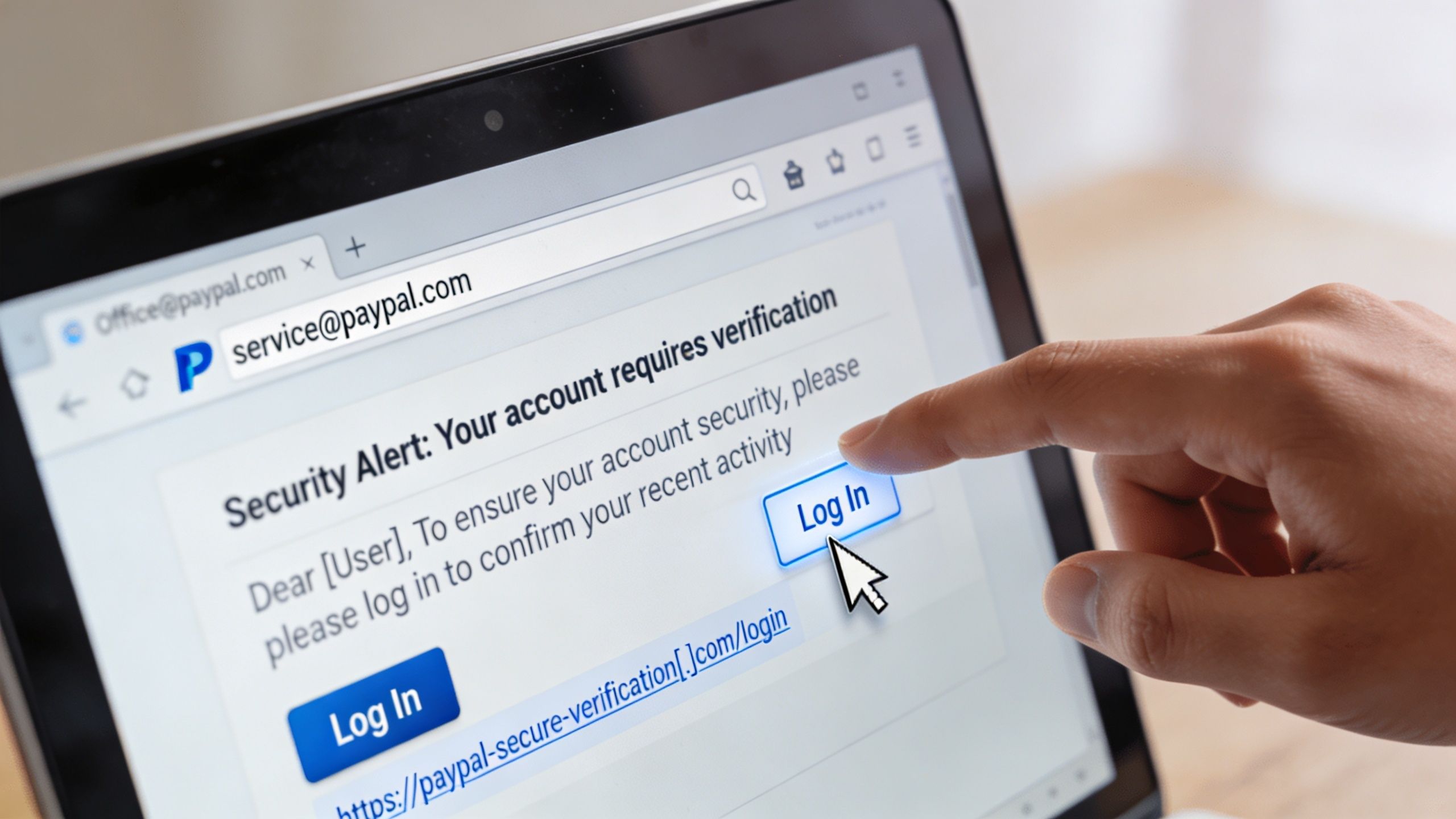
One documented attack abused PayPal’s own native features. By pausing a subscription, attackers could trigger a genuine email from service@paypal.com. That message passed DKIM, SPF, and DMARC checks, which made it indistinguishable from a real notification at the infrastructure level (Malwarebytes on the PayPal loophole).
That changes the rule set for merchants. “It passed authentication” is not enough anymore.
Why this fools experienced teams
Most staff have been taught to look for bad sender addresses, weird domains, and broken branding. In this type of attack, those clues may not appear.
What does appear is a convincing business scenario:
- A fake high-value purchase notice
- A cancellation prompt
- A support phone number
- A sense that doing nothing will cost money
That’s a strong psychological mix. If you want to understand why urgency and fear work so well in email copy, this piece on email psychology for B2B sales is useful reading. Different goal, same mechanics. The sender wants a fast reaction before the recipient verifies context.
What zero-trust looks like in practice
For merchants, the fix is operational, not just technical. Don’t let a “verified” email trigger a financial action by itself.
Use rules like these:
- No refunds from email alone: Refunds happen only after review inside PayPal or Shopify.
- No calling phone numbers in the message: If support is needed, use the number from the official dashboard.
- No account changes from email links: Log in directly through the official site or app.
- No single-person approval on unusual payment requests: Add a second check for high-risk notices.
Here’s a quick breakdown of how these scams unfold in the wild:
A lot of merchants still think the danger starts only after a team member types in a password. It doesn’t. Sometimes the loss starts when someone trusts the email enough to refund, call, disclose account details, or stop working the actual dispute queue.
If you’ve seen buyers exploit confusion around refunds and payment notices, this guide to the PayPal refund scam adds another angle worth training your team on.
Your 4-Step Playbook for Handling Suspicious Emails
When a suspicious PayPal email lands in the inbox, speed matters. So does sequence. The wrong first move is usually the expensive one.
Pennsylvania’s Attorney General has warned about scammers sending repeated fake PayPal invoices with toll-free numbers. Victims call to “cancel” the fake transaction, then end up speaking directly with the scammer, who tries to extract personal and financial information (PayPal’s scam-spotting help page).
Step 1 Verify inside PayPal
Don’t click. Don’t call. Don’t reply.
Open a fresh browser window and log in to PayPal directly. Check for the invoice, dispute, limitation, or notification there. If it isn’t in the account, treat the email as fraudulent.
A real payment issue will show up in the account itself. A fake one usually exists only in the inbox.
Step 2 Report the message
Forward phishing emails to PayPal’s reporting address and report them inside your email platform if relevant. Keep this simple so staff do it.
Use a standard template instead of asking each team member to improvise.
| Report To | Subject Line | Email Body Template |
|---|---|---|
| PayPal phishing reporting | Suspicious PayPal email received | Hello, I received a suspicious email that appears to impersonate PayPal. I did not click any links or call any phone numbers. Please review the attached or forwarded message. |
| Internal security or ops lead | Suspicious PayPal email for review | Team, I received a PayPal-related message that may be phishing. I have not taken action. Please log this and confirm whether any account review is needed. |
| Email provider abuse or phishing report flow | Phishing email impersonating PayPal | This message appears to impersonate PayPal and may be part of a phishing attempt. Please investigate and block similar messages if appropriate. |
Step 3 Block and isolate
Blocking alone won’t solve the problem, but it cuts down on repeat attempts and helps your team stay focused.
Do three things:
- Block the sender or domain pattern when your mail system allows it.
- Mark the message as phishing so your provider learns from it.
- Warn the team in your shared channel if the email hit more than one inbox.
If you run a larger support or ops team, create a shared “suspicious payment notices” queue. That keeps one employee from making a solo judgment call under pressure.
Step 4 Secure accounts if anyone interacted
If someone clicked a link, opened an attachment, entered credentials, or called the number, move immediately.
Your response checklist should include:
- Change the PayPal password
- Review login sessions and recent account activity
- Enable or re-check two-factor authentication
- Inspect Shopify admin access for unusual activity
- Review recent refunds, disputes, and payment method changes
This is also the point where dispute readiness matters. If confusion around fake emails leads to a mishandled case, your team may need a clear escalation path for the actual dispute that follows. This guide on how to escalate a case on PayPal is useful to keep in your internal playbook.
Fortify Your Defenses Proactive Security for Your Team
Spotting scams is good. Making them useless is better.
That matters because some phishing campaigns are built to perform at scale. AI-generated phishing campaigns have achieved click rates as high as 54% and credential theft success rates of 33.6%. Once credentials are stolen, attackers can redirect login data from legitimate PayPal endpoints to their own servers and gain access to stored payment methods and transaction histories (SentinelOne’s technical analysis of PayPal phishing).

Start with account hardening
If your PayPal and Shopify accounts are protected well, one bad click is less likely to become a payout or takeover.
Focus on these controls first:
- Turn on MFA everywhere: PayPal admin access, Shopify admin accounts, and shared finance tools.
- Use unique passwords: Don’t let the PayPal password match any other tool.
- Review user permissions: Staff shouldn’t all have refund authority or full account access.
- Remove stale access: Former employees, contractors, and dormant accounts need cleanup.
Tighten team workflows
The best fraud control is often a boring process rule that everyone follows.
For example:
| Risk event | Weak process | Strong process |
|---|---|---|
| Refund request from email | Support agent refunds immediately | Agent verifies inside PayPal and checks order notes |
| Urgent account warning | Staff click link in message | Staff log in directly from saved bookmark |
| Dispute-looking notice | One person handles it in inbox | Team checks dispute dashboard and internal case queue |
Merchant habit: Any message involving payments, disputes, refunds, or account access gets verified in-system, never acted on from the inbox.
Train for the signs your filters miss
Email authentication helps, but it doesn’t settle the question by itself. If your IT lead or agency manages deliverability and domain reputation, a tool like this SPF and DKIM checker can help with basic validation checks. It won’t tell you whether a specific payment request is legitimate, but it helps teams understand what email authentication can and cannot prove.
That distinction matters. A passed authentication check means the message cleared a technical hurdle. It does not mean the requested action is safe for your business.
Limit the blast radius
Give your team enough access to do their jobs, not enough to drain the account by accident.
A practical setup looks like this:
- Customer support can view order and payment status, but can’t issue unrestricted refunds.
- Finance can review invoices and settlement activity, but major account changes need approval.
- Owners or senior ops handle unusual payment notices, account recovery, and permission changes.
This approach isn’t glamorous, but it works. Most paypal email spam succeeds because the attacker finds one person with too much access and too little time.
Connecting Spam to Chargebacks and Winning with AI
Chargebacks rarely start at the chargeback stage. For Shopify merchants, the loss often starts earlier, with one bad PayPal email that sends the team down the wrong path.
I see this pattern all the time. Support gets a fake invoice and treats it like a customer payment issue. Finance chases a spoofed dispute notice while a real case sits unanswered in PayPal. A compromised login gives an attacker order details, shipping history, and customer names, which later makes a friendly fraud claim harder to fight. The inbox event looks small. The revenue loss shows up later as refunds, lost disputes, and weak evidence.
That is why PayPal spam belongs in your chargeback process, not just your IT checklist. The risk is operational. If your team handles fake payment requests, fake dispute notices, or spoofed account alerts inside normal workflows, attackers can trigger the same outcomes as a fraudster who hits the dispute channel directly.
How the losses happen
When paypal email spam reaches a store team, losses usually show up in four places:
Unnecessary refunds
An employee responds to a fake invoice, fake complaint, or fake account warning and sends money out before checking the order and payment records.Missed dispute deadlines
Fake notices create noise. Real PayPal disputes get buried, and the response window closes before anyone submits evidence.Weak case evidence
Teams spend time on the wrong thread first, then pull together screenshots and order notes too late or from incomplete records.Friendly fraud exposure
A buyer files a claim on a legitimate order, and the merchant's timeline is already messy because staff acted from misleading emails instead of system data.
Why training alone does not solve it
Training helps. It does not fix a workflow problem.
Merchants lose cases when payment ops are split across inboxes, Shopify, PayPal, help desk tickets, Slack messages, and spreadsheets. Under pressure, staff start treating email as a source of truth because it is the fastest thing in front of them. That is where mistakes turn into chargebacks.
The safer model is simple. Email can alert your team to a possible issue, but every refund, dispute response, account change, and escalation needs to be verified in the system of record first.
That means:
- Use the email as a prompt, not proof.
- Confirm the case in PayPal and Shopify before anyone takes action.
- Pull evidence from order records, tracking data, customer history, and platform logs.
- Route dispute work through a defined queue with ownership and deadlines.
If you want to see where automation fits, this guide on how AI technology catches chargeback fraud explains how AI helps teams flag risk patterns early and organize evidence before a case is lost.
The operating model that protects revenue
Strong teams reduce judgment calls. They do not ask a busy support agent to decide whether a payment email is real and whether money should move based on that message alone.
A better approach is to hard-code the decision path:
- payment or refund email arrives
- staff verifies the order, transaction, and dispute status in platform dashboards
- suspicious messages get logged internally
- only approved roles can refund, change account settings, or respond to disputes
- every real dispute gets tracked against a response deadline
This shift matters because spam, friendly fraud, and chargebacks often share the same weak points. Loose permissions. Inbox-based decisions. Missing documentation. No clear owner.
The scam starts in email. The loss hits your dispute rate and recovered revenue.
If your store already deals with friendly fraud, high PayPal volume, or tight dispute response windows, paypal email spam is an early warning sign. Treat it like a chargeback control issue, and your team will prevent more losses before they ever reach the representment stage.
ChargePay helps Shopify merchants turn that chaos into a system. It’s an AI-powered chargeback management app that wins 92.4% of disputes, has handled 200K+ cases, and recovered $10.8M+ for merchants. It has a 4.9-star Shopify App Store rating and a Built for Shopify badge, and pricing is pay-per-win, so you only pay when money is recovered. If you want a practical way to protect revenue when spam, friendly fraud, and dispute mistakes start stacking up, install ChargePay from the Shopify App Store.


.svg)



.svg)


.svg)
.svg)
.svg)